
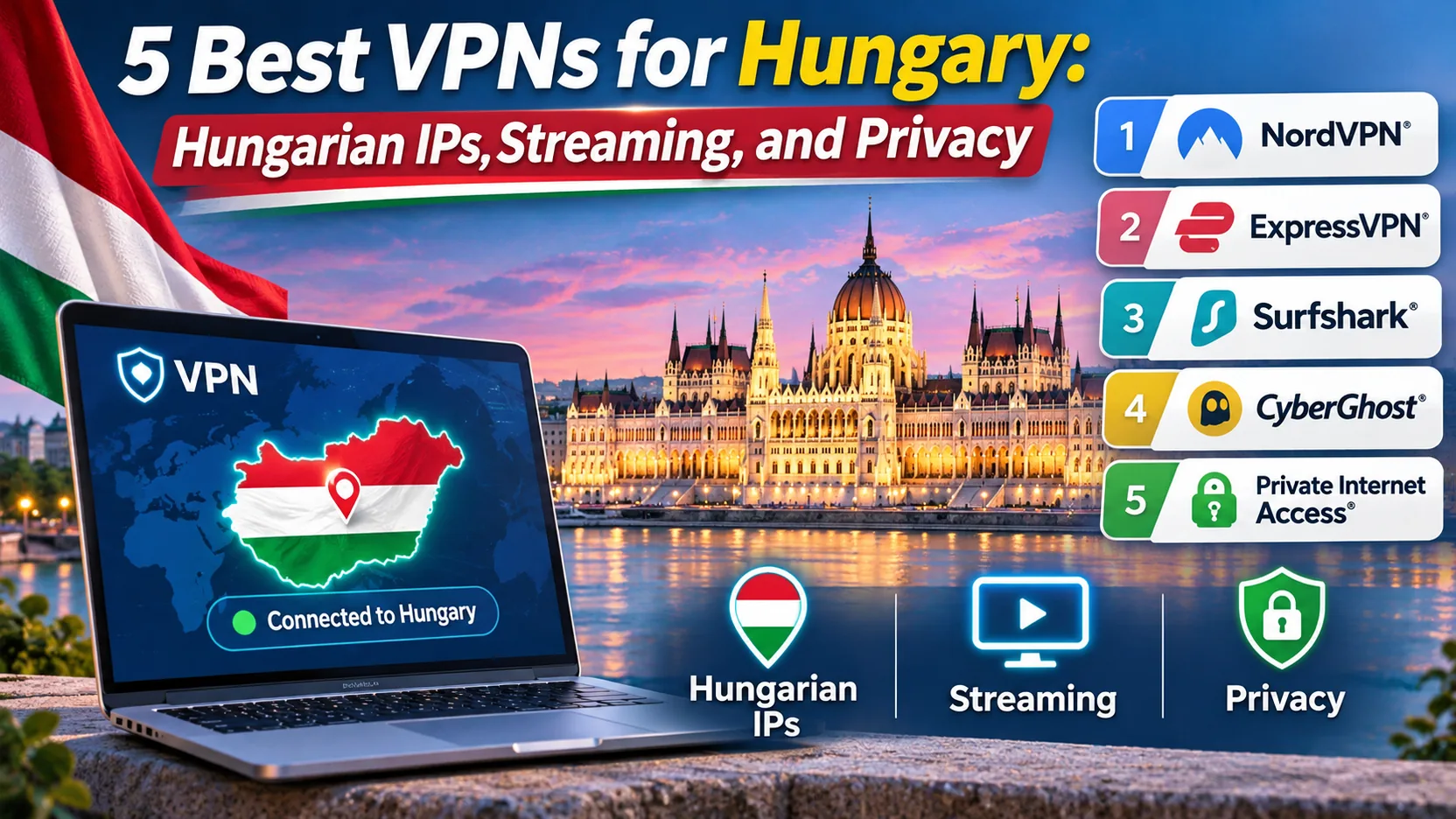
You land in Budapest, open your laptop on the hotel Wi-Fi, and find that the Hungarian TV app you pay for at home will not load. Or you live abroad and want a Hungarian IP address so your banking and streaming accounts stop treating you as a stranger. Both problems have the same fix, but only if the VPN you pick offers a Hungary location that works and keeps your traffic private on networks you do not control.
We compared five services against exactly those needs: NordVPN, ExpressVPN, Surfshark, CyberGhost, and Proton VPN. Each one offers a Hungarian exit IP, and each differs in device limits, refund terms, and everyday friction. We checked what each provider documents about Hungary, ran the apps ourselves, and kept the findings that mattered for a Hungary-focused buyer. Below you will find the shortlist, the criteria behind it, and a plain walkthrough for getting a Hungarian IP.
Best VPNs for Hungary at a glance
All five providers list a Hungary location in their apps, and the table below shows how they differ where it matters. A Hungarian exit IP is what a website sees. It does not prove that the server hardware sits in Hungary; none of the providers' country pages independently establish that. Treat "Hungarian IP" and "physical Hungarian server" as two separate claims.
| Product | Buy | Hungarian exit IP | Devices | Refund window | Starting offer (varies by region) |
|---|---|---|---|---|---|
 |
Check price → | Yes, Budapest selection | 10 simultaneous | 30-day | $94.23 for the first 27 months |
 |
Check price | Yes, Hungary selection | Basic 10, Advanced 12 | 30-day for first-time direct buyers | $83.72 for the first 28 months (Basic) |
 |
Check price | Yes, Hungary selection | Unlimited | 30-day on eligible first purchases | Localized; we saw an Australian rendering |
 |
Check price | Yes, Budapest selection | 7 active connections | 45-day on 6-month or longer plans | $61.32 initial total, duration labels conflict |
 |
Check price | Yes, paid plan only | Paid 10, Free 1 | 30-day on paid plans | $3.49 per month equivalent on the two-year plan |
The 5 best VPNs for Hungary
We ordered these by how well each one handles the two jobs Hungary buyers ask about most: getting a Hungarian IP reliably, and staying private on public networks. Prices below are the offers we saw on the providers' pricing pages on the day we checked. Introductory rates depend on region and promotion, so confirm the total at checkout.
How we compared them: for each provider we confirmed the Hungary location on its own country page, then looked at device limits, refund terms, and renewal pricing side by side. We then used each app for the everyday jobs that matter to a Hungary buyer: picking an exit, adding a device, and getting a streaming service to load. Where a provider's page could not back a claim, we say so rather than fill the gap.
1. NordVPN
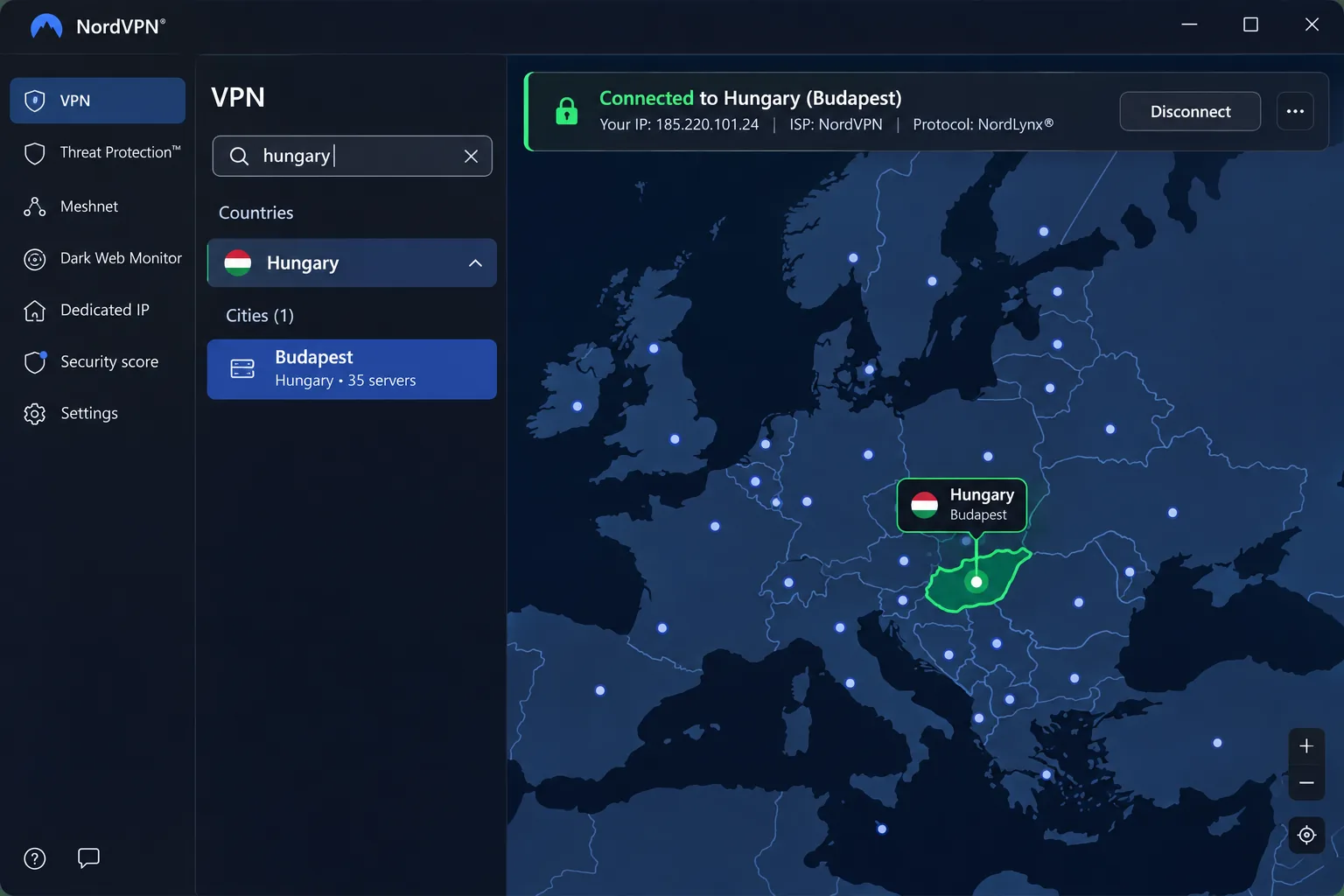
NordVPN gives you the most direct route to a Hungarian IP. Its Hungary page offers a Budapest selection on a country map and a searchable server list, so you can also pick a nearby European location if you care more about speed than a Hungarian address. A single account covers 10 simultaneous devices.
On the privacy side, you get NordLynx, a kill switch, a no-activity-logging policy, and specialty routes such as Double VPN, P2P, and Onion Over VPN. These are network-wide features, so we would not assume every one of them is available at the Hungarian exit. The key moment came when we left hotel Wi-Fi. As we moved a phone between Wi-Fi and cellular data, a routine switch for travelers, the mobile connection stayed stable. On that same phone, the mobile map took more swiping than the country list and felt cramped on a small screen, so we switched to the list. Double VPN routes added noticeable page-loading lag compared with ordinary connections, so we kept them for sensitive sessions only.
For streaming, NordVPN handled Netflix access well in general streaming tests. That does not establish that it works with Hungarian channels, and we could not confirm that for any of the five providers.
The Basic offer showed $94.23 for the first 27 months, followed by renewal at $139.08 per year, with sales tax possibly extra. That gap is the main thing to plan around. It comes with a 30-day money-back guarantee, and the subscription renews automatically unless you cancel. The Windows app supports Windows 10 64-bit and Windows 11, including supported ARM devices.
Pros
- Budapest selection plus nearby European locations
- 10 simultaneous devices on one account
- Kill switch and a wide set of specialty routes
- Mobile connections held steady across Wi-Fi and cellular
Cons
- Higher renewal price
- Double VPN lag
- Cramped mobile map
2. ExpressVPN
Where NordVPN leans on privacy tooling, ExpressVPN leans on convenience.
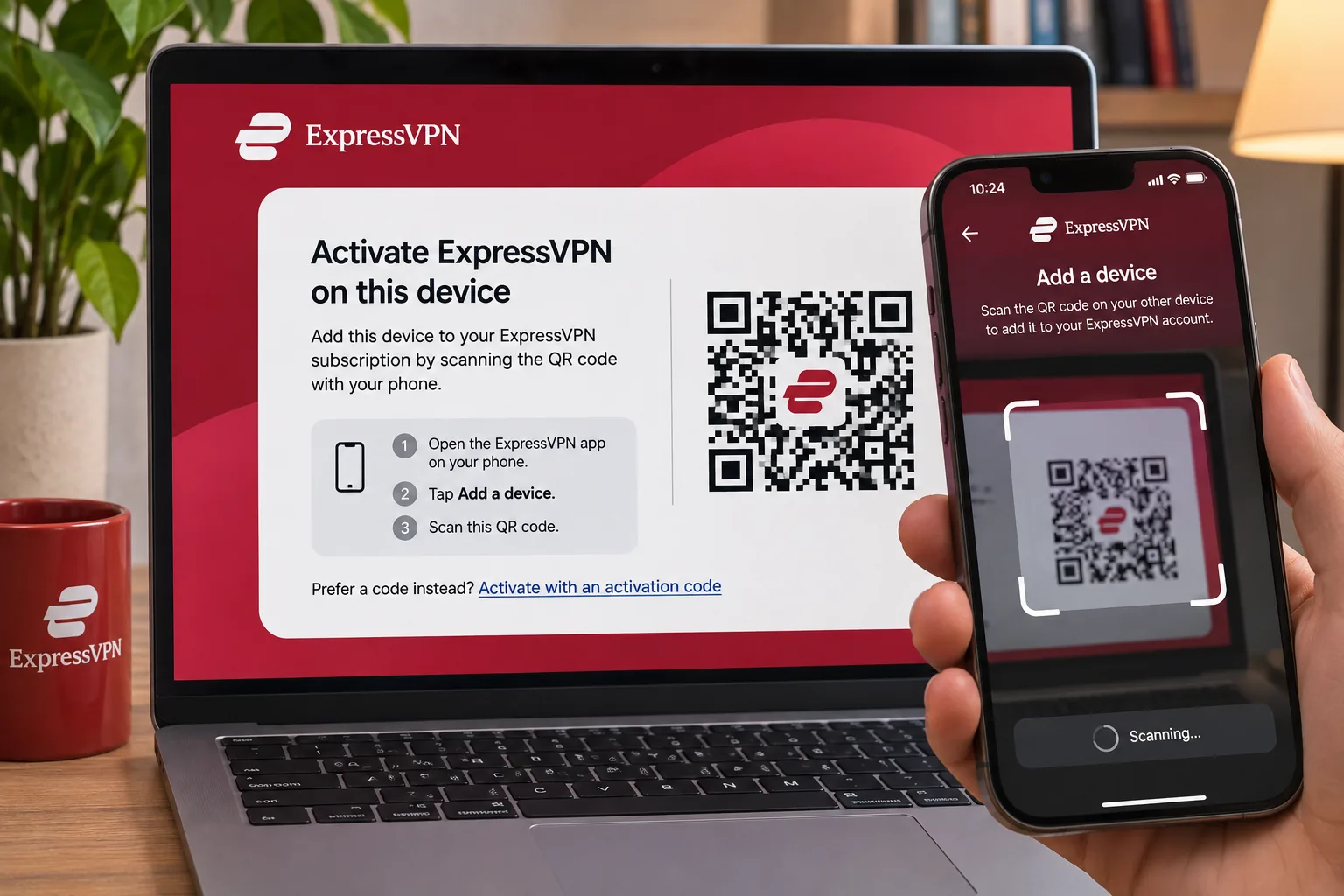
ExpressVPN advertises Hungarian IP access with Budapest servers, and it is the easiest of the five to set up across many devices. When we added a phone and a tablet, the activation-code login and QR setup made each one straightforward. It also covers Windows, Mac, Linux, iOS, Android, routers, and TV options.
The redesigned desktop app is easy to navigate, although its map and usage metrics take up space that does not help when you only want to connect and go. When we hit an unusual setup problem, we contacted ExpressVPN support. Instead of a canned reply, we got useful troubleshooting advice that walked us through the problem.
Streaming results were mixed. ExpressVPN accessed British and Australian free streaming services smoothly, while Prime Video and some Netflix regions needed retries or stayed blocked. Expect to try a second server. That is normal for any VPN, so keep it in mind before buying a subscription for one specific service.
On features, ExpressVPN documents a kill switch, private DNS, a RAM-only server architecture, a no-logs policy, and unlimited bandwidth. The Basic plan allows 10 simultaneous devices and Advanced allows 12. The Basic offer showed $83.72 for the first 28 months, then $99.95 on annual auto-renewal, with other tiers and regions priced differently. The 30-day guarantee applies to first-time direct subscribers, and iOS and Android in-app subscriptions are excluded because the app stores handle those refunds. The Windows app supports Windows 10 and Windows 11 64-bit, and ARM64 PCs need the ARM64 build.
Pros
- Activation code and QR login simplify adding devices
- RAM-only servers and private DNS are documented
- Support helped with unusual setup problems
Cons
- Streaming retries
- Cluttered desktop map
- App-store purchases not refundable
3. Surfshark
ExpressVPN caps you at 10 or 12 devices, while Surfshark does not. It is the pick for a crowded household, because it allows unlimited simultaneous connections and offers a Hungarian IP through its Hungary location. Dynamic MultiHop lets you choose the entry and exit servers yourself, and CleanWeb filters ads, trackers, and malicious sites.
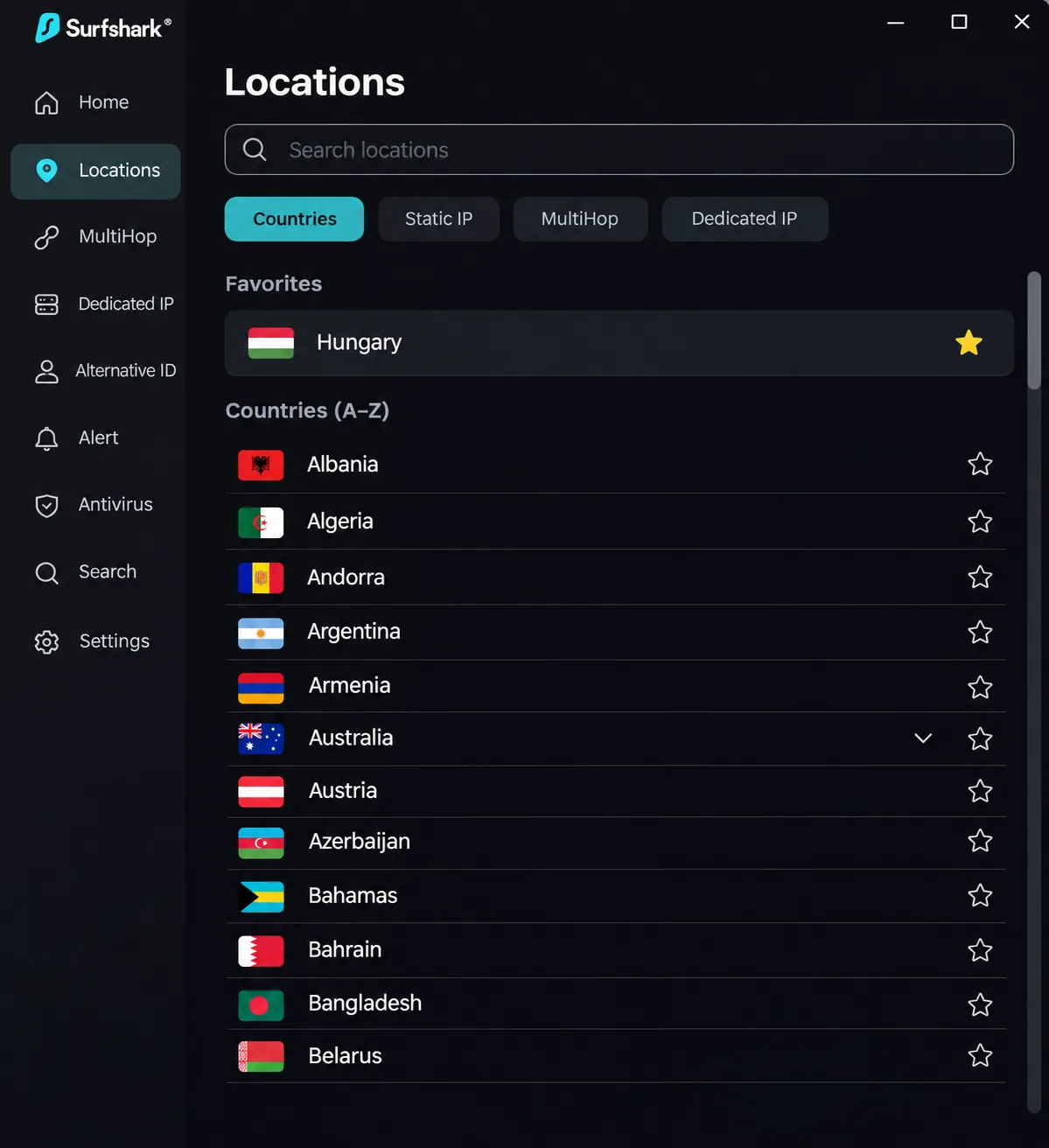
Day to day, the app is pleasant. After we starred Hungary in the favorites list, we could return to the same exit with one tap from the alphabetical country list. On a television, QR login saved us from typing a password with a remote. The server picker lacks ping and load information, making it harder than it should be to choose a server manually based on performance. Performance was strong on nearby servers and less consistent over long distances, so a Hungary or neighboring-country exit suits it better than a connection to the other side of the world.
Streaming needs some care. CleanWeb can interfere with ad-funded streaming, and we had to disable that filter for playback to work. Surfshark also failed to open Prime Video even when other streaming sites loaded fine. The browser extension and full app can interrupt each other if both are connected at once.
We cannot quote a reliable Hungarian price. The pricing page rendered an Australian offer of A$94.23 for the first 27 months, and the renewal table did not show a number. Plans renew at standard non-introductory prices, and your payment currency can depend on your card and location. The 30-day guarantee covers eligible initial purchases but not already-renewed subscriptions. The app supports Windows 10 and Windows 11.
Pros
- Unlimited simultaneous connections
- Customizable MultiHop with a chosen entry and exit
- Easy return to a favorite Hungary exit
Cons
- No ping or load data
- CleanWeb conflicts
- Prime Video failure
4. CyberGhost
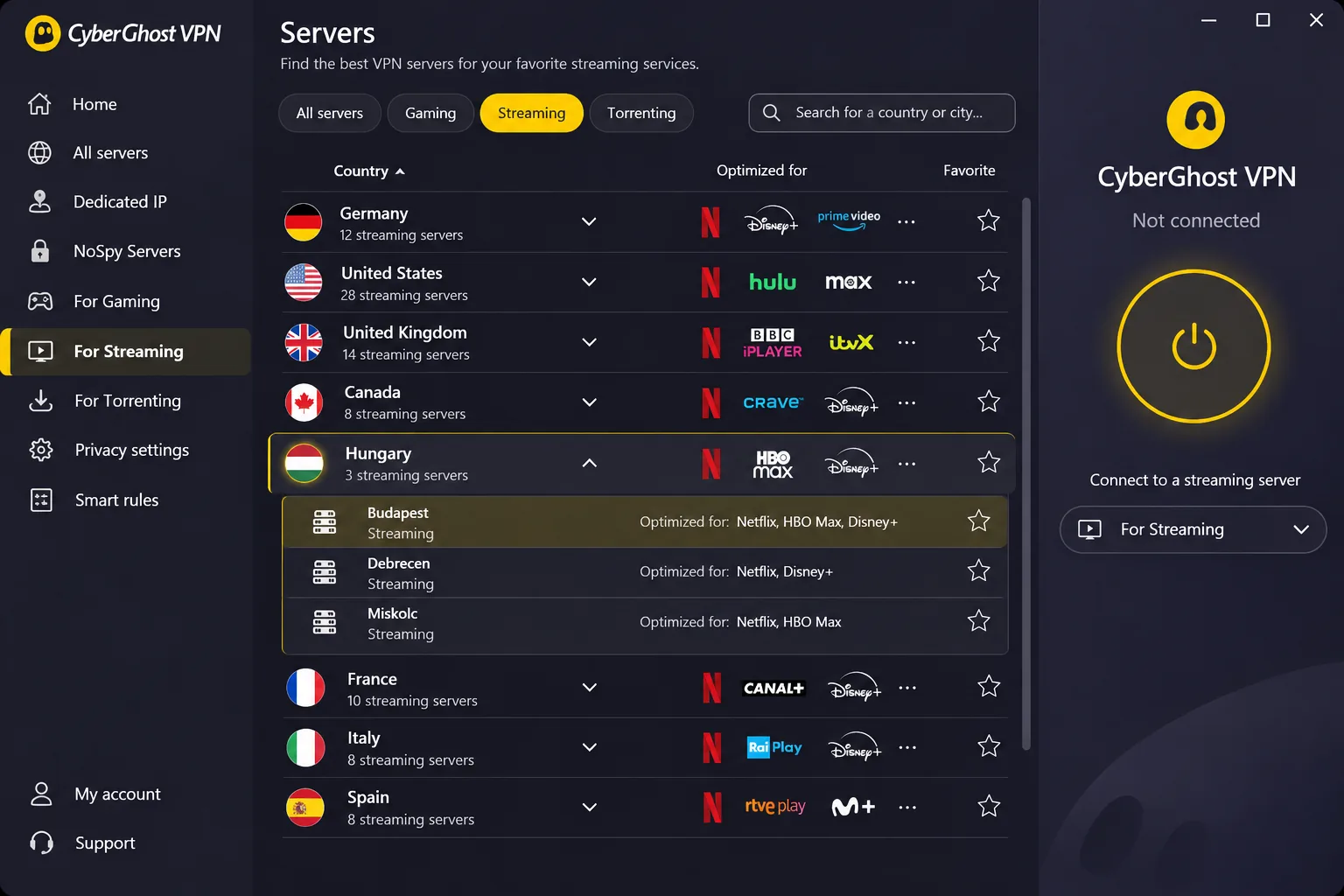
Surfshark rewards tinkering, whereas CyberGhost is the simplest of the five for a first-time VPN user who wants to stream. Its country page advertises Budapest servers, and the app labels streaming and downloading servers so you can find the right one without guessing. Desktop and mobile setup is straightforward, and there are fewer extra tools to learn than in some larger privacy suites.
The labels help, but they are not a guarantee. A designated streaming server can fail while another streaming server in the same country works, so try the next one in the list before blaming the service. Under favorable conditions, CyberGhost streamed the major services we tried without buffering or server changes. Its speeds were steady enough for streaming while trailing the fastest rivals in throughput tests. When a phone connection seemed wrong, the mobile connection checker responded quickly and gave us a starting point for diagnosing the problem.
The refund policy is the strongest here: a 45-day full refund on subscriptions of six months or longer, and a 14-day refund on monthly plans, both requested through support. Support documentation says you can install the app on any number of devices but only 7 can be active at once. Some documentation also implies a cap on registered devices, so you may need to remove devices through the account portal when you switch hardware.
The long-plan page displayed $2.19 per month and a $61.32 initial total with $61.32 annual renewal, but it mixed several contradictory bonus-month labels. Confirm the duration at checkout. The Windows app needs Windows 10 version 1903 or later, or Windows 11, and the setup documentation excludes ARM processors.
Pros
- 45-day refund on longer plans
- Streaming server labels and a Budapest option
- Simple setup for beginners
Cons
- 7 active connections
- Streaming servers can fail
- Slower throughput
5. Proton VPN
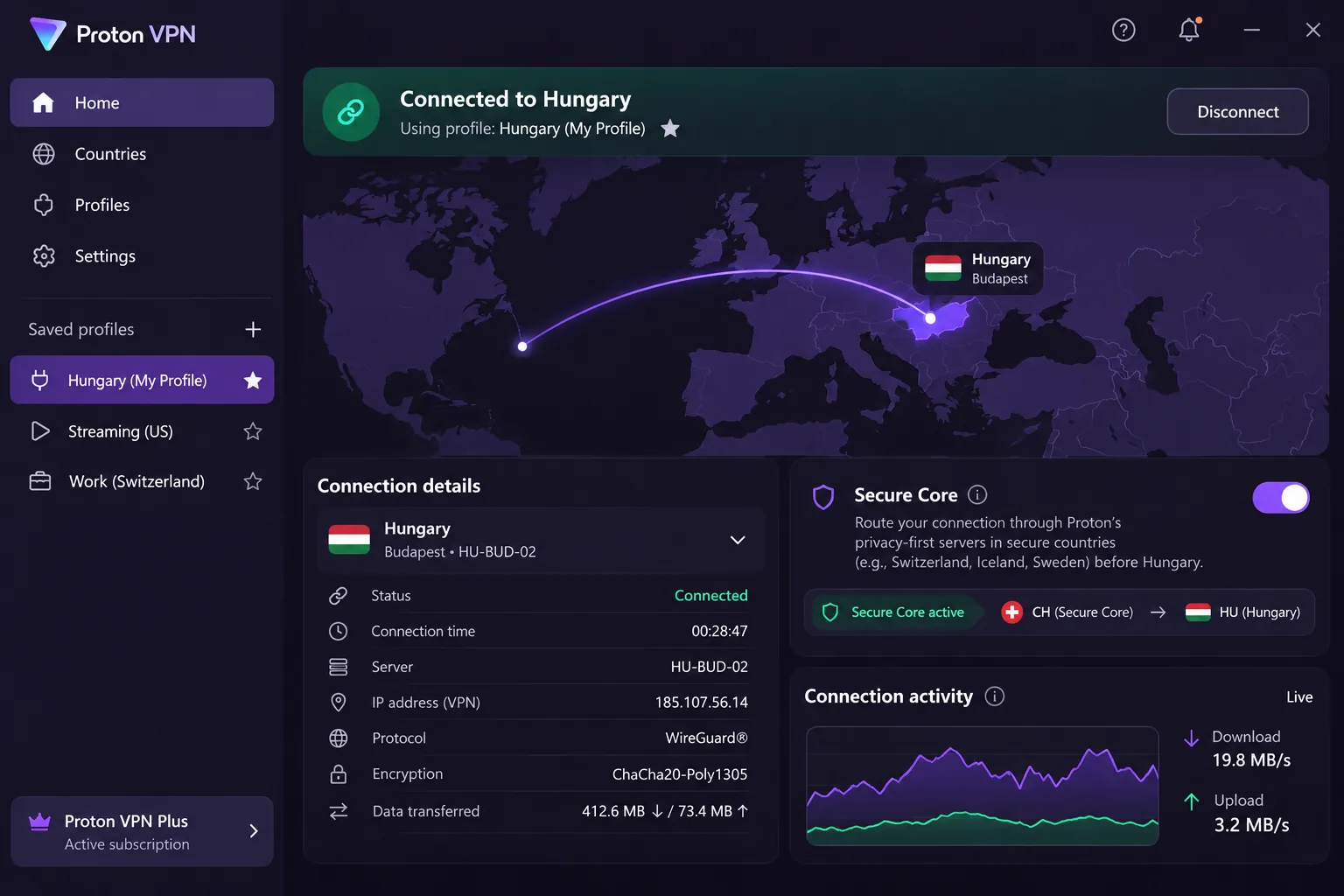
CyberGhost optimizes for streaming, but Proton VPN optimizes for privacy engineering. It is our choice for readers who care more about privacy engineering than streaming. A paid plan gives you a Hungary location with a Hungarian IP, and the apps are open source. Features include WireGuard, a no-logs policy, a kill switch, Secure Core multi-hop, and paid NetShield DNS filtering.
The redesigned home screen made connection details easy to inspect, and we saved profiles so we could reuse settings for different situations. Beginners may find the advanced controls busy. When we forced a connection failure, the kill switch blocked exposure, and we detected no IP, DNS, or WebRTC leaks. On a Mac, though, the kill switch can interfere with casting to an Apple TV. Secure Core also noticeably reduces speed because of the added routing hop, so save it for high-stakes sessions.
The paid plan supports 10 simultaneous devices, while Free supports 1. Proton VPN Plus showed $3.49 per month for the two-year plan, but the page did not specify the total initial charge or the renewal amount. A 30-day guarantee covers paid subscriptions. The Windows app supports Windows 10 64-bit build 19045 and later, with x64 and ARM64 downloads.
Pros
- Open-source apps and a documented kill switch
- Secure Core multi-hop and profiles
- Hungary location on the paid plan
Cons
- Secure Core speed cost
- Busy advanced controls
- Mac Apple TV casting friction
Why use a VPN in Hungary?
Most readers come to this topic for one of three reasons: protecting data on shared networks, watching Hungarian TV from abroad, or keeping international streaming accounts working while in the country. A VPN helps with the first two directly and with the third only when the service lets VPN traffic through.
Public Wi-Fi and remote work
Hotels, airports, and cafes in Budapest are the places where a VPN does the most for your online privacy. It encrypts traffic between your device and the VPN server, so someone on the same network cannot read your browsing. If you work remotely from a coworking space, keep the kill switch on so a dropped connection never exposes your data.
One caution about government tools. Hungary operates Nemzeti Virtualis Ter, a free VPN intended for personal access from abroad. Its conditions allow activity observation, recording, and logging, and they ask users not to use it domestically. That makes it a very different product from a no-logs consumer VPN.
Hungarian TV abroad and international streaming
If you live outside Hungary and want your home content, a Hungarian IP is the starting point. We could not verify success on RTL+, TV2 Play, or specific rights-restricted broadcasts for any of the five providers, so test before you commit. In the other direction, international streaming from inside Hungary depends on the service accepting a VPN address, which none of these providers promises.
No VPN can guarantee access to a streaming service. Services block known VPN addresses, and a server that works this week can stop next week. Use the refund window to test the services you care about.
How to choose a VPN for Hungary
Start with the use case. Someone who needs a Hungarian IP for a streaming login needs a different tool than someone who wants private browsing at a Budapest cafe. These criteria reflect what separated the five providers in our comparison.
Hungarian servers and nearby European locations
Select Hungary in the app and you request a Hungarian exit IP. A nearby server targets a shorter connection path instead. The best location for content access may differ from the one with the lowest latency. A Hungary exit may suit your banking login, while Austria or Slovakia may be quicker for general browsing.
Remember that a country page proves an IP offering, not hardware location. If a service must see you in Hungary, check your IP after connecting. The next section explains how to check it.
Privacy, connection reliability, and device support
Look for a kill switch, a stated no-logs policy, and modern protocols such as WireGuard. We could not verify current audit dates or scopes for these providers in this comparison, so we treat a no-logs claim as a documented policy rather than proven history. For device support, count your phones, laptops, and TVs, and check the Windows requirement if your machine is older. All five support current Windows 10 and Windows 11 builds, with different rules for ARM processors.
Device limits matter more than most buyers expect. Surfshark has no cap. NordVPN, ExpressVPN Basic, and Proton VPN Plus allow 10, while CyberGhost allows 7 active connections.
Subscription costs and renewal terms
The headline monthly price is an introductory figure tied to a long term. The clearest example is NordVPN: its displayed renewal is $139.08 per year, compared with $94.23 for the first term. Surfshark's renewal table did not show a number, and plans renew at standard prices with taxes added. Auto-renewal is on by default with most of these services, so set a calendar reminder and cancel inside the refund window if the service does not suit you.
How to get a Hungarian IP address
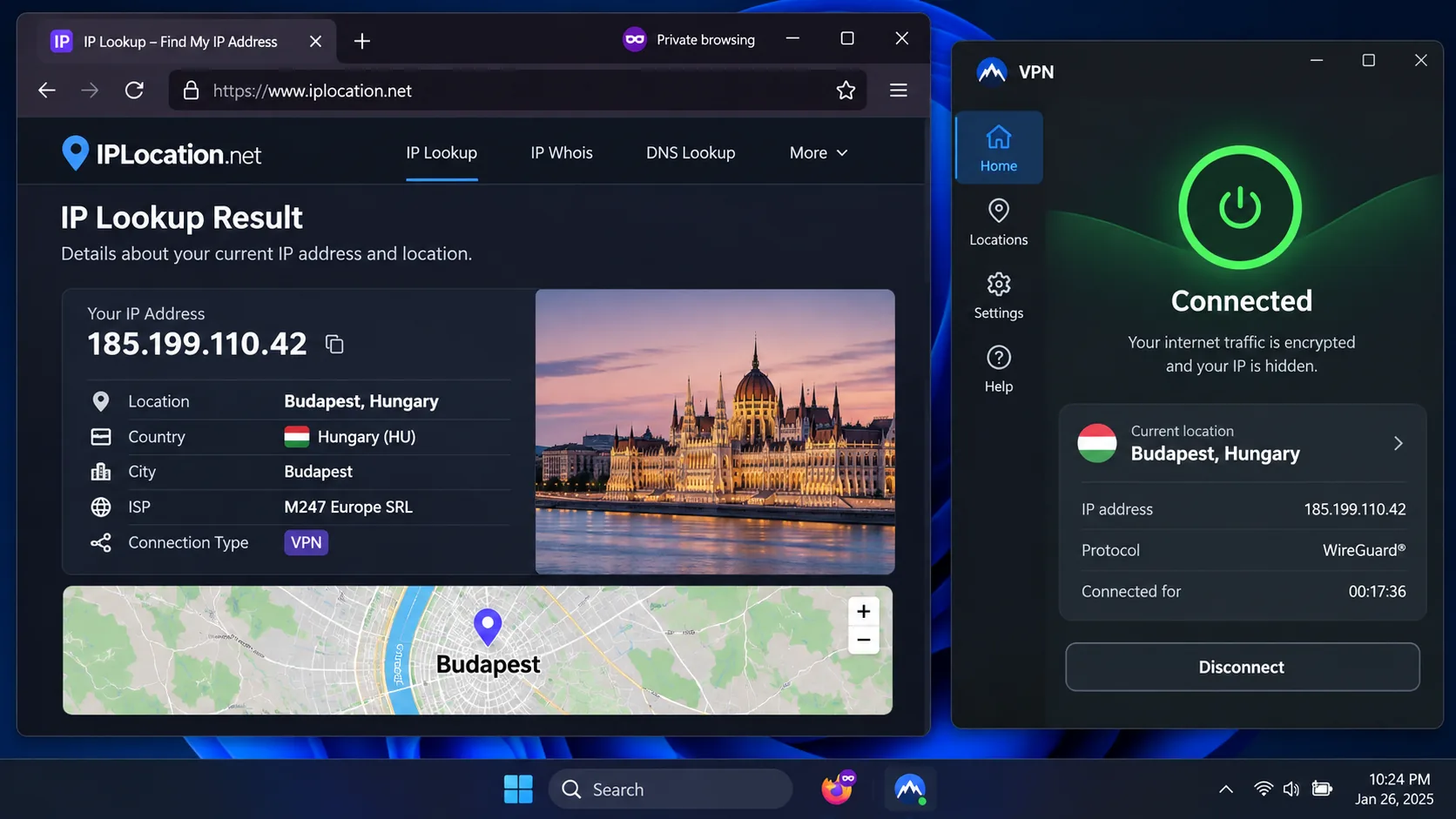
The process is nearly identical across providers. You subscribe, install the app, pick Hungary, and confirm that the IP address a website sees now shows a Hungarian location.
Connect and check your IP location
- Subscribe to a paid plan, since none of the five give you free Hungary selection.
- Install the app and sign in on your device.
- Choose Hungary, or Budapest where it is offered, from the location list or map.
- Wait for the connection to establish, then open a private browser window.
- Search for "what is my IP" and confirm the result shows a Hungarian location.
If the result shows another country, disconnect and reconnect to a different Hungary server. Geolocation databases sometimes disagree about a new IP range, so a second server often fixes the mismatch.
What to try if the connection or streaming fails
Work through these fixes in order:
- Try another Hungary server in the same app.
- Clear browser cookies and cache, along with any app-related DNS cache.
- Retry in a private browser window to rule out cached location data.
- Turn off tracker and ad filters, because Surfshark's CleanWeb is one example that can block ad-funded playback.
- On CyberGhost, switch to a different streaming-labeled server in the same country.
- Contact support, since ExpressVPN support in particular gave us useful advice on unusual problems.
None of this guarantees that a service will accept a VPN address, but it solves most connection problems.
Can you use a free VPN for Hungary?
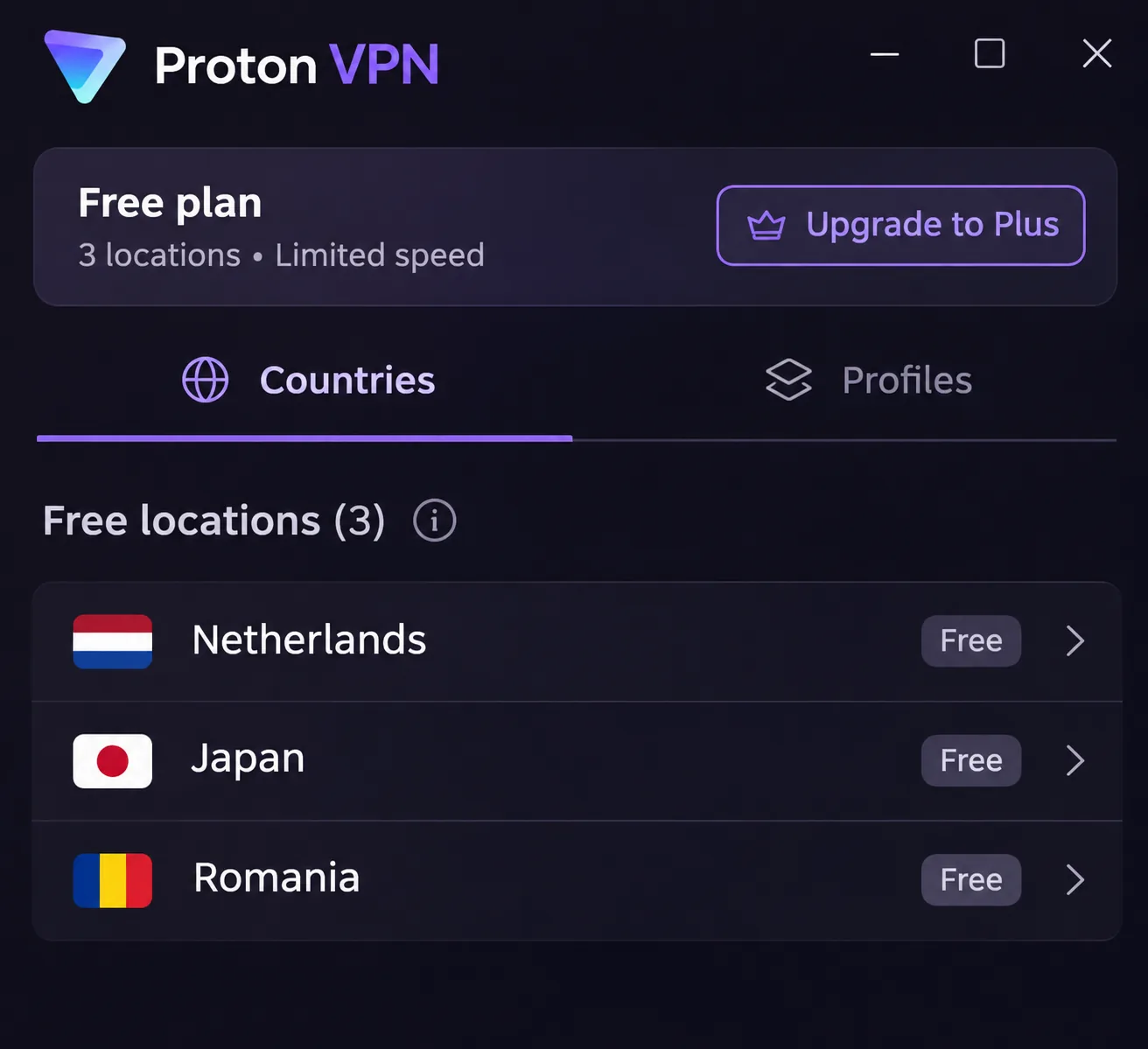
For a Hungarian IP, effectively no. Proton VPN Free is the best-known option with no data cap and no logs, but it picks the fastest free server automatically, and Hungary is not on its free-location list. That list covers the Netherlands, Japan, Romania, Poland, Norway, Switzerland, Singapore, Mexico, Canada, and the United States. Free supports 1 device, and streaming support is included only with paid plans, although streaming can occasionally work on the free plan.
If your goal is only safer browsing on public Wi-Fi, Proton VPN Free is a reasonable stopgap. If you need a Hungarian address, pay for a plan and use the refund window to test it.
Frequently asked questions
Are VPNs legal in Hungary?
Which server location should you choose?
Will a VPN slow down your connection?
Final verdict
For most people who need a Hungarian IP and solid privacy, NordVPN is where we would start. It offers a Budapest selection, 10 devices, a kill switch, and steady mobile connections, with the renewal price the main thing to watch. Surfshark makes sense for a big household, CyberGhost for beginners who want labeled streaming servers and a 45-day refund, ExpressVPN for easy setup across many devices, and Proton VPN for open-source privacy tooling.
Whichever you choose, subscribe to a plan with a refund window, connect to Hungary, check your IP, and test the one service you actually care about before the window closes. If you are heading to a neighboring country next, our guides to the best VPN for Albania and the best VPN for Andorra follow the same approach.







