
If you connect to hotel, café or coworking Wi-Fi in Guatemala, anyone on that network can try to watch your traffic. A VPN wraps your connection in encryption so they see scrambled data instead of your logins, email and banking sessions.
There are two different jobs hiding under "VPN for Guatemala." One is using a VPN while you are in the country, for privacy and safer browsing. The other is getting a Guatemala IP address while you are abroad, which only works if the provider offers a Guatemala location. We explain both uses below and make clear which of our five picks lack a Guatemala location.
Best VPNs for Guatemala at a glance
Four of the five providers list a Guatemala exit IP. Surfshark is the exception, and it earns its place for everyday privacy on a trip. Every Guatemala location we found is virtual, which means the IP says Guatemala while the hardware sits somewhere else. Prices are introductory offers that change often, so confirm the total at checkout.
| Product | Buy | Guatemala exit IP | Connections | Initial offer | Refund |
|---|---|---|---|---|---|
 |
Check price → | Yes, virtual | 10 | $3.49/mo, $94.23 for 27 months | 30-day |
 |
Check price | Yes, virtual via Brazil | 10 on Basic | $2.99/mo, $83.72 for 28 months | 30-day |
 |
Check price | Not listed | Unlimited | $2.49/mo, $67.23 for 27 months | 30-day |
 |
Check price | Yes, virtual Guatemala City | 7 | $2.19/mo, $61.32 for 28 months | 45-day on long plans |
 |
Check price | Yes, virtual Guatemala City | Unlimited | $2.03/mo for 3 years plus 4 months | 30-day |
How we selected the best VPNs for Guatemala
We judged each provider on what it discloses and how it behaved in everyday use: location transparency, privacy and security tooling, apps and device limits, and total cost. We did not run Guatemala-specific speed tests, and we do not claim any. Any speed findings reflect general connection behavior rather than performance on a Guatemala route.
Guatemala IP addresses and nearby server locations
We checked each provider's official location page for a Guatemala entry and its stated hosting arrangement. Surfshark has none, so nearby Mexico or Panama servers only help with latency.
Privacy, security and reliable connections
We looked for a working kill switch, leak protection, modern protocols such as WireGuard and a published no-logs stance. Reliability counted just as much as the feature list. A VPN that stalls while connecting or drops without warning is a liability on hotel Wi-Fi, so CyberGhost's iOS behavior counted against it.
Apps, device limits and total subscription cost
All five cover Windows, macOS, Android and iOS, and four add full Linux apps. Device limits range from 7 to unlimited. For cost, we looked past the headline monthly rate to the upfront total, renewal price and refund window. A cheap intro offer that doubles at renewal is not cheap, and every provider here bills a larger upfront sum than its monthly figure suggests.
The 5 best VPNs for Guatemala
Each section explains who the provider suits, whether it offers a Guatemala IP, and what to expect from its apps and pricing. The order reflects how well each one handled the mix of privacy, streaming, local IP and everyday usability.
1. NordVPN
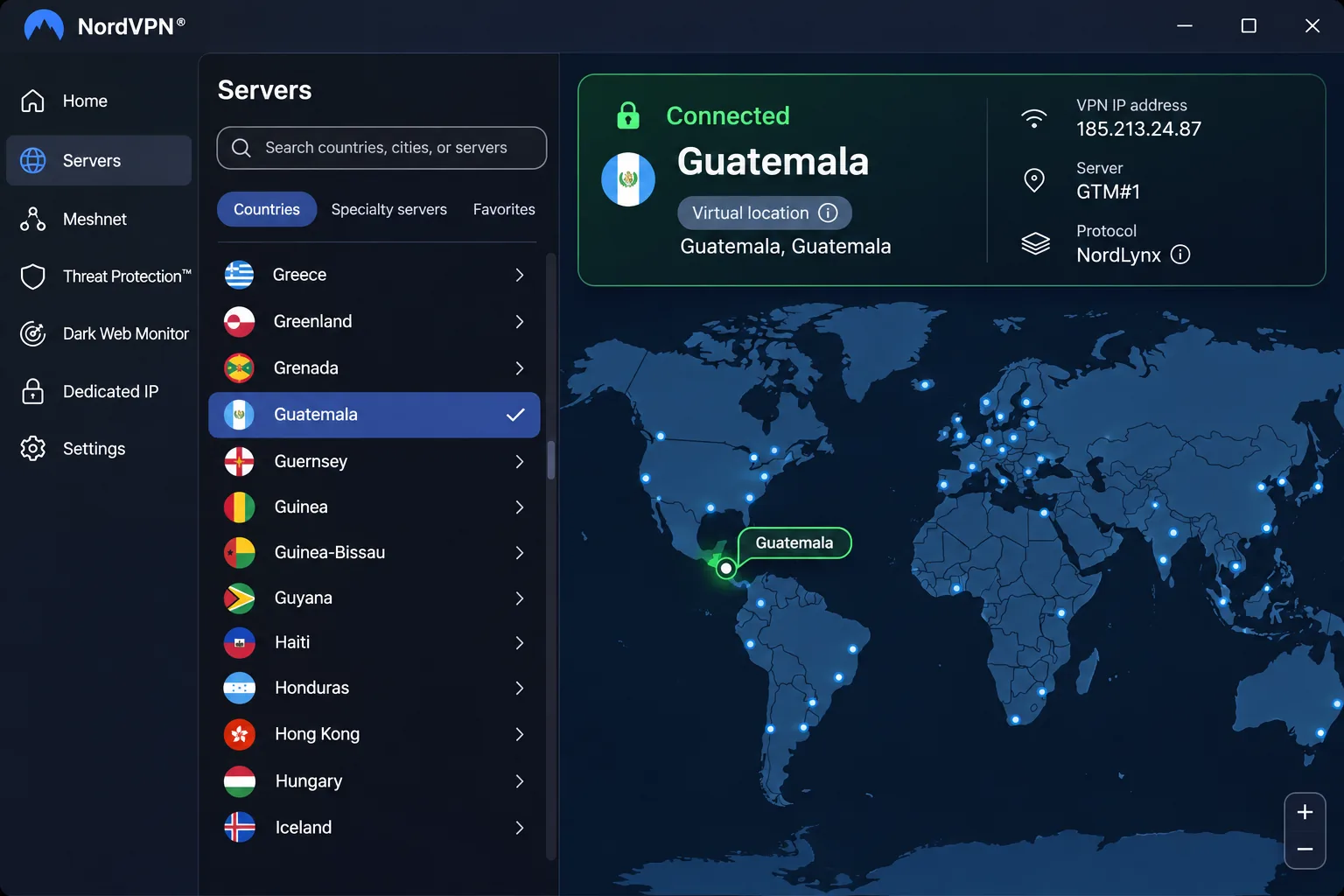
NordVPN suits travelers who want one app that covers privacy, streaming and a Guatemala IP. It lists a Guatemala location, and NordVPN's Guatemala server page shows that this is a virtual location. We could not establish which country hosts the hardware. Nearby options include Mexico, Costa Rica, Honduras and El Salvador, plus US cities.
In our testing, streaming access was a clear strength, and everyday connection performance felt good. NordLynx, its WireGuard-based protocol, kept browsing, gaming and video calls fast and stable even over long distances. The kill switch also stops your real IP from leaking when the connection suddenly drops, which matters on flaky hotel Wi-Fi. Long-distance throughput can trail some rivals, so do not expect record speeds from a far-off server.
The redesigned apps are cleaner, but we found that features were not consistently available across desktop and mobile. Mobile screens feel cramped. You get apps for Windows, macOS, Linux, Android and iOS. Extras include split tunneling on supported platforms, Double VPN and a dedicated-IP option. The current Android app needs Android 9 or newer, and the iOS app needs iOS 17, so older phones may fall back to a sideloaded app or a legacy build.
The basic offer works out to $3.49 a month, with $94.23 billed upfront for the first 27 months. Renewal runs to $139.08 a year, so budget for the jump. There is a 30-day money-back guarantee on the first purchase, but renewals are excluded.
Pros
- Lists a Guatemala exit IP, with Mexico and Central American neighbors nearby
- Strong streaming access and good everyday speeds
- Kill switch, Double VPN and a dedicated-IP option
- 10 simultaneous connections
Cons
- Guatemala is a virtual location with unconfirmed hardware
- Feature gaps between desktop and mobile apps
- Renewal price is much higher than the intro rate
2. ExpressVPN
Where NordVPN piles on extras, ExpressVPN suits anyone who wants the least fuss, including readers setting up a VPN for the first time. It is also the most transparent provider here about where its Guatemala IP comes from. ExpressVPN's virtual server locations page states that Guatemala is a virtual location physically served through Brazil. That distinction matters, because the IP looks Guatemalan while your traffic travels to Brazil first.
The apps are straightforward and easy to navigate, with broad streaming access that works well for everyday use. Support and detailed setup guides also made unfamiliar devices easier to configure. Lightway Turbo performs particularly well on Windows, though standard Lightway on other devices felt less impressive in our testing. A few platform-specific omissions remain despite the wide device list.
Apps cover Windows, macOS, Linux, Android and iOS, with extra TV and router options. The mobile apps need Android 7 or newer and iOS 15 or newer. MediaStreamer is available for supported devices, but it is not an encrypted VPN connection, so do not rely on it for privacy. Kill switch, split tunneling and encrypted private DNS are included, and a dedicated IP is an add-on on lower tiers.
Basic allows 10 simultaneous devices, Advanced 12 and Pro 14. The USD checkout listing showed $83.72 for 28 months, equivalent to $2.99 a month, followed by $99.95 a year. When we opened the same checkout it displayed euro pricing instead, so your offer depends on your location. A 30-day money-back guarantee applies to new users.
Pros
- Guatemala exit IP, with its Brazil routing disclosed
- Simple apps and helpful setup support
- Broad streaming access
- Kill switch, split tunneling and private DNS
Cons
- Guatemala traffic is physically served from Brazil
- Performance varies by platform
- Higher tiers cost more for extra devices and a dedicated IP
3. Surfshark
Where the first two lean on a Guatemala location, Surfshark suits families and frequent travelers who want to cover every phone, laptop and tablet on one subscription. It does not list Guatemala at all. Surfshark's server list offers Belize, Mexico, Costa Rica and Panama nearby, but none of them gives you a Guatemala exit IP. Choose it for protection while you are in Guatemala, not for appearing to be there.
Value is the main reason it ranks well. The app layout makes everyday connection tasks easy, and it performed well at unblocking most of the streaming services we tried. A few services stayed hit-or-miss, even though Netflix and BBC iPlayer worked well. Browsing, gaming and torrenting traffic stayed protected during routine use.
Minor interface frustrations and performance gaps make everyday use feel slightly less polished than with NordVPN or ExpressVPN. Long-distance throughput can also fall behind local performance. Features include Double VPN, Bypasser split tunneling, a kill switch, CleanWeb blocking for ads and trackers, and a dedicated-IP option. Apps run on Windows, macOS, Linux, Android and iOS, with a legacy build for older Windows versions.
The Starter offer is $2.49 a month equivalent, billed at $67.23 for the first 27 months. Renewal uses the standard rate in effect when you renew. We could not confirm that rate, so check before you buy. A 30-day money-back guarantee is displayed on the official pricing page.
Pros
- Unlimited simultaneous connections
- Low starting price
- Strong streaming results overall
- Double VPN, CleanWeb and a kill switch
Cons
- No Guatemala exit IP
- Some streaming services are inconsistent
- Slightly less polished than the top two
4. CyberGhost
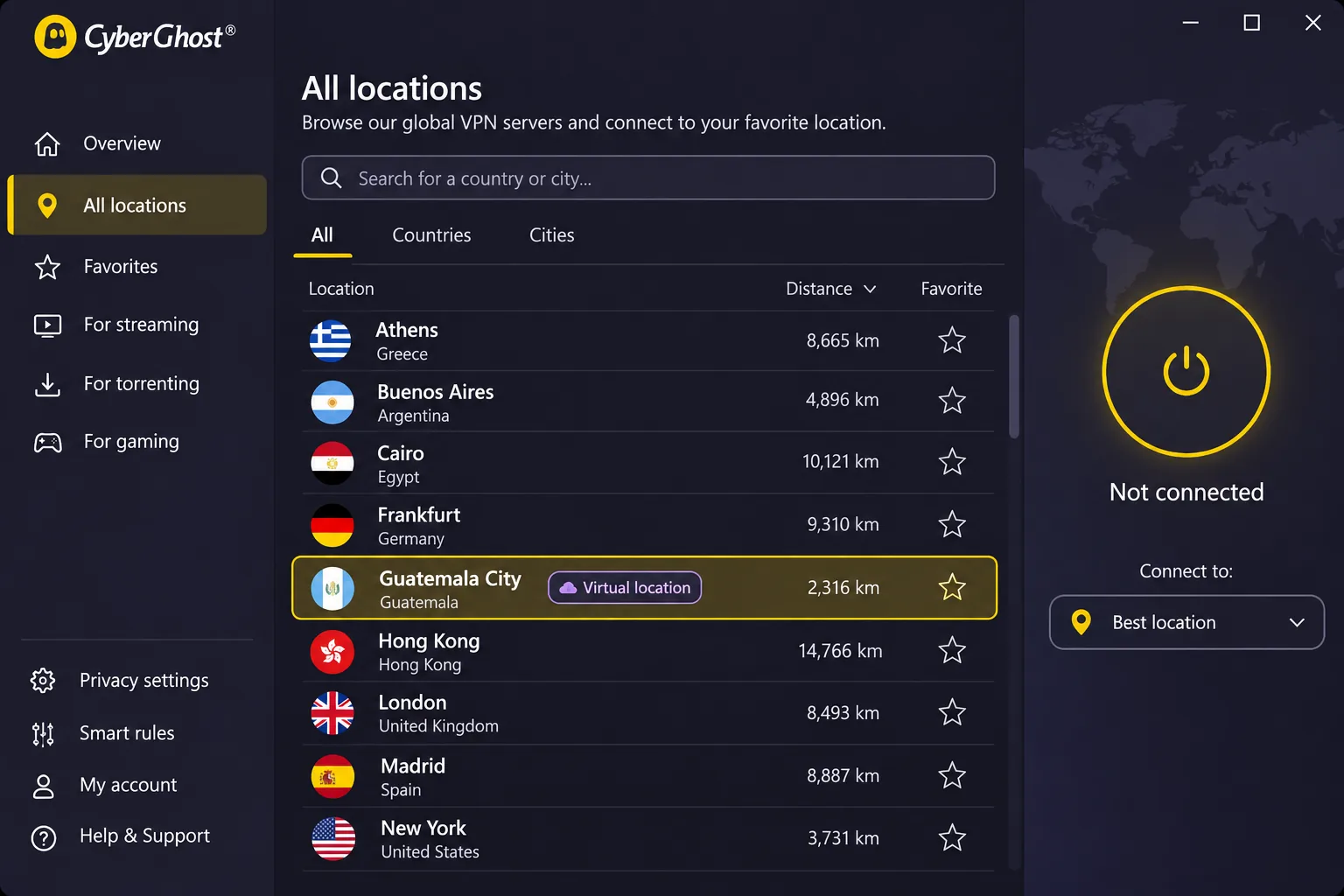
After the premium pair, CyberGhost suits first-time buyers who want to test before committing. It lists a Guatemala City server, and CyberGhost's server page labels it as virtual. Mexico City and Panama City are virtual too, while Miami, Dallas and Los Angeles are the nearby US choices. We could not confirm where the Guatemala hardware sits.
It has the most generous trial terms here. Windows and macOS users get a 24-hour trial without a payment method. Android users get 3 days and iOS users get 7 days, with a payment method required for both. Cancel mobile trials before they expire to avoid a charge. Long-term plans carry a 45-day money-back guarantee, and the monthly plan gets 14 days.
The app interface feels dated and lacks advanced routing such as multi-hop. On Windows, connections can feel slower to establish than with competing apps. Adding a website to Windows Exclusions switched the connection to OpenVPN even when we had selected another protocol. The iOS app can stall while connecting or disconnecting, and it may switch to an unexpected server after a failed disconnect. Long-distance speeds were inconsistent, even though overall streaming performance was good.
Protection is solid on paper. You get a kill switch, DNS and IP leak protection, OpenVPN, IKEv2 and WireGuard, a no-logs policy and unlimited bandwidth. Servers are sorted for streaming, gaming and P2P. Apps cover Windows, macOS, Android and iOS, and Linux uses the command line or manual setup. Seven devices can connect at once, and Android needs 7.0 or newer while iOS needs 15.0 or newer.
The trial page showed $2.19 a month equivalent, $61.32 upfront for 28 months, then $61.32 a year. The monthly plan is $12.99. Its checkout showed inconsistent bonus-month labels and a different currency, so confirm the exact term before paying.
Pros
- Guatemala City virtual location
- 45-day refund window on long plans and a free desktop trial
- Streaming-optimized server categories
- Low long-term price
Cons
- iOS app stability issues
- Dated interface and no multi-hop
- Only 7 simultaneous devices
5. Private Internet Access
Where CyberGhost keeps things simple, Private Internet Access suits privacy-minded users who torrent and like to tune settings. It offers Guatemala City virtual servers for a Guatemala exit IP. PIA's Guatemala VPN page confirms the virtual status, but the physical hosting country is not listed anywhere we checked.
Detailed settings let you fine-tune the connection. Private browsing and torrenting are better uses for it than accessing the widest range of streaming content. Streaming access was less consistent than on the leading streaming-focused services, and relatively slow connections limit its appeal for gaming. If streaming a Guatemalan or US catalog is your priority, pick one of the top three.
You get unlimited simultaneous connections for personal devices, plus split tunneling, WireGuard, P2P support, router setup, DNS filtering on supported apps and a dedicated-IP option. Apps run on Windows, macOS, Linux, Android and iOS. Its support document lists Android 7.0 or newer, but it points readers to the current downloads page for the latest requirements.
The checkout showed $2.03 a month equivalent for three years plus four months, renewing at $81.20 every three years. The one-year option is $47.88 and the monthly plan is $11.95. We could not confirm the long plan's initial total, so verify it at checkout. New subscribers get a 30-day money-back guarantee.
Pros
- Guatemala City virtual location
- Unlimited simultaneous connections
- Plenty of configuration options
- Low long-term pricing
Cons
- Streaming access is inconsistent
- Slower connections than the leaders
- Initial long-plan total is unclear
Why use a VPN in Guatemala?
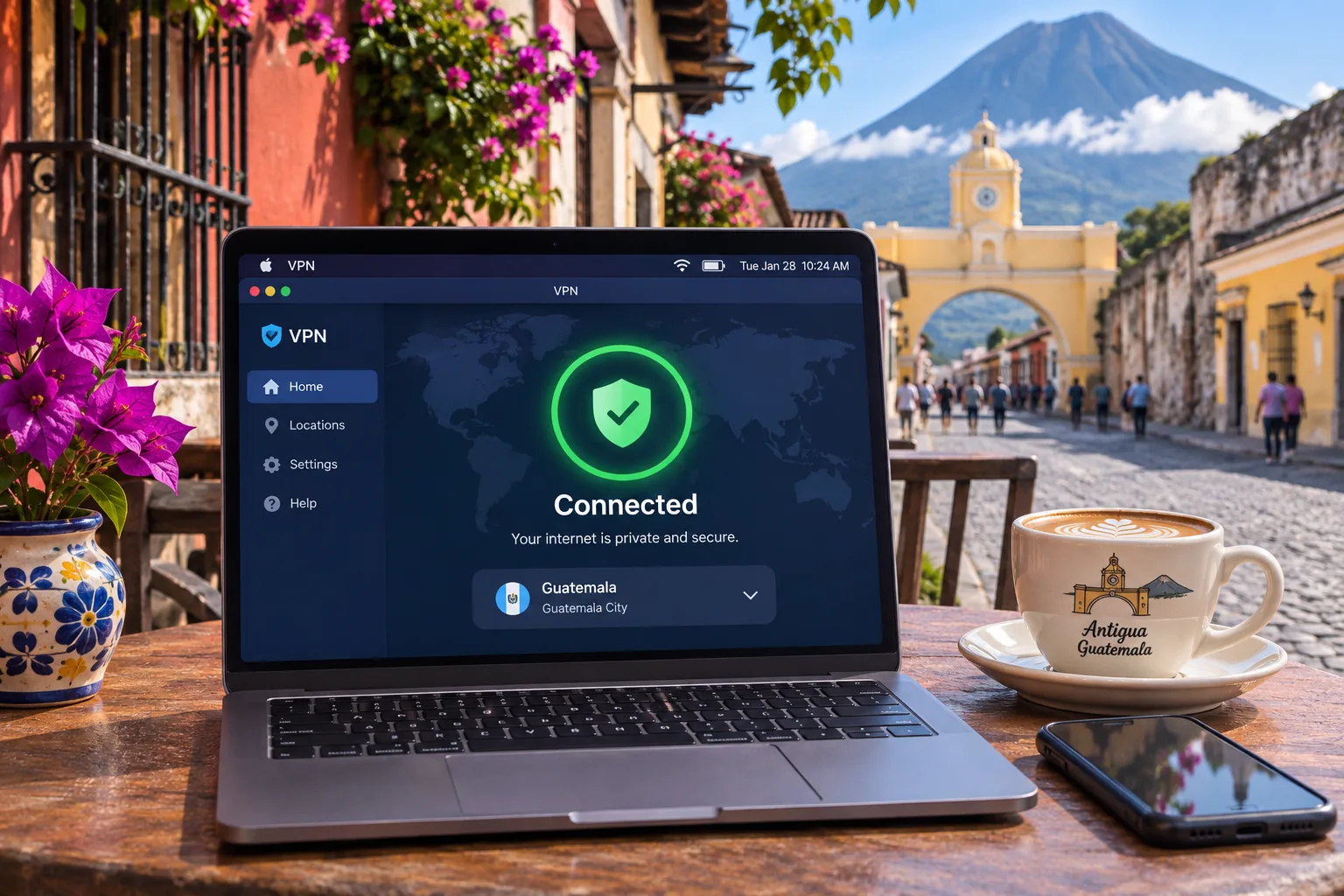
A VPN does three practical things for most visitors and residents. It encrypts your traffic, hides your real IP from the sites you visit, and lets you choose where the sites think you are. None of those makes you anonymous, since the VPN provider itself still handles your traffic.
Public Wi-Fi, privacy and remote work
At hotels, hostels, airports and coworking spaces, many strangers share the same networks. A VPN adds an extra layer of security there, and a good one uses AES-256 encryption. For remote workers, it also protects logins to company dashboards, client files and email. If you work across several devices, a plan with a high connection limit saves you from juggling accounts.
A VPN does not make your activity anonymous. Your provider can still see where your traffic goes, and websites can still track you through accounts and cookies.
Streaming access and the limits of a VPN
A Guatemala IP can help you reach home-country services while abroad, but it is no guarantee. We did not verify access to particular Guatemalan broadcasters, banking apps or employer systems, and a Guatemala exit IP does not mean those services will accept it. Many of them block VPN traffic outright. Test the app with a free trial or within the refund window before you rely on it.
The reverse also holds. Streaming libraries differ by country, so Guatemala may show you a smaller catalog than the US or the UK. If streaming content matters on your travels, pick a provider with strong streaming results, such as NordVPN, ExpressVPN or Surfshark in our testing.
How to use a VPN in Guatemala
Set up the app and choose a server
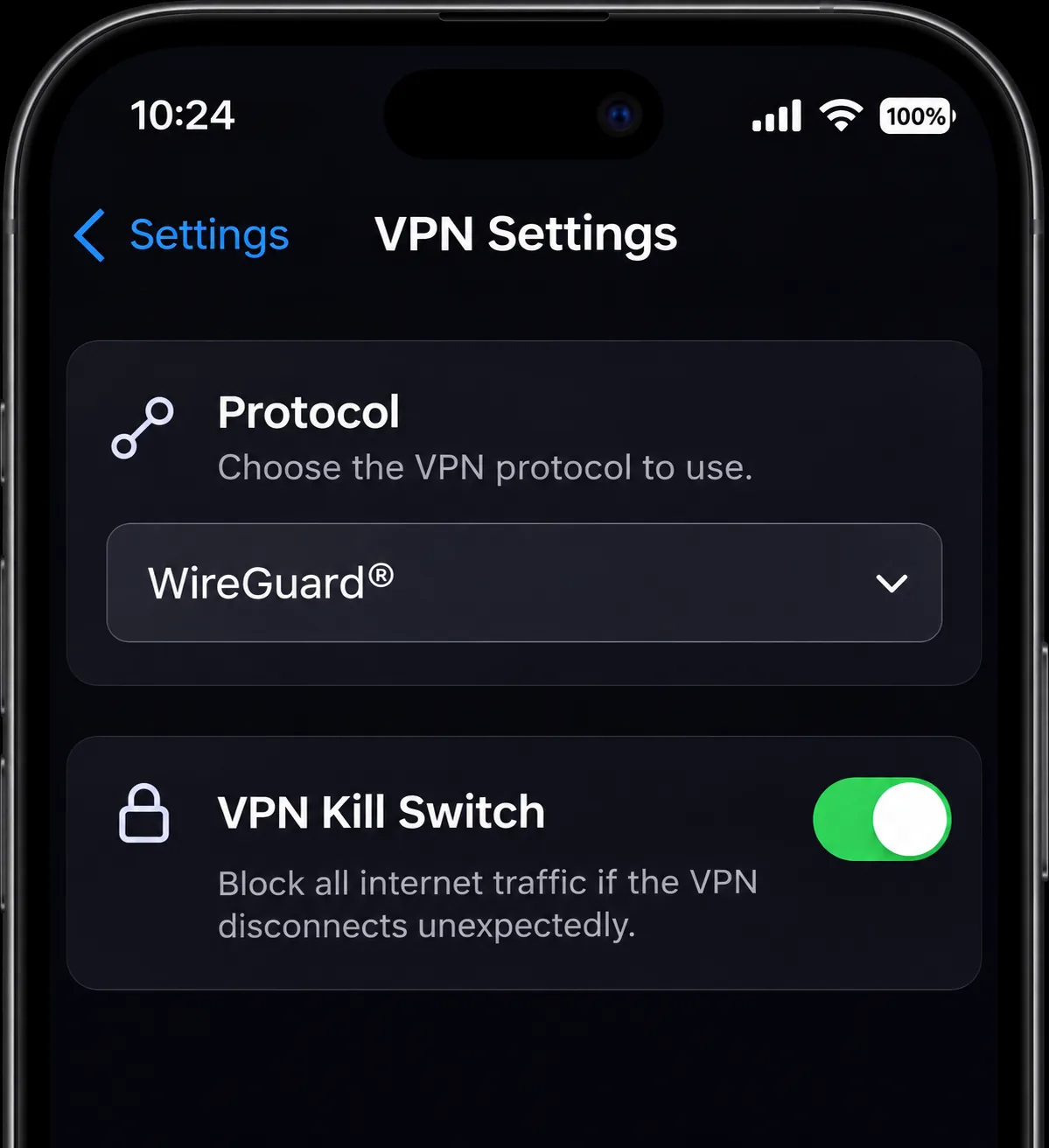
Install the app on every device before you leave, because some VPN websites can be blocked or slow on local networks. Sign in, turn on the kill switch and pick a protocol such as WireGuard or NordLynx if offered. Then connect to the nearest fast server, which in Central America usually means Mexico or the US.
How to get a Guatemala IP address from abroad
Open the location list and search for Guatemala. NordVPN, ExpressVPN, CyberGhost and PIA all list it. Connect, then visit an IP-lookup site to confirm the country. If the site still shows your real location, switch servers or clear your browser cache. Surfshark will not give you this result, because it has no Guatemala entry.
Fix slow connections and hotel Wi-Fi problems
Encryption and routing can lower throughput, so the distance, protocol and route all matter. ExpressVPN's slow-speed troubleshooting guide suggests updating the app, switching server location or protocol, and contacting support. Hotel login pages are the other common problem. A kill switch or auto-connect can block the captive portal, so follow NordVPN's captive portal login steps. Disconnect the VPN, finish the login, then reconnect and turn the protections back on. If the login page never appears, forgetting the Wi-Fi network and rejoining can trigger it.
Can you use a free VPN in Guatemala?
You can, but a free VPN is a trade-off. Proton VPN's free plan advertises no ads, no activity logs and no data or speed caps, so free is not automatically unsafe. The catch is that streaming support, P2P and a wider choice of locations are paid features. That means a free plan will not give you a Guatemala IP.
Stay away from anonymous free apps with no clear ownership or privacy policy. If budget is tight, a long plan from CyberGhost or PIA is a safer bet than an unknown free app. It costs a couple of dollars a month and includes a refund window.
Which Guatemala VPN should you choose?
Pick NordVPN if you want a Guatemala IP plus strong streaming. Pick ExpressVPN if simplicity matters most and you are fine with Brazil routing behind the Guatemala location. Pick Surfshark if you have many devices and only need protection while in the country. Pick CyberGhost if you want to test first and value a long refund window. Pick Private Internet Access if you prefer fine control over speed and torrenting.







