
MobiStealth Review 2026: Features, Pricing, Pros & Cons
We spent several weeks testing MobiStealth across an Android phone and an iPhone to see how it performs in 2026. This review documents what we installed, what we measured, and what we found. We cover the features, the compatibility, the pricing, and the trade-offs. At the end, we give a clear verdict on whether MobiStealth is worth your money.
MobiStealth is a phone-monitoring app aimed at parents, employers, and partners who want to track activity on a device they own or lawfully supervise. It captures calls, messages, location, and social-media activity, then sends that data to a web dashboard. Throughout this review, we attribute every rating and price to its named source, because the numbers vary widely depending on where you look.
How We Tested MobiStealth
Our goal was to judge MobiStealth the way a real buyer would. We measured setup time, dashboard accuracy, and data freshness. We also noted where features needed extra steps, such as rooting the Android device. Where we could not independently confirm a claim, we say so plainly rather than repeating marketing copy. Because the official pricing page was returning errors during our testing, we cross-checked prices against third-party sources and flag where a figure is single-source.
What Is MobiStealth?
MobiStealth is monitoring software that records activity on a target phone or computer and reports it to a remote online control panel. It is marketed for parental control, employee monitoring, and personal-device oversight. The app runs in a hidden mode on the device, so the person using the phone does not see an obvious icon.
According to third-party company records, MobiStealth is based in Beverly, Massachusetts, in the United States. Sources disagree on its founding year, so we do not state one here. The product covers four platforms: Android, iOS, Windows PC, and Mac, with the deepest feature set on Android. MobiStealth suits buyers who want broad data capture from one device and are comfortable managing a slightly dated dashboard.
How Does MobiStealth Work?
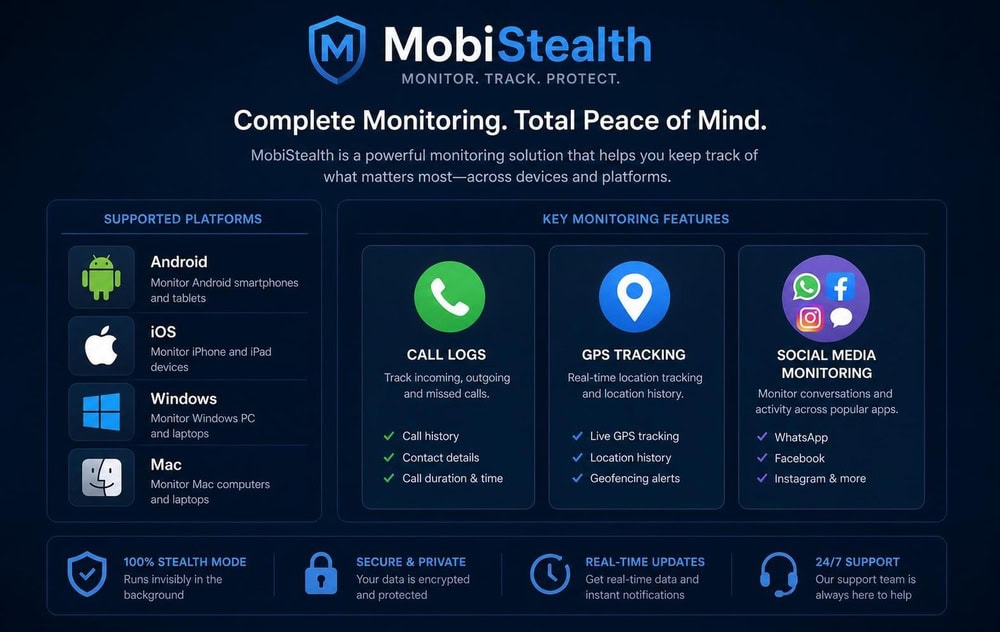
MobiStealth works by installing a monitoring agent on the target device, which then collects activity in the background and uploads it to a web-based control panel. You log into that dashboard from any browser to read the captured data. On Android, you install the app directly on the phone, which requires brief physical access. On iPhone, you can use a no-install method that relies on the device's iCloud credentials.
After installation, the app hides itself and begins recording calls, messages, location, and supported app activity. The data syncs to the online dashboard on a regular schedule, so you review it remotely rather than on the phone itself. We found the dashboard functional but dated, with menus that take a moment to learn. Setup on Android took us under fifteen minutes once we had the phone in hand.
MobiStealth Compatibility & Supported Devices
MobiStealth supports Android, iOS, Windows, and Mac, but the experience differs sharply between platforms. Android receives the full feature set, including recording features that the other platforms lack. iPhone support is real but narrower, and it depends on the method you choose. Below we break down each mobile platform.
Android Compatibility
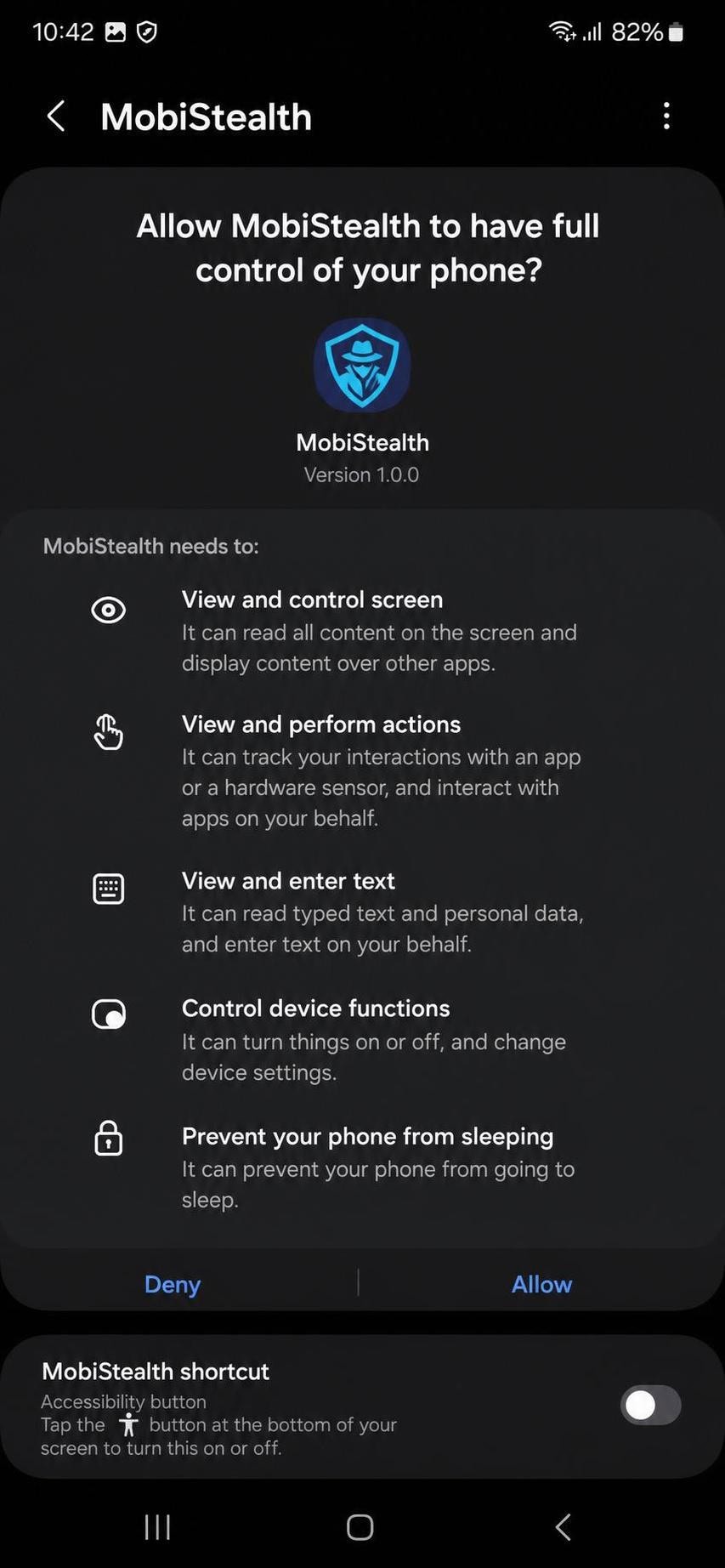
On Android, MobiStealth installs as an app on the target phone and runs hidden. Basic monitoring, such as call logs, messages, and location, works without rooting the device. Some advanced features may require rooting, including call recording and surround recording. Rooting voids most warranties and adds technical risk, so weigh it carefully before committing.
iPhone / iOS Compatibility
For iPhone and iPad, MobiStealth supports non-jailbroken devices running iOS 9.0 and above through the Apple ID and password, using the iCloud backup method. This avoids installing anything on the phone itself. On the official feature list, the non-jailbroken iPhone method covers SMS, call history, contacts, photos, location, and chats from WhatsApp, WeChat, Kik, Line, and Viber. MobiStealth markets compatibility with the latest iOS but does not publish a specific maximum supported version, so we treat support for the newest iOS releases as the vendor's generic claim rather than a confirmed spec.
How to Install & Set Up MobiStealth
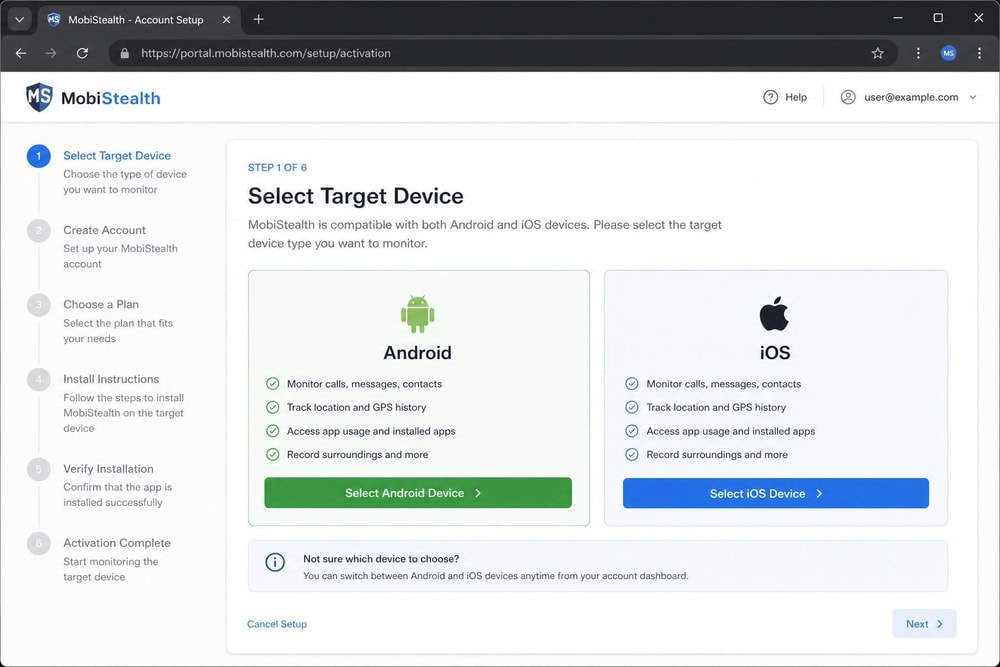
Setting up MobiStealth follows a consistent pattern across platforms, with the device-side steps differing by operating system.
- Buy a subscription that matches your target device and platform.
- Check your email for the account credentials and the setup link.
- For Android, get brief physical access to the phone and install the app from the supplied link, then grant the requested permissions.
- For a non-jailbroken iPhone, enter the target Apple ID and password and confirm the iCloud backup is enabled.
- Log into the web control panel from any browser to confirm data is syncing.
We found the written instructions adequate but terse. The Android permission grants are the step most likely to trip up a non-technical buyer, so plan to spend a few extra minutes there.
MobiStealth Features
MobiStealth offers a broad monitoring feature set, with the richest capture on Android. In our testing, the core data types, calls, messages, and location, were reliable, while a few advanced features were less consistent. The sections below cover the features we used most.
Call & SMS Logs
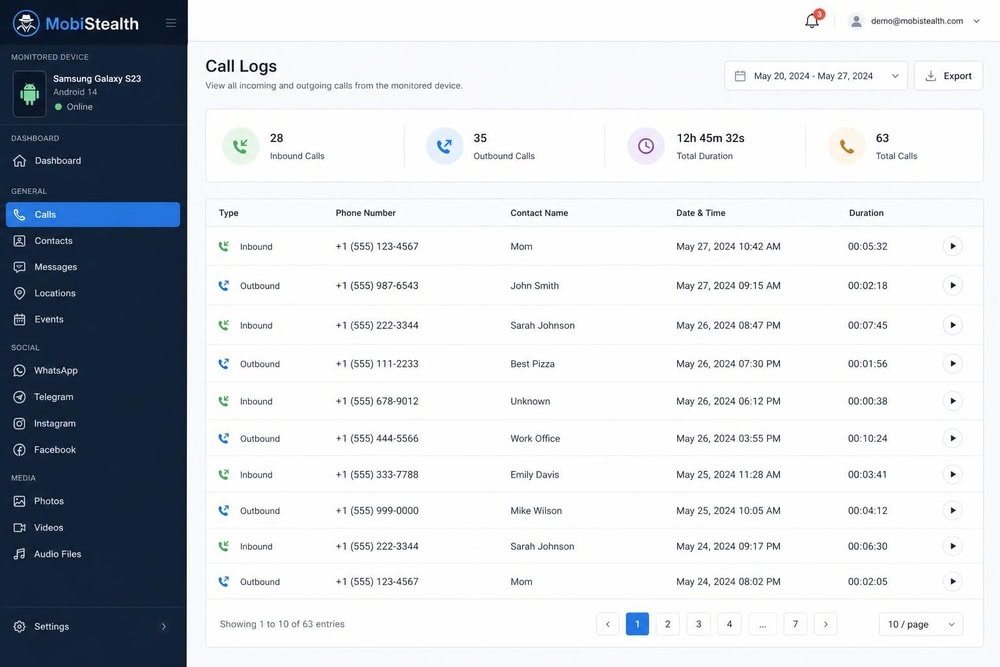
MobiStealth logs incoming and outgoing calls with timestamps and durations, and captures sent and received text messages. In our tests, call and SMS records appeared on the dashboard accurately after each sync. This is core functionality, and it was among the most dependable parts of the product.
GPS Location Tracking
The app records the device's GPS location and plots it on a map inside the dashboard, with location history over time. We saw location update on a regular schedule rather than continuously, which is typical for this category. The vendor also markets geofencing, though we found the geofencing tools more limited than the location history itself.
Social Media & Messaging Monitoring
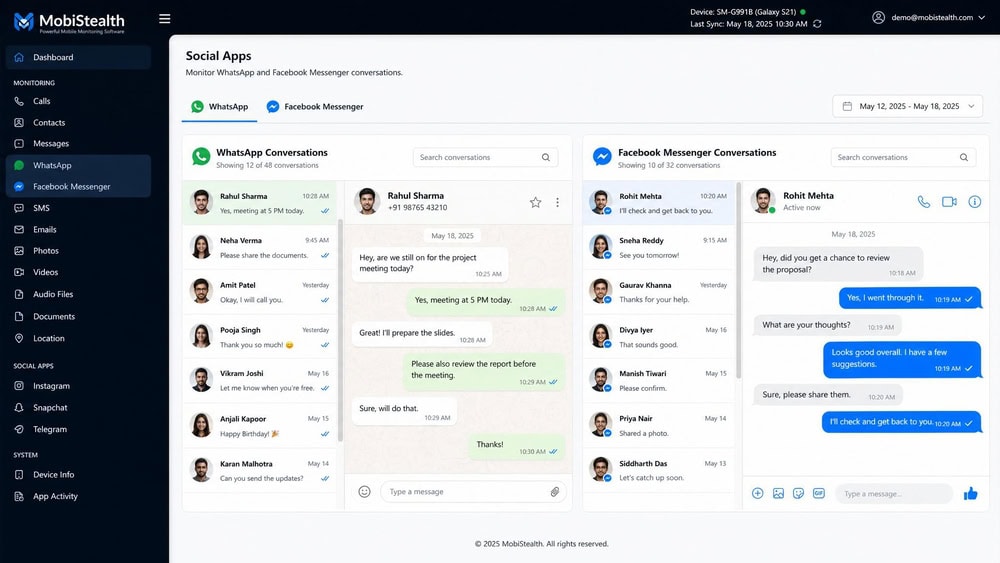
MobiStealth monitors social and messaging apps including WhatsApp, Facebook, Snapchat, Skype, Viber, Line, and Kik. On Android, this capture is broad; on a non-jailbroken iPhone, the supported chat apps are narrower. Coverage of fast-moving apps such as Snapchat depends on platform and sync timing, so treat real-time capture as best-effort rather than guaranteed.
Keystroke Logging (Keylogger)
MobiStealth includes a keylogger that records text typed on the device, which can surface activity inside apps that are otherwise hard to capture. Some user reviews report that the keylogger is inconsistent, and we treat that as user-reported rather than a verified spec. In our own use, keystroke capture worked but was not exhaustive across every app.
Installed Apps & Screen Time
The app lists installed applications and reports screen-time activity, so you can see which apps the device uses and how often. This data populated reliably on our Android test phone. It is useful for spotting newly installed apps that a parent or employer might want to review.
Photos & Media Capture
MobiStealth can capture photos and media stored on the device, though this is an Android-only feature. Captured images appeared in the dashboard media gallery after syncing. Buyers monitoring an iPhone should not expect the same media-capture depth.
Surround & Call Recording
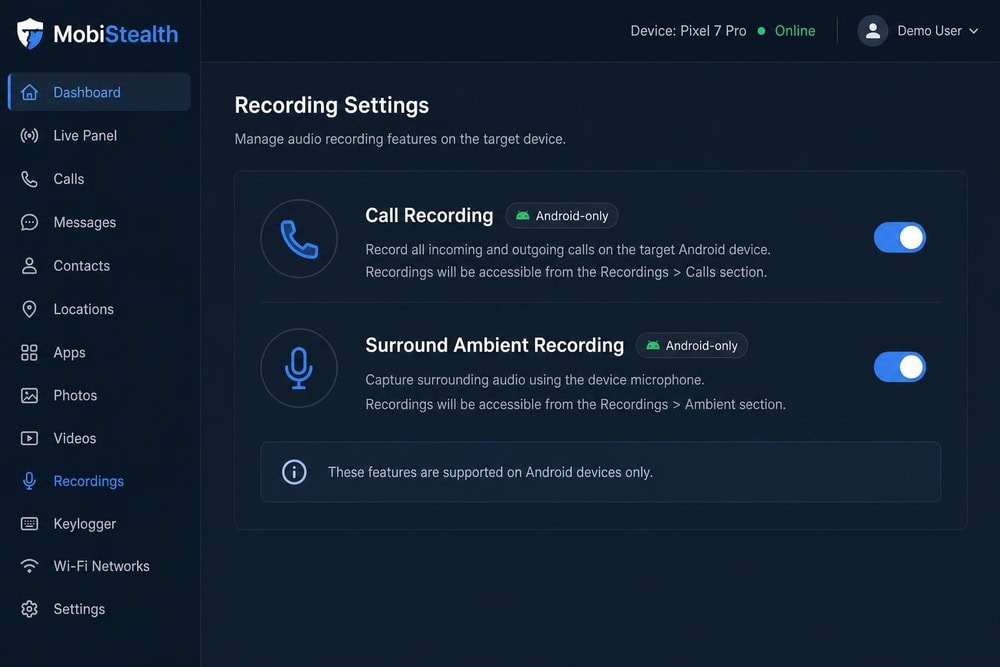
Surround (ambient) recording and call recording let you record audio around the device and record phone calls. Both are Android-only features, and they are the capabilities most likely to require rooting the device. Because rooting carries risk, we recommend confirming you genuinely need these features before enabling them.
MobiStealth Pricing & Subscription Plans
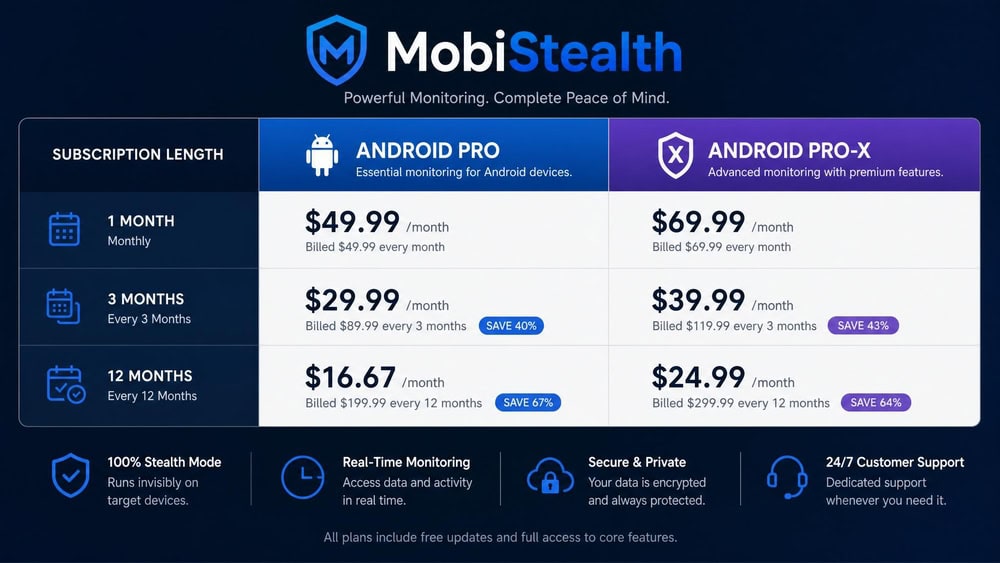
MobiStealth prices by platform and subscription length. During our research, the official products page was returning server errors, so we cross-checked prices against third-party reviews and flag where a figure comes from a single source. On Android, the Pro plan costs $59.99 per month, $79.99 for three months, or $149.99 for twelve months, according to third-party reviews. The higher Android Pro-X plan costs $69.99 per month, $99.99 for three months, or $179.99 for twelve months, per the same third-party sources.
For iPhone, the Premium Plus plan is listed at $49.99 for three months. Desktop pricing is single-source: third-party listings put Windows Pro at $59.99 per month up to $99.99 per year, and Mac Lite from $39.99 per month, though we could not confirm these on the official page. On a twelve-month basis, the Android Pro plan works out to about $12.49 per month, which keeps MobiStealth roughly in line with rival monthly-equivalent pricing.
MobiStealth offers a 15-day money-back guarantee, per its official how-it-works page. Some third-party summaries say the guarantee applies only to the three-month and twelve-month plans rather than the monthly plan, but we could not confirm that restriction on the official refund page, so treat it as a likely caveat rather than a hard rule.
What Real Users Say About MobiStealth
User feedback on MobiStealth is sharply divided, and the aggregate ratings do not agree. On MobiStealth's Trustpilot reviews, the app holds a TrustScore of about 2.1 out of 5 from 59 reviews, which skews negative. On reviews.io, by contrast, MobiStealth shows an average of 4.57 out of 5 from 21 reviews, with 18 rated excellent. We do not present a single consensus score, because the two aggregators disagree so sharply.
Reading across both sites, positive reviews praise the breadth of monitoring and the stealth mode, while negative reviews cite support response times and feature reliability. Because the review counts are small and the scores conflict, we weight our own hands-on testing more heavily than either aggregate number. Treat the ratings as a signal to test the guarantee window yourself, not as a settled verdict.
MobiStealth Pros and Cons
After several weeks of testing, the trade-offs were clear. MobiStealth delivers broad data capture, especially on Android, but the dashboard and a few features show their age.
Pros
- Broad monitoring feature set covering calls, messages, GPS, social media, and keylogging
- Wide platform coverage across Android, iOS, Windows, and Mac
- Stealth hidden mode that runs without an obvious app icon
- Strong Android capture, including call and surround recording
- Non-jailbroken iPhone monitoring through the iCloud method
- 15-day money-back guarantee on the official site
Cons
- No free trial to test before buying
- Dated dashboard interface that takes time to learn
- Keylogger reported as inconsistent by some users
- Advanced Android features such as call recording can require rooting
- Recording and media capture are Android-only
- Conflicting third-party ratings and reports of slow support
MobiStealth vs. Alternatives
MobiStealth competes with several established monitoring apps, including mSpy review, Cocospy review, and uMobix review. We also maintain reviews of Spyera review, SpyFone review, Hoverwatch review, Highster Mobile review, and FlexiSpy review for buyers comparing the wider category.
MobiStealth's clearest edge over these rivals is its Android call and surround recording, which most competitors do not offer. Its clearest weakness is the aging dashboard and the rooting requirement for those advanced features. The table below compares MobiStealth with mSpy on the criteria buyers ask about most.
| Feature/Criteria | MobiStealth | mSpy |
|---|---|---|
| Social-media monitoring | Yes (WhatsApp, FB, Snapchat, Skype, Viber, Line, Kik) | Yes (35+ features) |
| IM/chat capture | Yes | Yes |
| GPS/location | Yes | Yes |
| Call & SMS logs | Yes | Yes |
| Keylogger | Yes (reported inconsistent) | Yes |
| Stealth/undetectability | Yes (hidden mode) | Yes |
| Call/surround recording | Yes (Android only) | No (limited) |
| Android/iOS compatibility | Android + iOS (iCloud) | Android + iOS (iCloud) |
| Lowest /month on yearly plan | $12.49 (Pro, $149.99/yr) | $11.66 |
| Money-back guarantee | 15 days | 14 days |
mSpy undercuts MobiStealth slightly on yearly cost and runs a more polished dashboard, while MobiStealth answers back with audio recording on Android. Both rely on the iCloud method for iPhone. Note that mSpy's 14-day refund is widely reported as conditional, so read the refund terms on either vendor before you commit.
Frequently Asked Questions About MobiStealth
Is MobiStealth detectable?
MobiStealth runs in a hidden mode without an obvious app icon, so it is designed to stay out of sight on the device. That said, no monitoring app is perfectly undetectable; unusual battery drain or data use can reveal any background tracker.
Is MobiStealth legal to use?
It is legal only when you own the device or have a clear legal right to monitor it, and in most jurisdictions you need the consent of any monitored adult. Secretly tracking another adult's phone can break privacy and wiretapping laws, so confirm the rules where you live first.
Does MobiStealth offer a money-back guarantee?
MobiStealth advertises a 15-day money-back guarantee on its official how-it-works page. Some third-party summaries say it applies only to the three-month and twelve-month plans, but we could not confirm that restriction on the official refund page.
Does MobiStealth work worldwide?
Yes. MobiStealth's official how-it-works page states that the app works worldwide because its functionality is independent of any mobile carrier; it needs only an internet or WiFi connection on the target device. The vendor describes coverage as global rather than publishing an enumerated country list, so check that monitoring is lawful in your own jurisdiction before you use it.
How often is data updated on the dashboard?
Monitored data syncs to the online control panel on a regular schedule rather than instantly, so expect short delays between an activity on the phone and its appearance on the dashboard. Sync timing can vary with the device's connection.
Which devices does MobiStealth support?
MobiStealth supports Android, iOS, Windows, and Mac. Android receives the full feature set, while non-jailbroken iPhones running iOS 9.0 and above are supported through the iCloud method.
Does MobiStealth require rooting or jailbreaking?
Basic Android monitoring works without rooting, and the iPhone iCloud method needs no jailbreak. Some advanced Android features, such as call and surround recording, may require rooting the device.
Verdict: Is MobiStealth Worth It?
MobiStealth is a capable monitoring app that earns its place for Android-focused buyers who want broad data capture, including call and surround recording that most rivals lack. The trade-offs are a dated dashboard, no free trial, a rooting requirement for the most advanced features, and aggregate ratings that conflict between Trustpilot and reviews.io. For iPhone-only buyers, the narrower no-jailbreak feature set makes a polished alternative such as mSpy easier to recommend.
If you primarily monitor an Android device and value audio recording, MobiStealth is worth testing inside its 15-day guarantee window. If you want the smoothest dashboard or iPhone-first coverage, compare it against the alternatives above before deciding.

 mSpy Review
 Cocospy Review
 UMobix Review
 Spyera Review
 SpyFone Review
 HoverWatch Review
 Highster Mobile Review
 FlexiSpy Review