
How to Read Snapchat Messages Without Them Knowing
Snapchat has no quiet way to read a message. Tap a snap or chat open, and the sender's screen flips to "Opened." There is no setting to switch that off. So to look at your Snapchat messages without them knowing, you need a workaround that reads the message before Snapchat reports it as opened.
Our team tested the two methods that do that on both iPhone and Android: the half swipe and Airplane Mode. Neither is official, but both work reliably in 2026 when you follow the steps.
- Does Snapchat Tell People When You Read a Message?
- Method 1: The Half Swipe (Read Chats Without Opening Them)
- Method 2: Airplane Mode (Read Snaps and Chats Without "Opened")
- Which Method Should You Use?
- Reading Your Child's Snapchat Responsibly (A Note for Parents)
- Frequently Asked Questions
- Final Thoughts
Does Snapchat Tell People When You Read a Message?
Yes, by default. The chat screen uses a small set of status words: "Sent," "Delivered," "Opened," and "Received." Opening a snap or chat changes the sender's view to "Opened".
Opening always notifies the sender, and there is no toggle to disable the "Opened" indicator, which is the reason these workarounds exist. Snaps also open on a timer, so reading offline matters before the snap clears.
Method 1: The Half Swipe (Read Chats Without Opening Them)
The half swipe previews a chat without fully opening it, so the "Opened" receipt never fires. It works best on text chats; reach for Airplane Mode to view a photo or video.
How to Half Swipe on iPhone
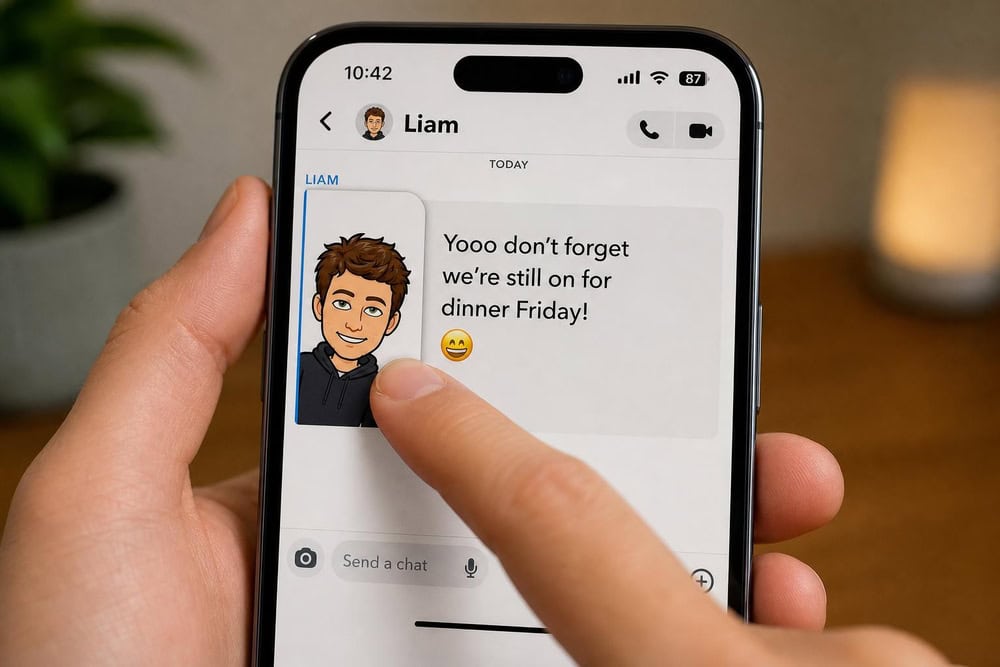
Open the Chat tab and find the conversation. Place a finger on the sender's profile icon or Bitmoji, then slowly swipe right without lifting your finger. The chat slides partway into view so you can read it; swipe back left and let go before it snaps fully open.
How to Half Swipe on Android
The half swipe works the same way on Android. Press and hold the sender's Bitmoji and drag slowly to the right to reveal the message, then ease back to the left to dismiss the preview. A full swipe opens the chat, so keep the motion slow.
Why the Half Swipe Sometimes Fails (Snapchat+ "Peek a Peek")
The half swipe has one real limitation, and it comes from Snapchat itself. Peek a Peek is a Snapchat+ feature that lets a user see when a friend peeks into a one-on-one or group chat, marking the conversation with an eyes emoji in the sender's feed.
Detection only works if the sender pays for a Snapchat+ subscription and has the feature on, so a half swipe stays invisible to anyone on a free account. You generally will not be notified that you were spotted, though that is not officially confirmed. If your recipient is on Snapchat+, use Airplane Mode instead.
Method 2: Airplane Mode (Read Snaps and Chats Without "Opened")
Airplane Mode is the more versatile method. It works on photo snaps, video snaps, and chats alike. Load the message while online, turn the phone offline, read everything, then clear the data that would otherwise sync your "Opened" status on reconnect. Only the way you reach the toggle differs between iPhone and Android.
Airplane Mode Steps on iPhone
Open Snapchat and let your new messages finish loading. Next, turn on Airplane Mode from the Control Center, then read the snaps or chats you want. Before you reconnect, clear the app's temporary data: open Settings from the gear icon in your profile, go to the Privacy and Data area, tap "Clear Cache," and confirm. You can follow Snapchat's own steps to clear the cache if you get stuck, then switch Airplane Mode off. Clearing the cache is safe: it keeps your Memories, Snaps, and Chats.
Airplane Mode Steps on Android
On Android the sequence is identical, except you enable Airplane Mode on Android from the Quick Settings panel. Let your messages load, switch on Airplane Mode, then read offline. To clear the cache, open Settings from the gear icon, go to the Privacy and Data area, tap "Clear Data," then "Clear Cache," and confirm. The workaround usually works but is not guaranteed: reconnect before clearing the cache and the view can still sync.
Which Method Should You Use?
It comes down to what and who you are reading. The half swipe is fastest for a text chat and needs no cache clearing, but it does not work on snaps and risks an accidental open. Airplane Mode takes more steps. In return, it handles snaps and chats alike with almost no accidental-open risk. We use the half swipe for everyday text previews and switch to Airplane Mode for any photo or video, or for a recipient on Snapchat+.
Reading Your Child's Snapchat Responsibly (A Note for Parents)
Many readers land here as parents trying to understand what a child is seeing, not to hide their own activity. If that is you, ongoing oversight is better handled openly. Our guides on how to see your child's Snapchat messages and how to monitor Snapchat cover the family-friendly options, and our overview of how parents can monitor Snapchat weighs each route. An honest conversation does more for a child's safety than any workaround.
Frequently Asked Questions
Will the sender know if I half swipe?
No, not on a standard account. A correct half swipe previews the chat without sending the "Opened" receipt. The exception is a sender on Snapchat+ with Peek a Peek on, which flags your peek with an eyes emoji.
Does the half swipe trick work on photos and videos?
It is primarily for text chats and is not a dependable way to view photo or video snaps, which need a full open. Use Airplane Mode for a snap instead, since it works on photos, videos, and chats.
Can you read a snap from the notification without opening it?
A banner or lock-screen notification shows only a text preview of a chat, and only if previews are enabled in your phone settings. It never displays the snap photo or video, so it is no substitute for Airplane Mode.
Is reading messages this way against Snapchat's rules?
Neither method is an official Snapchat feature, and both rely on behavior that can change with app updates, so treat them as unofficial workarounds rather than supported settings.
Final Thoughts
Snapchat always reports an opened message the normal way, but you have two ways around it. Use the half swipe for a text chat, and Airplane Mode whenever a snap is involved. Move slowly with the half swipe, clear the cache before reconnecting, and remember that a Snapchat+ sender can still spot a peek.

 How to Monitor Snapchat
 See Your Child's Snapchat Messages
 How Parents Monitor Snapchat
 View a Snap Without Opening
 Best Spy Apps
 How to Monitor Instagram