
CleanMyMac Review: Is It Worth It? Our Hands-On Verdict
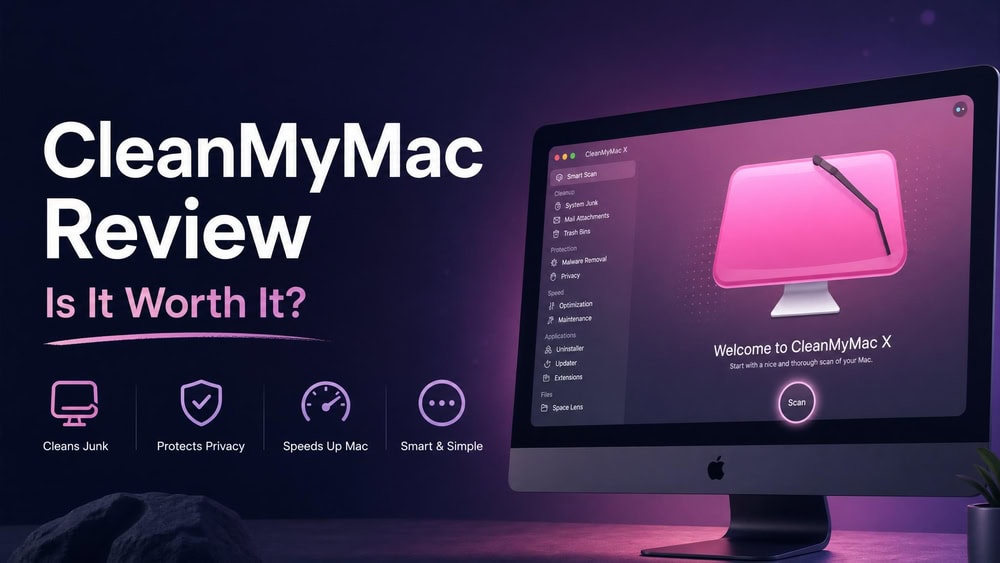
CleanMyMac is MacPaw's all-in-one Mac cleaner: a single app that bundles junk removal, malware scanning, and performance tools behind a one-click scan. It belongs to a crowded genre of utilities that promise to free up space and keep your Mac running smoothly, and it is one of the most polished options in that field.
This review answers the question most people actually search: is CleanMyMac worth paying for, or is it doing things macOS already handles for free? We installed the current version, ran every tool, and measured what it cleaned, so the verdict reflects hands-on use.
At a Glance: Our Verdict & Ratings
CleanMyMac is the most user-friendly Mac cleaner we have tested, and it does genuinely useful work: it reclaims real storage, surfaces background junk you would struggle to find by hand, and wraps maintenance in an interface beginners can run without fear. It is not magic, though, and most of what it cleans you could remove by hand with some Terminal knowledge.
Get CleanMyMac from MacPawPros
- User-friendly one-click workflow beginners can run safely
- Reclaims real storage and finds caches, logs, and leftovers you would miss by hand
- Bundled Moonlock Engine adds malware scanning most cleaners lack
- Uninstaller removes leftover files standard deletion leaves behind
- App is legitimate and notarized by Apple
Cons
- Much of the cleanup duplicates free macOS housekeeping
- Subscription-first pricing adds up over time
- Bundled scanner is weaker than a dedicated antivirus on some test files
- App Store edition is sandboxed and removes some capabilities
- Aggressive "GB to clean" prompts can nudge you toward over-cleaning
Who It's Best For
CleanMyMac suits people who want their Mac maintained without learning where macOS hides its caches and logs. If you are a beginner, if storage warnings stress you out, or if you value a tidy one-click routine over manual housekeeping, it earns its place.
Who Should Skip It
If you already clear caches, uninstall apps cleanly, and watch your storage with built-in tools, CleanMyMac mostly automates work you can do for free. Power users who prefer scripts or a free utility will find little here.
What Is CleanMyMac and What Does It Do?
CleanMyMac is a Mac-only maintenance suite from MacPaw, the developer behind Setapp. Its job is to find and remove the junk that accumulates on macOS, manage applications, optimize performance, and scan for malware, all from one window rather than a dozen scattered system settings.
The app organizes its work around a unified scan and a set of dedicated modules. The headline feature is Smart Care, a one-click scan that runs roughly five tasks at once: cleanup, protection, performance, applications, and clutter. Beneath that sit individual tools for system junk, malware removal, performance optimization, an uninstaller and updater, a large-and-old-files finder, Space Lens, cloud cleanup, and a Menu Bar Assistant.
To run it, you need macOS 11 (Big Sur) or later, and it works on both Intel and Apple Silicon Macs. The download is small, needing 320 MB of free disk space.
CleanMyMac vs. CleanMyMac X (Naming Explained)
If you have searched for this app before, you have probably seen it called CleanMyMac X. The short version: the product is now simply called CleanMyMac, and the "X" was dropped. The prior major version, CleanMyMac X, launched back in 2018.
The change came with a major update in which MacPaw rebuilt the app, gave it a fresh design, bumped the version number to 5.0, and ended active CleanMyMac X development for newer macOS releases. The lineage runs deep: the first CleanMyMac was released in 2008, according to Wikipedia. When you see "CleanMyMac X" in older reviews, assume they describe an earlier build.

Getting Started: Setup and Interface
Installation is painless: you download the app from MacPaw's site, drag it into Applications, and grant a few permissions on first launch, since deep cleaning and malware scanning both need access to areas macOS locks down. The interface is why most reviewers, us included, call CleanMyMac user-friendly. The window is bright and uncluttered, each tool sits in a labeled sidebar, and results appear as plain summaries rather than walls of file paths. The design occasionally leans into "look how much there is to clean" messaging, which can make a routine scan feel urgent, but the layout is easy to navigate.
Our Hands-On Experience With CleanMyMac
What stood out was consistency. Smart Care never broke, never needed a restart, and never flagged a file we later regretted removing. The app is engineered to be safe for people who do not know what a cache is, so it skews conservative rather than emptying everything it can technically touch.
Smart Care / Smart Scan
Smart Care is the front door, where most people will spend their time. One click runs cleanup, protection, performance, applications, and clutter checks together, then presents a single results screen you can approve wholesale or review item by item. In our run it finished in a couple of minutes and produced a tidy list of recommendations, each with a checkbox and a short note. The strength is the friction it removes: one scan, one decision instead of five tools. The downside is that the unified view hides nuance, so power users should expand each category before approving.

Cleanup (Junk & System Files)
The Cleanup module is the heart of the product and the reason most people buy it. It targets system junk: user and system caches, log files, unused language files, broken login items, and the residue that builds up as macOS runs. In our session it found gigabytes of junk we had no easy way to surface through Finder alone, and the category breakdown made clear what each chunk was.
The cleanup felt safe rather than aggressive, and nothing we removed caused an app to misbehave. It does in two clicks what would otherwise mean a hunt through hidden Library folders.
Malware Protection & Removal
CleanMyMac's malware scanning is powered by MacPaw's proprietary Moonlock Engine, which handles real-time monitoring, background scanning, and removal. Moonlock scans a wide surface: DMG disk images, email attachments, archives, USB drives, browser extensions, and launch items. MacPaw reports scan-speed gains of 49% on Intel and 89% on M-series Macs versus its prior algorithm, and scans were fast enough that we left real-time protection on without noticing a slowdown.
A word of caution on detection strength. MacPaw states that the Moonlock Engine passed an AV-TEST quality check, detecting 99% of malicious samples with zero false positives, but that is a vendor-reported figure rather than an ongoing independent certification, so treat it as a claim. Independent testers have also found that CleanMyMac's built-in scan did not flag standard EICAR test file samples, even though MacPaw's standalone Moonlock antivirus performs better against them. Keep two things separate: CleanMyMac is an optimization tool with a useful bundled scanner, not a replacement for a dedicated antivirus.

Performance & Optimization Tools
The Performance module is where CleanMyMac promises to speed up your Mac, and its claims are more modest than the category's marketing. It can free up RAM, manage CPU and memory load, run maintenance scripts, and trim login items. In practice the most useful piece was login-items management, which let us stop a handful of apps from launching at boot, the change most likely to make an older Mac feel faster day to day. We did not see a dramatic speed jump on our healthy test machine, and you should not expect one. These tools help most when something specific is wrong, such as a runaway process or a pile of startup apps.
Application Uninstaller & Updater
Deleting an app by dragging it to the Trash almost always leaves files behind, and the uninstaller is one of CleanMyMac's quietly best tools. It lists installed apps alongside their support files, caches, and preferences, then removes the whole set in one action. In our testing it cleanly pulled an app and the leftovers a standard delete had missed. The bundled updater also tracks outdated apps from one place, though it is convenient, not essential.
Clutter / Large & Old Files
The My Clutter and Large & Old Files tools tackle the storage you forget about: oversized downloads, old archives, and files you have not opened in months. Paired with Space Lens, which maps what is filling your drive, this is the part most likely to reclaim a big block of space in one sitting. We used it to find several multi-gigabyte files buried in a Downloads folder we had stopped looking at. It overlaps with macOS storage management but presents it more clearly.
Menu Bar Assistant
The Menu Bar Assistant lives in the macOS menu bar with an at-a-glance read on memory, CPU, and storage, plus a quick way to trigger maintenance without opening the full app. It is small, but the one most likely to become part of your daily routine, since it surfaces a slow-down or storage crunch the moment it starts. We left it enabled throughout and found it a useful monitor.
Performance Impact and Test Results
A cleaner that bogs down your Mac defeats its purpose, so we watched CleanMyMac's footprint as closely as its results. During scans the app used a noticeable but reasonable amount of CPU, the machine stayed responsive, and with real-time protection running we saw no day-to-day slowdown we could attribute to it. The honest summary is that CleanMyMac delivers real, measurable storage reclamation and safe maintenance, but not a transformation. In our testing, Smart Care surfaced several gigabytes of removable junk on a moderately full Mac, removed apps and their leftovers, and trimmed our startup load; MacPaw, for its part, cites an average of 5.5 GB cleared on a first scan, though that is a vendor figure and your result depends on how heavily you use your machine. It did not make a healthy M-series Mac dramatically faster, because there was little to fix; on an older machine, the startup and storage gains would matter more.
CleanMyMac Pricing and Plans
CleanMyMac is sold three ways: a one-time purchase or subscription through the MacPaw Store, a one-time unlock through the Mac App Store, or as part of Setapp, where it ships as the CleanMyMac Plus tier. Setapp includes 260+ apps and starts at roughly $9.99/month, which makes sense if you would use other apps in it.
On direct pricing, CleanMyMac is sold on both a subscription and a one-time basis, and it splits into a Basic and a higher Plus tier, which accounts for much of the price spread you see quoted online. Reviewer pages that quote the MacPaw Store put the Basic, one-Mac plan at around $9.95/month, the Basic one-time license at roughly $119.95, and the Basic annual plan near $40/year, with the Plus tier running higher (about $15.95/month and near $192-$196 one-time). We could not read MacPaw's live store directly for this review, and MacPaw adjusts pricing by region and runs frequent discounts, so treat every figure as approximate and confirm the current price before buying. Multi-Mac plans for 2 and 5 Macs exist, but their prices vary too much across sources to quote with confidence. MacPaw's Store edition offers a 7-day free trial with full feature access and a 30-day money-back guarantee, while App Store purchases follow Apple's standard refund process.
Free vs. Paid
There is a free version of CleanMyMac, but it is best understood as a preview: the free tier lets you run scans and see how much junk and clutter the app finds, while the actual cleaning and the full toolset sit behind a purchase. That is fair enough as a way to try before you buy, though the constant "X GB ready to clean, upgrade to remove it" framing can feel like pressure.
Is It Good Value?
Value depends on how you weigh convenience. The subscription model means CleanMyMac is an ongoing cost for work that macOS partly does for free, the strongest argument against it; if you are comfortable in the system Library and the Terminal, you are paying for a friendlier interface. For everyone else, the time saved, the safety rails, and the bundled scanning add up to something many users will happily pay for. We would lean toward the one-time license for a single Mac, and toward Setapp only if you would use the rest of its catalog.
Check CleanMyMac pricing at MacPawIs CleanMyMac Safe and Legit?
The genuine CleanMyMac app from MacPaw is legitimate and notarized by Apple, which means Apple has scanned it for malicious code and approved it to run. That is worth stating plainly, because a real safety concern surrounds the brand right now, and it is not about the official app.
So the short answer: CleanMyMac is safe when you get it from the right place, and dangerous only as a lure for criminals impersonating it. Stick to the official sources above and never run a Terminal command a "download page" gives you.
Best CleanMyMac Alternatives
CleanMyMac is not the only way to clean a Mac, and the right alternative depends on what you want. DaisyDisk is a focused disk-space visualizer with a one-time price, OnyX is a free maintenance utility for power users, CCleaner offers junk cleanup with a free tier, and MacKeeper bundles cleaning with antivirus and a VPN. For a fuller breakdown, see the best CleanMyMac alternatives. CleanMyMac's edge is breadth plus polish: it does most of what these tools do individually, in one well-designed app, so a single-purpose option may suit you better if you only need one job done.
Frequently Asked Questions
Is CleanMyMac worth it?
It is worth it if you value a one-click maintenance routine and want help reclaiming storage. If you already clean caches and uninstall apps yourself, it mostly automates free work, so the value is lower.
Is CleanMyMac safe and legit?
Yes. The official MacPaw app is legitimate and notarized by Apple. The real risk is fake sites impersonating CleanMyMac that distribute malware, so download only from macpaw.com or the Mac App Store, and never run a Terminal command a download page tells you to paste.
Does Apple recommend CleanMyMac?
No. Apple does not officially recommend or endorse CleanMyMac. Apple notarizes the app and lists it on the Mac App Store, but notarization is a security check that the app is free of known malicious code, not an endorsement.
How much does CleanMyMac cost, and is there a free version?
Pricing varies by region and promotion, but expect roughly $39.95/year for an annual subscription on one Mac or around $119.95 for a one-time purchase; confirm the current price on MacPaw's store. There is a free version, but it only scans and previews results, while the cleaning is gated behind a purchase.
How many Macs can one license cover?
A single license covers one Mac, but MacPaw sells multi-Mac plans for 2 and 5 Macs. If you have several Macs, the multi-device plan or a Setapp subscription that includes CleanMyMac Plus is usually more economical than separate licenses.
Final Verdict: Is CleanMyMac Worth It?
After installing CleanMyMac, running every tool, and measuring what it cleaned, our position is steady: this is the most approachable Mac cleaner we have used, and it does real work, but it earns its keep on convenience rather than doing anything you strictly could not do yourself. The Cleanup and uninstaller modules are the standouts, the Moonlock-powered scanning is a welcome bonus, and the app is safe enough for someone who has never opened a Library folder.
The case against it is honest too: subscription pricing for tasks macOS partly handles for free is a real objection, and the bundled scanner is not a substitute for a dedicated antivirus. Our recommendation is simple. If you want a tidy, beginner-safe way to free up space and keep your Mac running smoothly, CleanMyMac is worth it, ideally bought as a one-time license; if you are a confident power user, save your money and clean by hand.
Get CleanMyMac from MacPaw
 CleanMyMac Alternatives
 Best Mac Cleaner Software
 MacBooster Review
 DaisyDisk Review
 Drive Genius Review
 MacPaw Gemini 2 Review
 How to Clean Up Mac
 Free Up Disk Space on Mac