
MMGuardian Review 2026: Is It Worth It for Keeping Kids Safe?
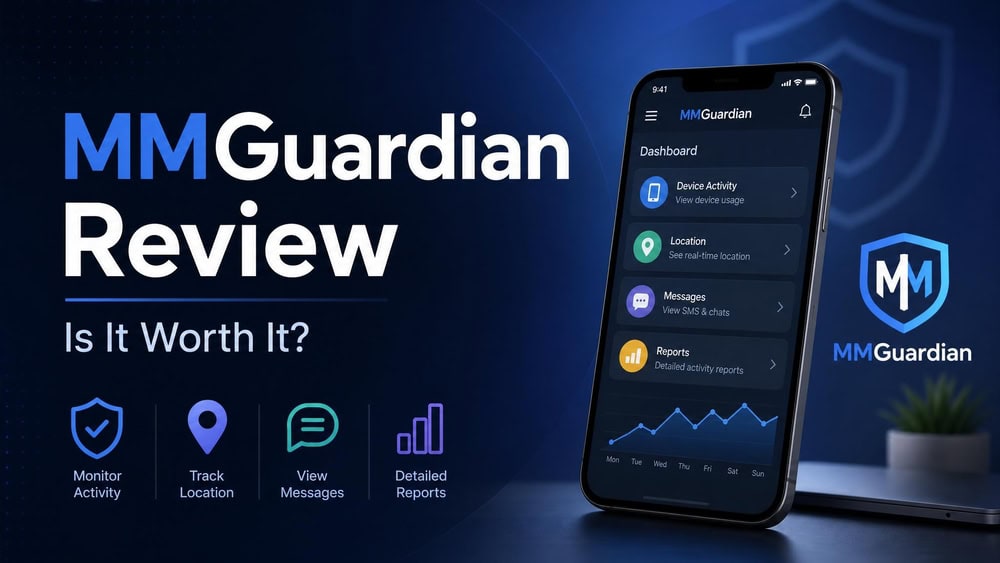
MMGuardian is a parental control and child-safety app that sits in the same category as Bark, Qustodio, and Norton Family, but it leans harder than most on reading what kids actually say in their texts. We tested MMGuardian across an Android phone and an iPhone over several weeks to see whether it keeps kids safe in practice or just looks the part in a feature list. The short answer is that it does a lot well on Android and noticeably less on iOS, and the gap between the two platforms is the single most important thing to understand before you pay.
- Quick Verdict (Expert Summary Box)
- What Is MMGuardian?
- MMGuardian Pricing and Plans
- Key Features
- Installation & Setup
- Ease of Use & Interface
- Android vs. iOS: Key Differences
- Customer Support
- Bypass Resistance & Limitations
- How MMGuardian Compares to Alternatives (Bark, Qustodio, Norton)
- Frequently Asked Questions
- The Bottom Line: Is MMGuardian Worth It?
Quick Verdict (Expert Summary Box)
Pros
- Real SMS and social-app message monitoring, not just blocking
- AI Safety Alerts and Inappropriate Image Detection flag risky content automatically
- Affordable: $4.99/month single device, $9.99/month for a family of five devices
- 14-day free trial with no credit card required
- Strong app blocking, screen time scheduling, and web filtering on Android
Cons
- iOS is far thinner: only two social apps monitored versus seven on Android
- Easy to uninstall or bypass on a standard phone unless you buy the MMGuardian Phone
- The dashboard and interface feel dated and occasionally clunky
- No money-back guarantee on the app subscription, only the free trial
- iOS social monitoring needs a companion sync app on a home computer
What Is MMGuardian?
MMGuardian is a subscription parental control app for Android and iOS, designed by a company of the same name and aimed at families with school-age children. The marketing positions it for ages 7-17, though that figure reads more as a target audience than a hard technical limit, and the app works fine for any child whose phone you control. Where many competitors emphasize blocking and time limits, MMGuardian's defining feature is content monitoring: it reads incoming and outgoing text messages, logs calls, watches a set of social and messaging apps, and runs AI analysis to flag conversations about bullying, drugs, self-harm, violence, or contact from predators.
That focus shapes who MMGuardian is for. It appeals to parents who want visibility into what their child is actually saying and receiving, not just which apps they open. The app has passed 1,000,000+ downloads on Google Play, which signals a mature product with a large install base rather than a fringe tool.
User ratings tell a consistent story. MMGuardian on Google Play holds a 4.1 out of 5 rating across roughly 26,000 reviews, which is solid for a category where strict parental controls naturally attract some frustrated one-star reviews from kids. On Apple's side the picture is harder to pin down: older write-ups cite a very low iOS score, but the current MMGuardian on the App Store listing we checked shows roughly 4.3 out of 5 from about a thousand ratings, so we treat the App Store rating as broadly comparable to Android rather than dramatically worse, while noting store ratings shift between releases.
It is worth saying plainly that MMGuardian is a legitimate, established app rather than a shady spyware product. It requires the consent and access a parent has over a minor child's device, and it publishes its data practices. The legal and ethical line is monitoring your own minor child's device, which is what this product is built for.
MMGuardian Pricing and Plans
MMGuardian is one of the more affordable apps in its class, and its pricing is refreshingly straightforward once you separate the true monthly rate from the annual-equivalent figures some third-party reviews quote. The plans cover any device type, so an iPhone, an iPad, and an Android phone all cost the same under a given plan.
Single Device vs. Family Plans
The single-device plan costs $4.99/month, or $49.98/year if you pay annually. The family plan, which covers up to 5 devices, costs $9.99/month or $99.98/year. The plans are platform-agnostic, so whether you are protecting an iPhone or iPad or an Android phone, the price is the same under each tier.
One pricing detail trips up a lot of buyers. Some reviews list MMGuardian at "$4.17/month" or "$8.33/month," which are simply the annual prices divided across twelve months ($49.98 ÷ 12 and $99.98 ÷ 12), not a separate cheaper monthly tier you can actually sign up for. The genuine monthly rates are $4.99 and $9.99; the lower numbers only appear if you commit to a year up front. Android tablets have their own reduced-price plans on the official page, but for phones the figures above are what you pay.
The MMGuardian Phone
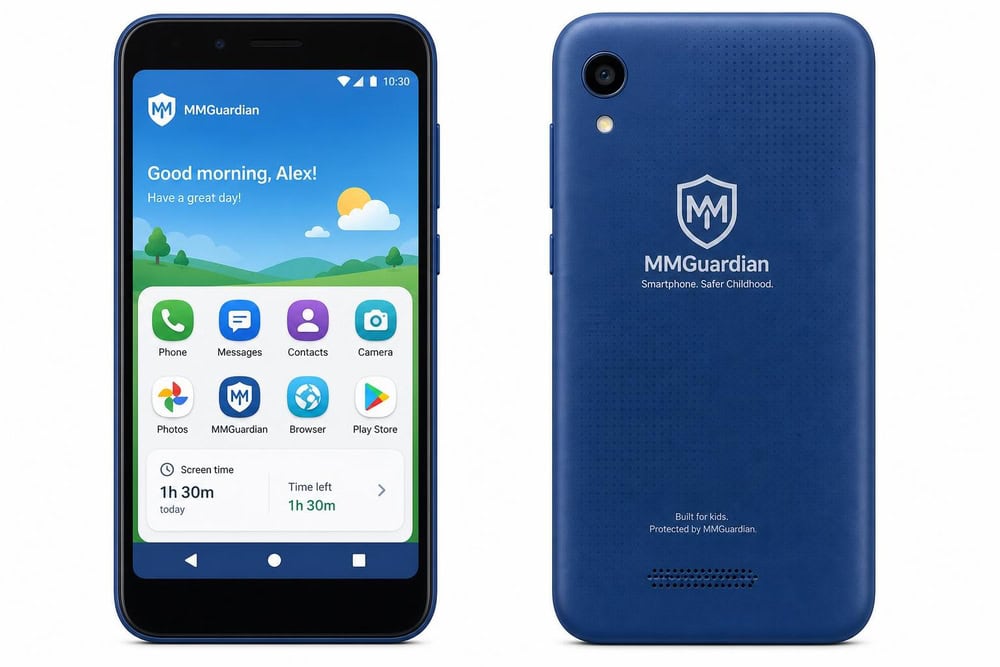
For parents who want the strongest version of MMGuardian, the company sells its own hardware. The MMGuardian Phone starts at $229/year for the device, plus a separate monthly cellular service plan from a carrier of your choice. The app-subscription prices above explicitly do not apply to the phone; the hardware bundle is a different product line.
The reason the phone exists is bypass resistance, which we cover in detail later. On a standard phone, a determined kid can often uninstall or disable a monitoring app; on the MMGuardian Phone, the software is integrated at a level that makes that far harder. If your child does not yet have a phone and tamper resistance is your priority, the hardware is the version that actually delivers it.
Initial vs. Renewal Pricing & Free Trial
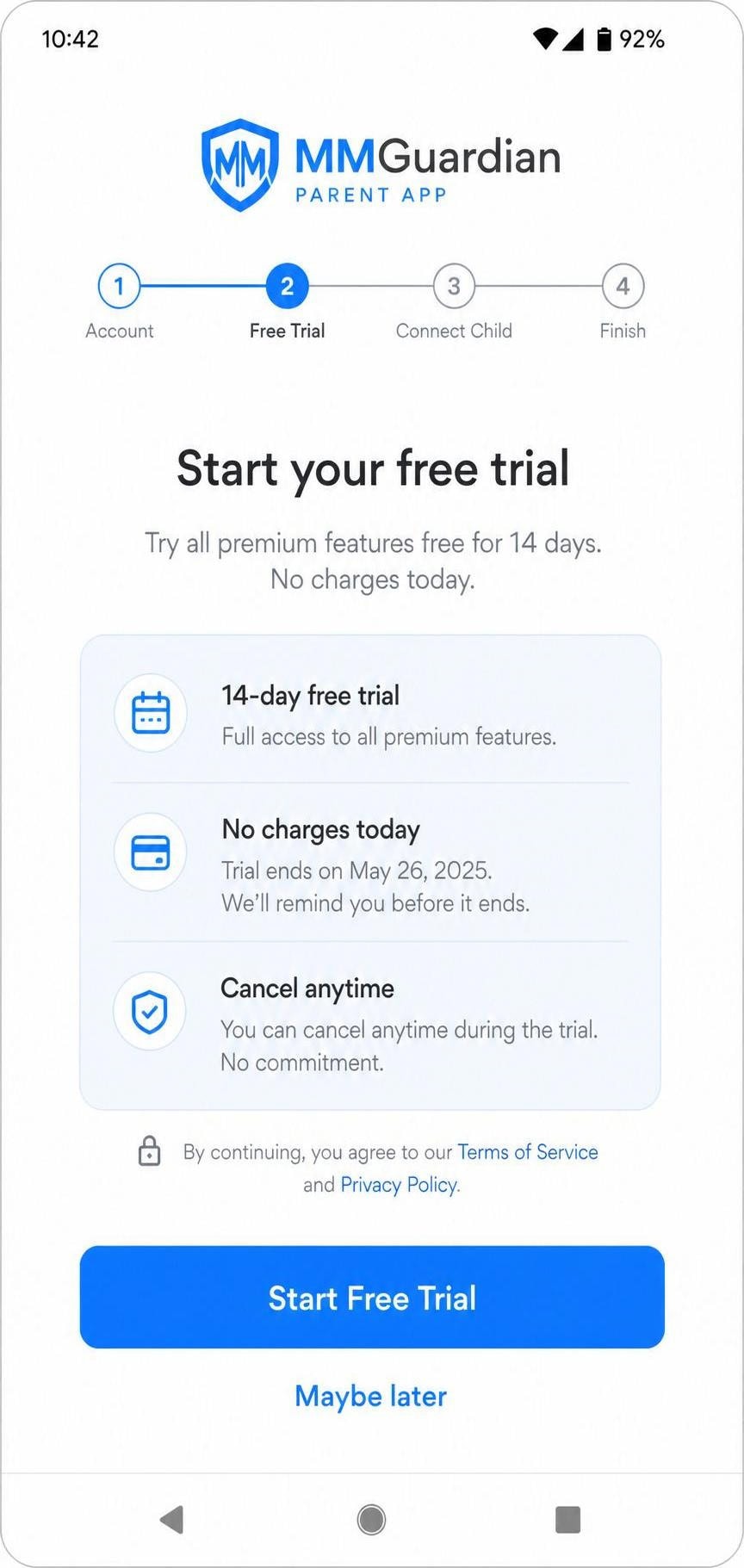
MMGuardian offers a 14-day free trial with no credit card required, which is generous compared with rivals that demand card details up front. That window is enough to install the app, pair a device, and see how the filtering and alerts behave with your own family before any money changes hands.
A couple of renewal details deserve attention. Subscriptions auto-renew, whether monthly or annual, and you must cancel at least 7 calendar days before the renewal date to stop the next charge. You cancel through whichever billing source you signed up with: Apple subscriptions from your Apple account, Google Play subscriptions from the Play Store, and web-portal subscriptions from family.mmguardian.com. Cancelling stops future billing but does not by itself refund a period you have already paid for. There is no general money-back guarantee on the app subscription. The only refund path is defect-based: if you report a software defect within 72 hours of purchase and MMGuardian fails to resolve it within 7 calendar days, a full refund is issued on request. That narrow window is why the no-card 14-day free trial is your real evaluation period. The 30-day return window people sometimes cite applies to the hardware MMGuardian Phone only, not the app subscription: the phone carries a full refund within 30 calendar days of receipt, with a $50 restocking fee if the box was opened, and there is no equivalent money-back window for the software subscription.
Key Features
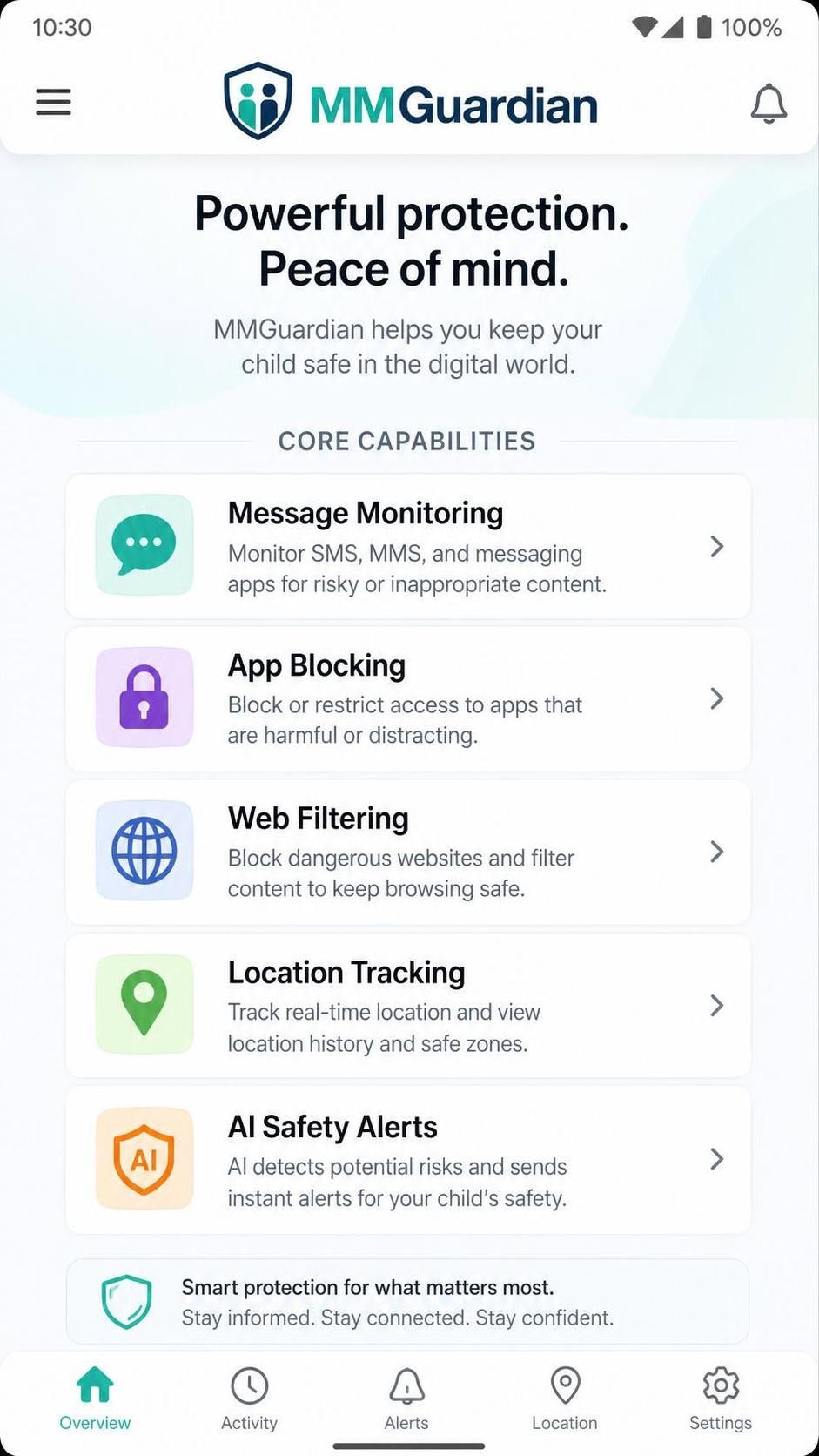
MMGuardian's feature set is broad, and on Android it is one of the deepest in its price range. The core capabilities are message monitoring, app supervision and blocking, screen time scheduling, web content filtering and safe search, GPS location tracking, and a layer of AI-driven safety alerts, including image scanning. Notably, there is no email monitoring. We walk through each area below, and where a feature behaves differently on iOS we say so.
App Supervision, Blocking & Screen Time Limits
App supervision is one of MMGuardian's strongest everyday features. From the parent app you can see which apps are installed, block specific apps outright, and set screen time limits and schedules so that, for example, games are unavailable during school hours or after a set bedtime. During testing we blocked a game on the child Android phone and it disappeared from use within moments of saving the rule, with the child seeing a lock screen rather than the app.
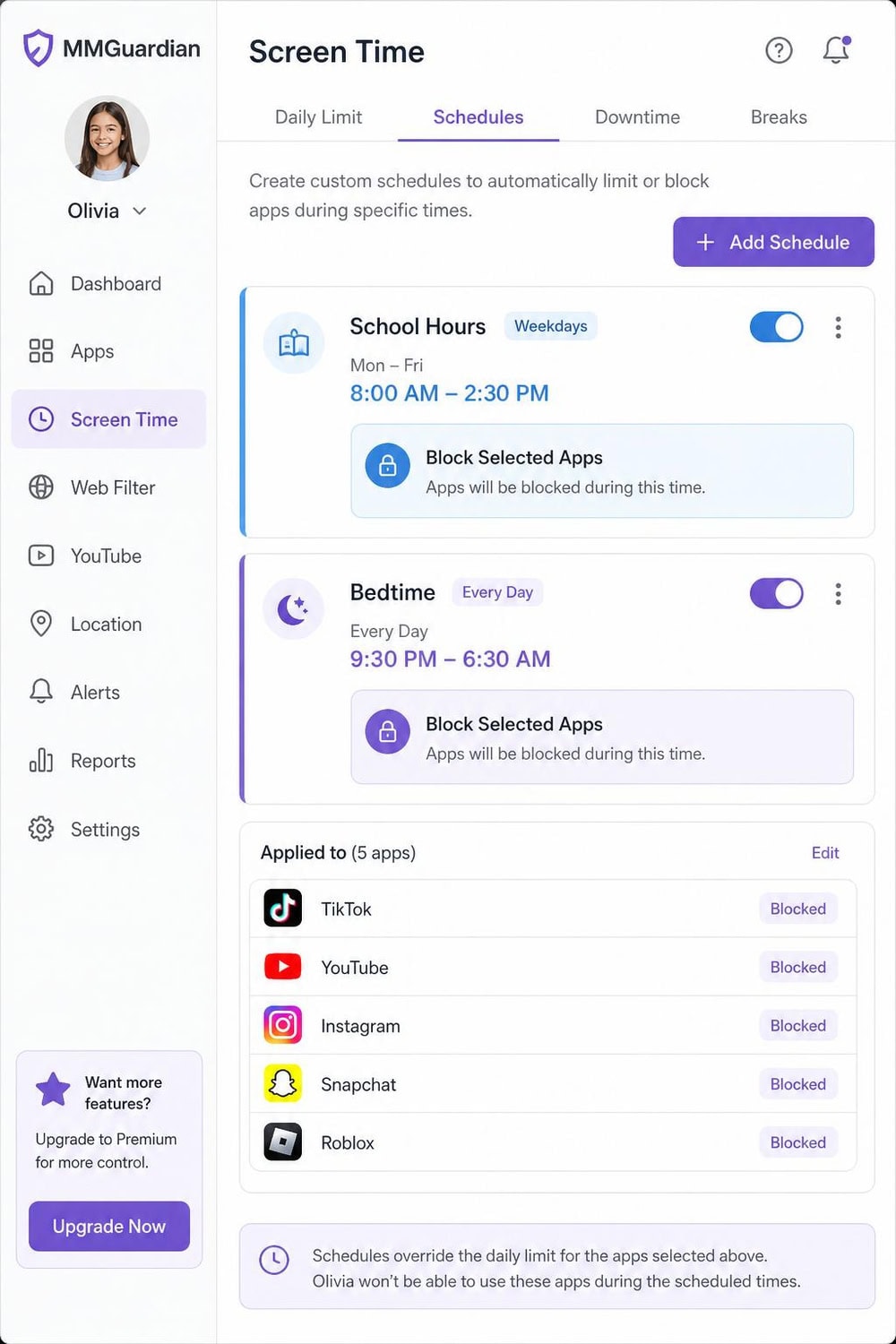
The scheduling is flexible enough for real family routines, with separate rules for school days, weekends, and bedtime. It is not the most modern-looking scheduler we have used, but it works reliably and the rules took effect quickly. App blocking and supervision are deeper on Android than on iOS, where Apple's restrictions limit how much any third-party app can control.
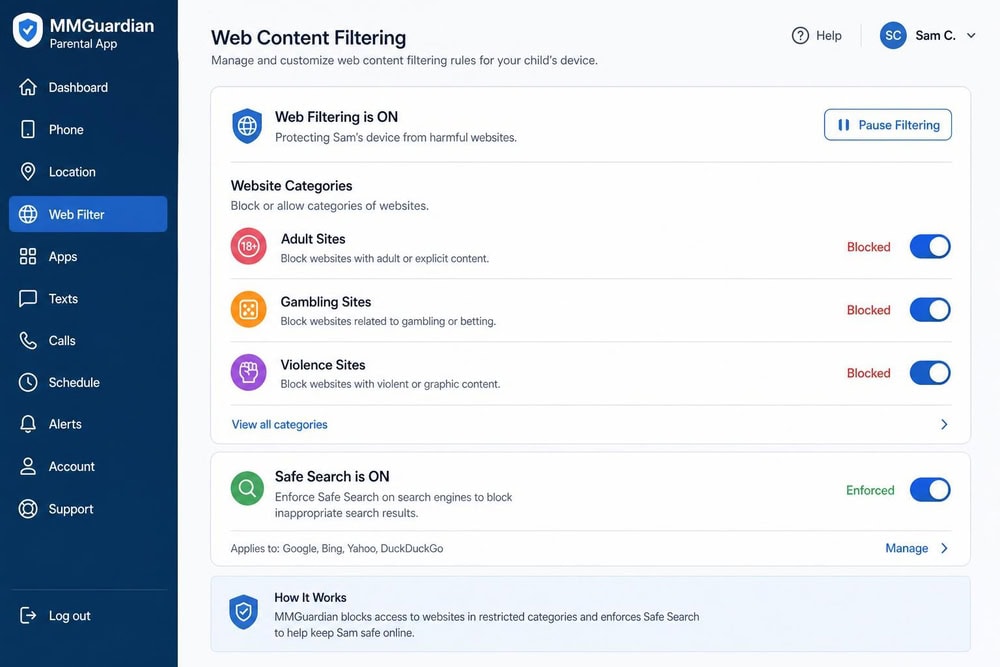
Web Content Filtering & Safe Search
Web content filtering blocks categories of inappropriate sites and enforces safe search on major search engines, which is the baseline most parents want. In our testing the filter caught obvious adult and explicit categories and held up against a few common workaround attempts on the child's default browser. Where filtering gets leakier, as it does with every app in this class, is alternate browsers and in-app web views, so pairing the filter with app blocking is the more complete approach.
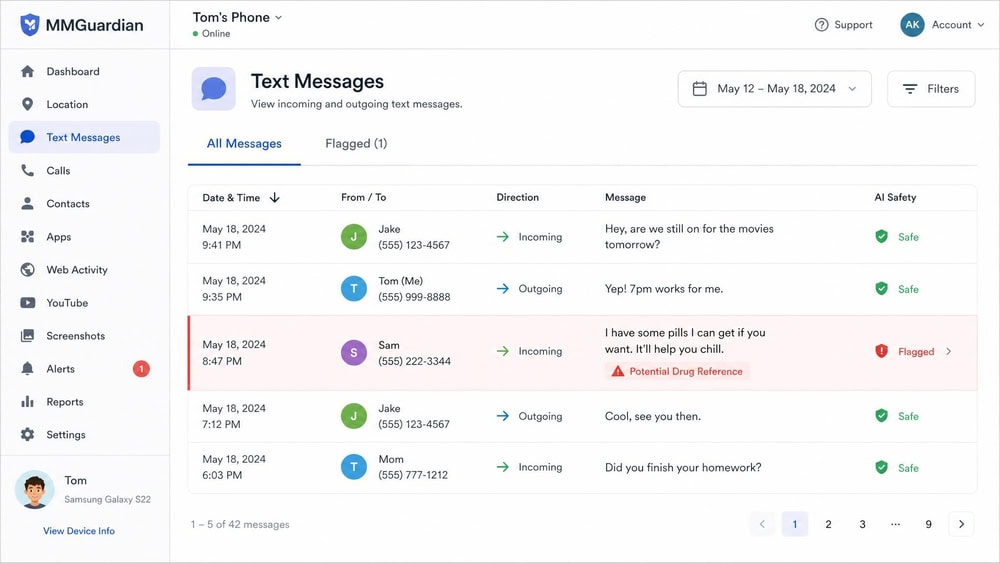
Call, Text & Social Media Monitoring
This is the feature that sets MMGuardian apart from competitors that only block and limit. The app monitors incoming and outgoing SMS text messages, logs call activity, and watches a set of social and messaging apps for risky content. The platform gap here is the headline number of the whole review: MMGuardian monitors 7 social and messaging apps on Android, including WhatsApp, Snapchat, Kik, Instagram, Messenger, Discord, and TikTok, but only 2 on iPhone, namely WhatsApp and Kik.
On Android, message and social monitoring worked closely to how the marketing describes, with flagged messages appearing in the parent dashboard and full text logs available. For iPhone message monitoring specifically, the company documents how its iPhone message reports work, and the experience leans on that companion sync setup rather than fully on-device capture.
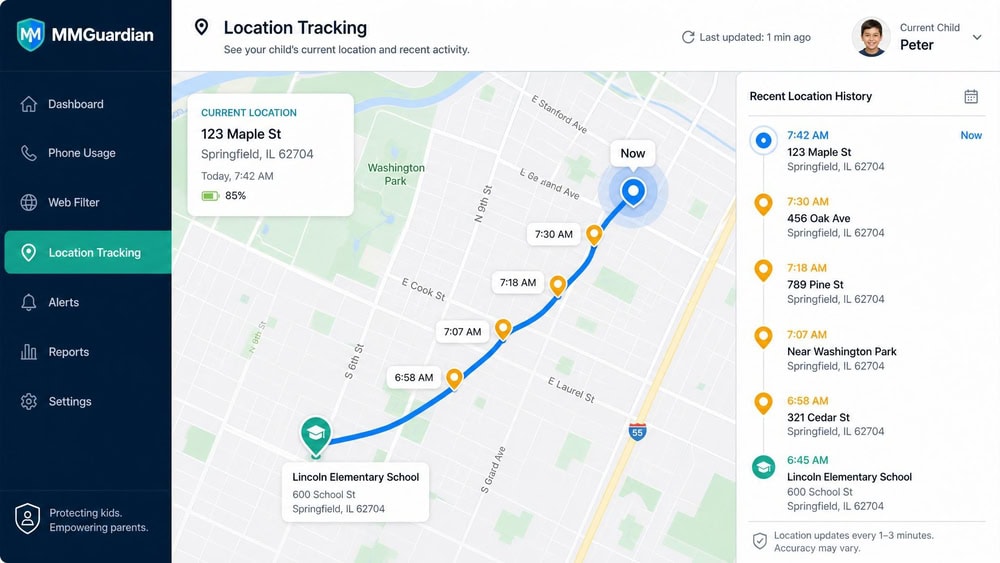
Location Tracking
GPS location tracking shows the child's current location and recent history from the parent app, which is table stakes for the category and useful for the everyday "did they get to school" check. On Android it was reliable in our testing, updating location on demand within a reasonable window. On iPhone, reviewers consistently report location-tracking reliability gaps, and our experience matched that pattern, with updates that were slower and occasionally stale compared with the Android device.
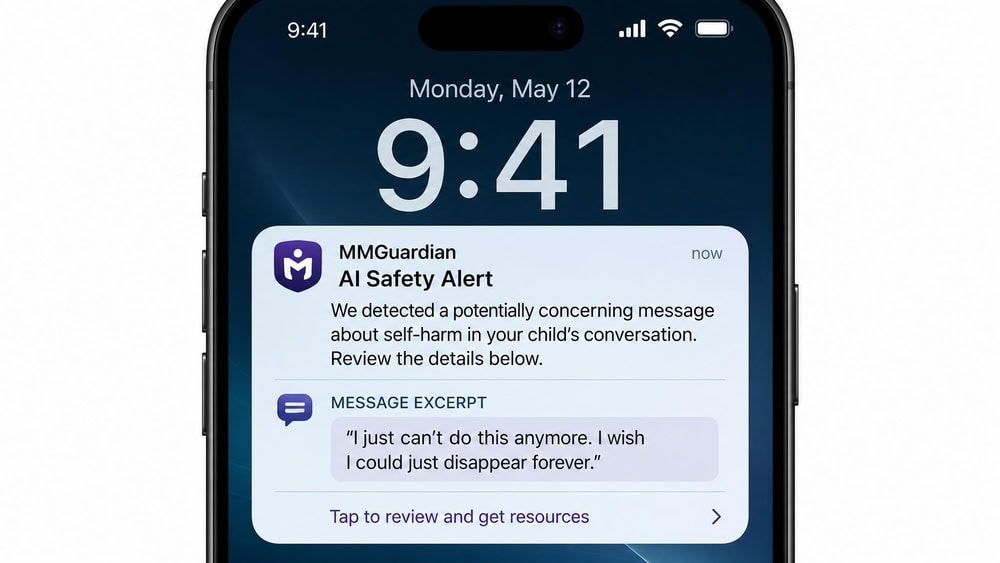
Activity Reports & AI Alerts (Nudity/Risk Detection)
MMGuardian rolls its monitoring up into daily and activity reports, so you do not have to watch the dashboard constantly. The standout layer is its AI Safety Alerts, which scan messages for signs of cyberbullying, drugs, suicidal thoughts, violence, and predatory contact, plus an Inappropriate Image Detection feature that scans SMS and MMS messages and saved images for nudity. When we sent a staged risky message to the child Android phone, the AI alert reached the parent dashboard quickly, which is the kind of early warning that justifies a monitoring-first app over a blocking-only one.
The image detection is the feature parents react to most strongly, since it can flag a nude or explicit image without a parent having to scroll through a child's photos manually. It is not flawless, and like all such systems it can both miss and over-flag, but as an automated early-warning layer it adds real value on Android.
Installation & Setup
Setup is a two-part process: you install a parent app on your own phone and a child app on the device you want to monitor, then pair them. For non-technical parents, the Android path is manageable but involves granting several permissions, while the iOS path adds steps and a home-computer component for full monitoring.
Setting Up the Parent App
Installing the parent app is the easy half. You download it from your phone's app store, create an account, and start the 14-day trial. From there the parent app becomes your control center for every paired child device, and you can manage multiple children from the single dashboard if you are on the family plan. We had the parent app installed and an account created in a few minutes with no friction.
Setting Up the Child Device (Android vs. iOS)
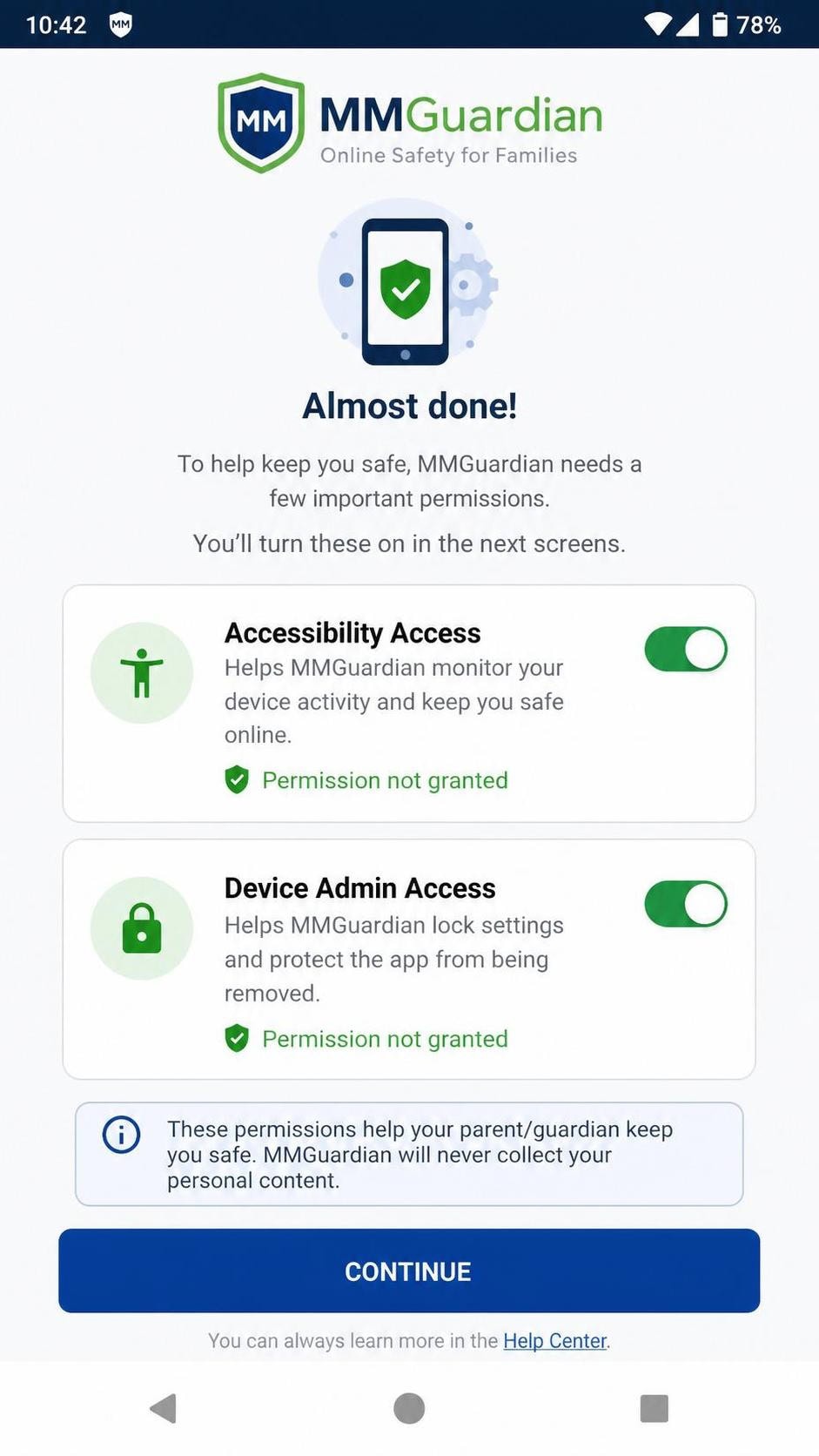
The child side is where platforms diverge sharply. On Android, you install the child app and grant a series of permissions, including accessibility and admin permissions, that let MMGuardian monitor messages, block apps, and resist casual removal. It is more involved than installing a typical app, but the in-app prompts walk you through each permission, and once granted, monitoring is comprehensive.
On iOS, Apple's platform restrictions mean MMGuardian cannot reach as deep. The child app installs, but full social and message monitoring requires a companion sync app on a home computer, and several features available on Android are limited or absent. If your child uses an iPhone, budget extra time for setup and adjust your expectations about how much the app will capture.
Ease of Use & Interface
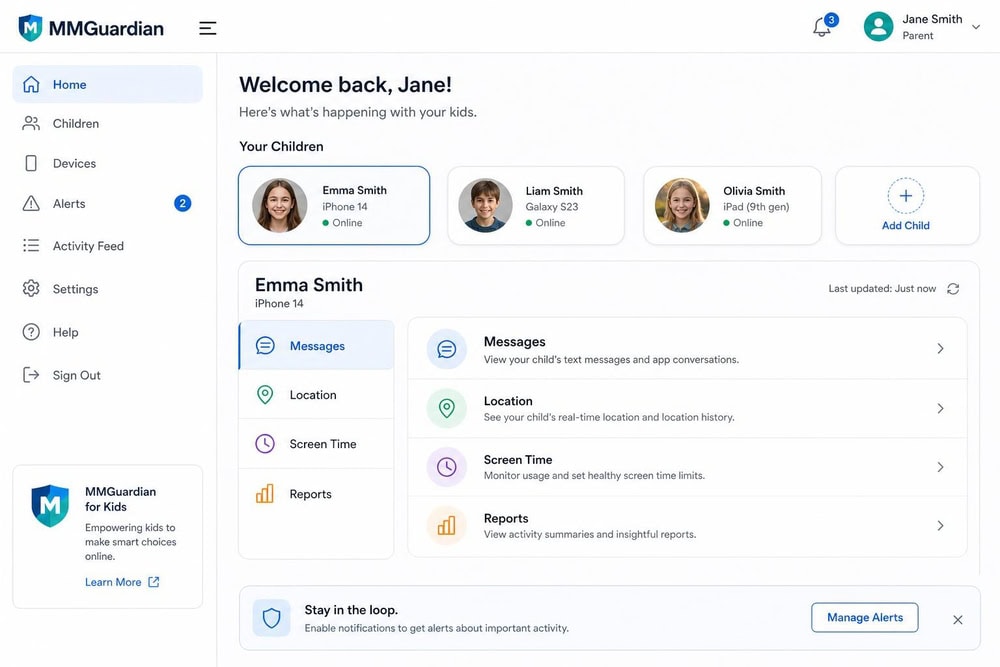
Once installed, MMGuardian is straightforward to navigate, but the interface is the app's most consistent criticism, and our experience agreed with it. The dashboard is functional and organized by child and by feature, so finding message logs, location, or screen-time rules is logical enough. The look and feel, though, are dated, with a design that feels a generation or two behind the cleaner dashboards of some rivals. Nothing about it is broken, but it can feel clunky, and a few settings are buried deeper than they should be.
For day-to-day use, that dated feel matters less than you might expect, because most parents check the dashboard briefly and act on alerts rather than living in the interface. Still, if a polished, modern app experience is high on your list, this is the area where MMGuardian shows its age.
Android vs. iOS: Key Differences
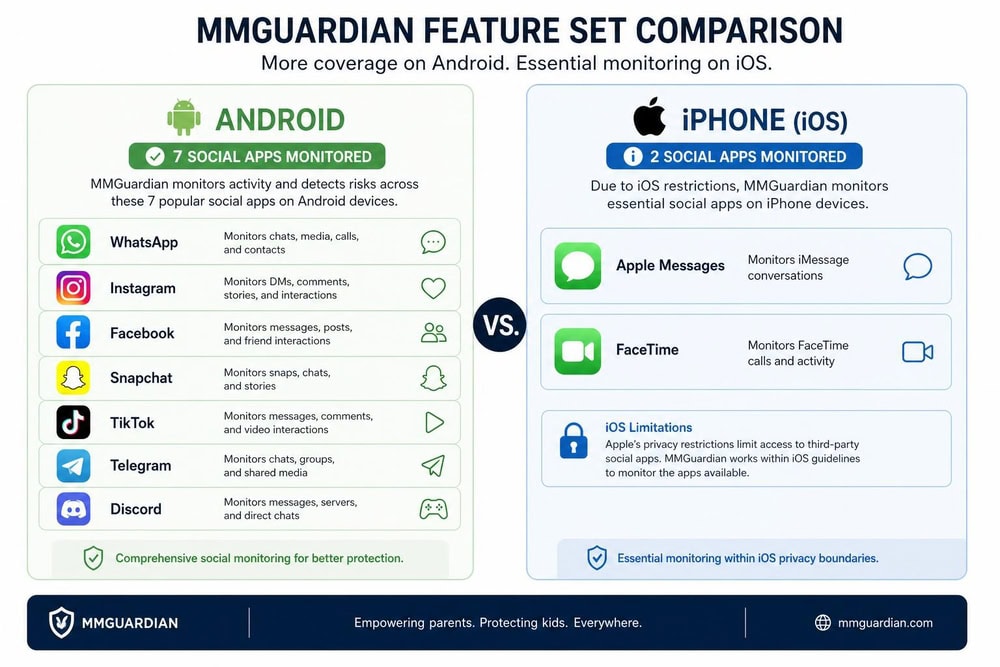
The platform gap is the throughline of this entire review, so it is worth gathering the differences in one place. On Android, MMGuardian is a deep monitoring tool: it watches 7 social and messaging apps, captures full text logs, runs image detection on messages and saved photos, blocks apps thoroughly, and tracks location reliably. On iOS, the same subscription buys a meaningfully thinner product.
On iPhone, social monitoring is limited to WhatsApp and Kik, full monitoring requires a companion sync app on a home computer, location tracking is less reliable, and app blocking and image detection are weaker because Apple restricts what any third-party app can do. None of this is unique to MMGuardian; every monitoring app hits Apple's walls. But MMGuardian's Android-first design makes the gap especially pronounced, so the platform your child uses should drive your decision more than any other single factor.
Customer Support
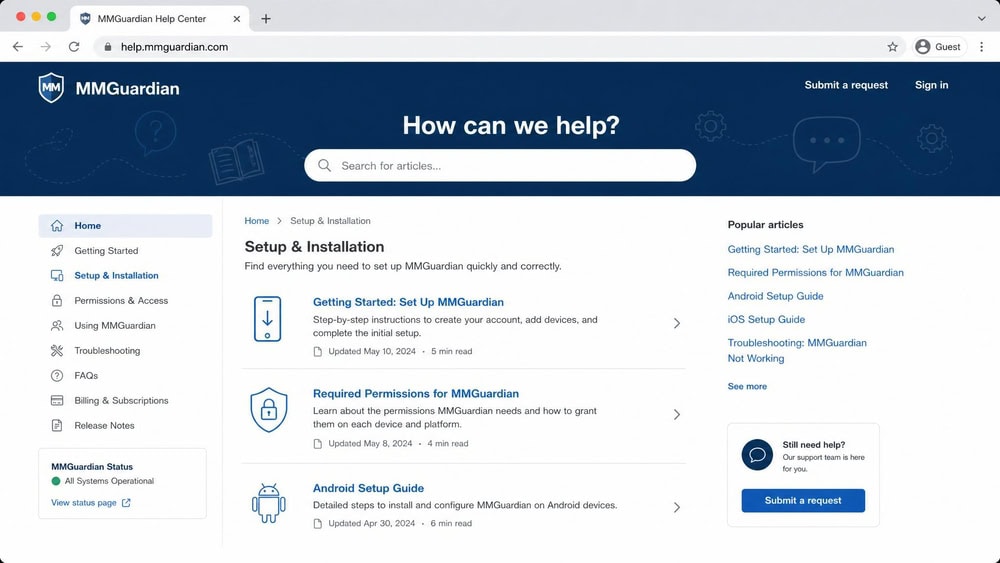
MMGuardian's support is primarily handled through email and an extensive online help center and FAQ library, rather than live chat or phone support. The help articles are detailed and cover the most common setup and permission questions, which matters because the Android permission flow generates a lot of "why won't this feature turn on" queries. In our experience the self-serve documentation answered most setup questions without needing to open a ticket, though parents who prefer real-time help from a live agent will find the absence of chat a limitation.
Bypass Resistance & Limitations
Here is the honest part that affiliate-leaning reviews tend to soften: on a standard phone, MMGuardian is not hard for a determined, tech-savvy kid to bypass or uninstall. The app uses device permissions to resist casual removal, and a younger child is unlikely to defeat it, but an older teenager who knows how to revoke permissions, boot into safe mode, or factory-reset a device can often get around it. This is true of essentially every monitoring app running on standard consumer hardware, not a MMGuardian-specific weakness, but it is the limitation that matters most for the app's core promise.
The other limitations follow from earlier sections: the iOS feature gap, the dated interface, the lack of email monitoring, and the absence of an app-subscription refund. Stacked together, these define who should and should not buy. MMGuardian rewards parents of younger Android users and frustrates parents expecting an iPhone to behave like an Android device or a standard phone to be uninstall-proof.
How MMGuardian Compares to Alternatives (Bark, Qustodio, Norton)
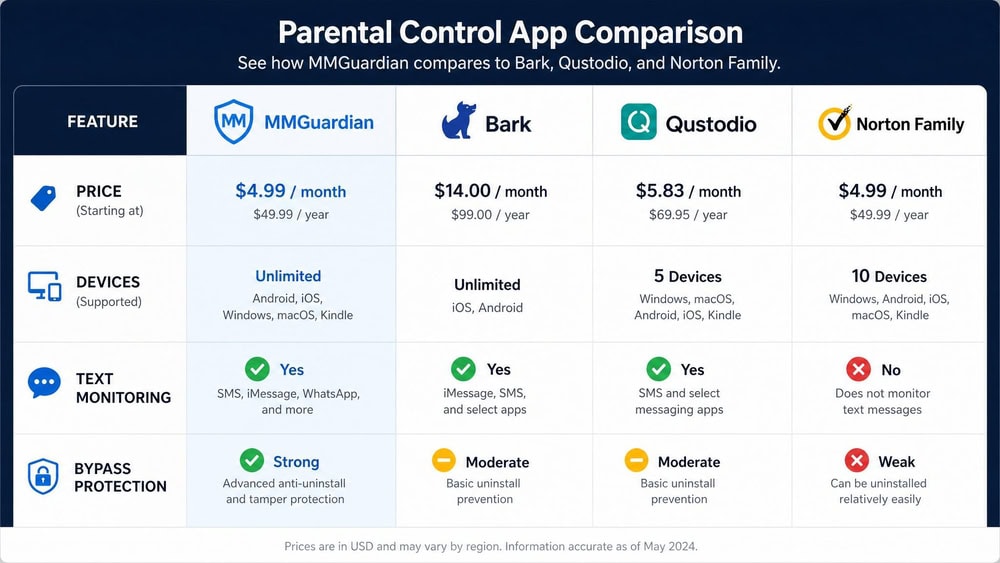
MMGuardian does not exist in isolation, and the right choice depends on platform, budget, and whether message monitoring is your priority. The table below puts it beside Bark, Qustodio, Norton Family, and the free Google Family Link, using current vendor pricing where we could verify it.
| Feature | MMGuardian | Bark | Qustodio | Norton Family |
|---|---|---|---|---|
| Price (annual, entry) | $49.98/yr single; $99.98/yr family | $99/yr Android; $148/yr iOS | ~$54.95/yr Basic; ~$99.95/yr Complete | $49.99/yr |
| Devices | 1 (single) or 5 (family) | Unlimited | 5 (Basic) | Unspecified limit |
| Free trial | 14-day, no card | 7-day, card required | Free plan + 30-day money-back | 30-day (verify) |
| Text/SMS monitoring | Yes (Android strong; iOS limited) | Yes (texts, email, 30+ apps) | Yes (Android full; iOS needs PC) | No conversation monitoring |
| Content filtering | Yes | Yes | Yes | Yes (strong web filter) |
| Bypass/uninstall protection | Weak on standard phones; strong on MMGuardian Phone | Stronger on Bark Phone | Moderate | Moderate |
A few takeaways stand out. Where MMGuardian reads messages directly, Bark takes a wider net across 30+ platforms including email and unlimited devices, but costs more and leans on alerts rather than full logs. Qustodio matches MMGuardian's monitoring-plus-controls breadth and hits iOS with the same companion-PC requirement, while offering a free tier MMGuardian lacks. Norton Family undercuts on simplicity and price at $49.99/year but does no conversation or text-message monitoring at all, so it is a filtering-and-time-limits tool rather than a message monitor. And if budget is the only constraint, Google Family Link is completely free, covering app and web filtering, screen time, and location, though it does no message or social-content monitoring whatsoever.
The pattern is clear: MMGuardian is the value pick when message monitoring on Android is the goal, Bark is the broader-coverage option, Qustodio is the all-rounder, Norton Family is the filtering specialist, and Family Link is the free baseline.
Frequently Asked Questions
Is MMGuardian safe and legitimate?
Yes. MMGuardian is an established parental control app with over a million downloads on Google Play, published data practices, and a clear purpose of monitoring a parent's own minor child's device. It is not covert spyware; it is designed for the legal, consented oversight a parent has over a minor's phone, which is the boundary that children's privacy rules are written around.
Can my child uninstall or bypass MMGuardian?
On a standard phone, a determined, tech-savvy teenager can often uninstall or bypass it by revoking permissions, using safe mode, or factory-resetting, though younger children are unlikely to manage it. Strong, hard-to-defeat tamper resistance comes from the dedicated MMGuardian Phone hardware rather than the app installed on a regular device.
Does MMGuardian work on both iPhone and Android, and what is different on iOS?
It works on both, but the experience differs sharply. On Android it monitors 7 social and messaging apps and captures full text logs; on iPhone it monitors only WhatsApp and Kik, requires a companion sync app on a home computer for full monitoring, and has less reliable location tracking and weaker app blocking because of Apple's platform restrictions.
Does MMGuardian read text messages and monitor WhatsApp, Snapchat, and YouTube?
It reads incoming and outgoing SMS text messages and, on Android, monitors WhatsApp, Snapchat, Instagram, Messenger, Discord, Kik, and TikTok. On iPhone, social monitoring is limited to WhatsApp and Kik. MMGuardian focuses on messaging and social apps rather than dedicated YouTube content monitoring, so it is not the strongest pick if YouTube oversight is your main goal.
Can MMGuardian see deleted or incognito messages?
MMGuardian can capture messages as they are sent and received, so a message logged before a child deletes it will still appear in the parent reports. It does not reliably recover content that was deleted before it was ever captured, and private or incognito browsing limits what the web filter records, which is why pairing monitoring with app blocking gives more complete coverage.
How much does MMGuardian cost per month?
The single-device plan is $4.99 per month, and the family plan covering up to five devices is $9.99 per month. Paying annually lowers the effective monthly cost to about $4.17 and $8.33 respectively, billed as $49.98 and $99.98 per year. A 14-day free trial with no credit card lets you evaluate it first.
Is MMGuardian better than Bark?
It depends on your priority. MMGuardian is cheaper and gives you direct text and social-message logs on Android, while Bark covers more platforms including email, supports unlimited devices, and leans on AI alerts rather than full logs at a higher price. For an Android household focused on reading messages, MMGuardian is the value choice; for the widest coverage across many platforms, Bark wins.
The Bottom Line: Is MMGuardian Worth It?
The bottom line is that MMGuardian is worth it for a specific family and a poor fit for another, and knowing which you are makes the decision easy. If you have a younger or cooperative child on an Android phone and your priority is seeing what they actually send and receive, MMGuardian is one of the best-value options available, with genuine message monitoring, AI safety alerts, image detection, and solid filtering for $4.99 to $9.99 a month and a no-card 14-day trial to prove it first.
It is not the right pick in three cases. If your child uses an iPhone and social monitoring is your reason for buying, the two-app iOS limit will disappoint you. If you are trying to outwit a determined, tech-savvy teenager on a standard phone, the app alone will not hold, and you should look at the MMGuardian Phone hardware instead. And if you want a modern, polished interface above all, the dated dashboard will grate.
What pushes our verdict to a recommendation rather than a pass, beyond the quick-verdict rating above, is value for the right buyer: few apps offer this depth of Android message monitoring at this price with a trial this generous. Weighed against Bark's broader but pricier coverage and Qustodio's all-round polish, MMGuardian earns its place as the affordable monitoring-first choice for Android families who want to catch problems in the conversation, not just the clock.
If you are weighing other monitoring tools, you can compare it against our hands-on reviews of mSpy, Qustodio, and similar apps, or start a MMGuardian free trial to test it with your own family before committing.

 mSpy Review
 Cocospy Review
 HoverWatch Review
 UMobix Review
 Spyera Review
 Highster Mobile Review