
Best Apps to See What Someone Is Doing on Their Phone (Android & iPhone)
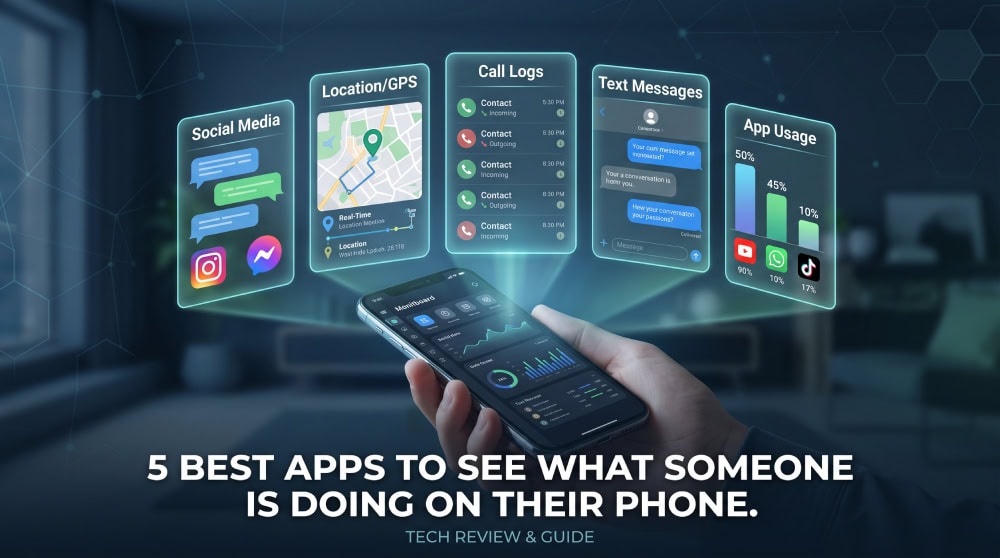
As a parent, which app actually lets you see what someone is doing on their phone? We compared five of the most widely used monitoring apps on a test Android phone and an iPhone. Below are our picks, how they work, and what the law says.
- Why People Want to See What Someone Is Doing on Their Phone
- Best Apps to See What Someone Is Doing on Their Phone
- How These Apps Work & Key Features to Look For
- Is It Legal to See What Someone Is Doing on Their Phone?
- Frequently Asked Questions
- Final Thoughts
Why People Want to See What Someone Is Doing on Their Phone
Most people who look for a monitoring app want the truth about a worrying situation: parents want to spot bullying early, while employers want to protect company data. The right app gives that visibility in real time.
Best Apps to See What Someone Is Doing on Their Phone
Each pick suits a different need, but all cover calls, texts, location, and social media; the differences are depth, price, and platform.
1. mSpy - Best Overall for Comprehensive Monitoring
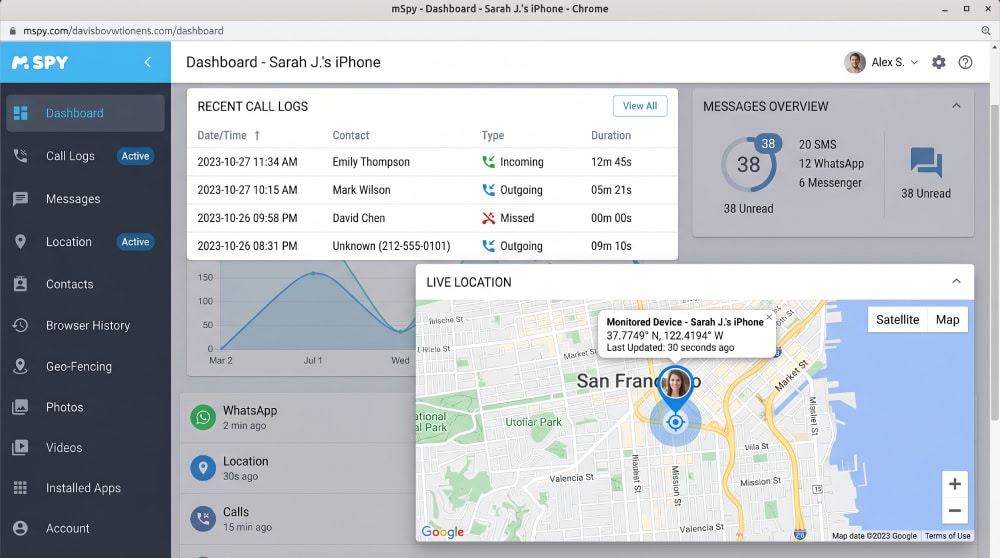
mSpy is the app we reach for first. It tracks calls, SMS, location, and the major messaging apps, and its dashboard was the most stable in testing. When we sent a test text to the Galaxy, it appeared in the dashboard within about two minutes, and the iPhone version needs no jailbreak, so mSpy is the safe default.
Pros
- Broad coverage of calls, texts, location, and social apps
- Reliable dashboard; iPhone monitoring without a jailbreak
Cons
- Higher starting price than budget rivals
- Full social features sit on the pricier tier
2. uMobix - Best for Real-Time Social Media & Activity
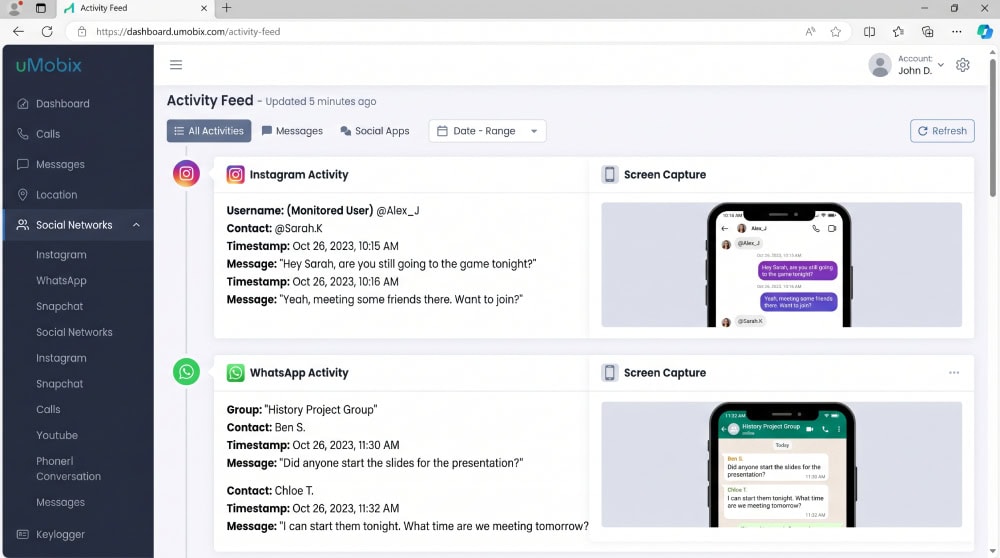
uMobix focuses on speed. When we opened Instagram on the Galaxy and sent a message, the screenshot landed in the uMobix feed before we had even put the phone down, faster than any rival. The trade-off was that the test phone's battery drained noticeably quicker.
Pros
- Fast, near real-time updates
- Strong social-media and screen capture
Cons
- Heavier battery use on the monitored device
- iPhone feature set is narrower than Android
3. EyeZy - Best for Parental Controls
EyeZy is built with parents in mind, adding keyword alerts and screen-time tools on top of the usual logs. We added "party" to its watch-word list, typed it in a text on the Galaxy, and a keyword alert fired the same evening, the kind of early flag parents are after.
Pros
- Keyword and alert features aimed at child safety
- Screen-time and app-blocking controls
Cons
- Fewer deep power-user tools than FlexiSPY
- Some alerts need tuning to cut false positives
4. XNSPY - Best Budget Option
XNSPY delivers the core features at a lower price: calls, messages, location history, and the main social apps. Its dashboard looked dated next to mSpy, but when we checked the location history after a short drive with the Galaxy, the route it logged matched where we had actually been, point for point.
Pros
- Lower starting price than most rivals
- Covers essential call, text, and location tracking
Cons
- Interface feels dated next to mSpy
- Social-media depth trails the premium tools
5. FlexiSPY - Best for Advanced / Power Users
FlexiSPY goes deeper than anything else, with call recording and ambient audio. Setup was the fiddliest of the group, and we had to root the Galaxy before call recording worked, but once it did, a test call we placed came back as a clear, playable recording. The trade-off is the price and that rooting step.
Pros
- The deepest feature set, including call recording
- Long track record and detailed logs
Cons
- Most expensive option here
- Advanced Android features require rooting
| Feature | mSpy | uMobix | EyeZy | XNSPY | FlexiSPY |
|---|---|---|---|---|---|
| Platforms | iOS/Android | iOS/Android | iOS/Android | iOS/Android | iOS/Android |
| Calls & SMS | Yes | Yes | Yes | Yes | Yes |
| Location | Yes | Yes | Yes | Yes | Yes |
| Social media | Yes | Yes | Yes | Limited | Yes |
| Stealth mode | Yes | Yes | Yes | Yes | Yes |
How These Apps Work & Key Features to Look For
All five of these monitoring apps work the same way. You buy a plan, install a small app on the phone you want to monitor, then view everything from a private web dashboard. iPhone runs through iCloud; Android needs a hands-on install.
You can also see some activity for free: on an iPhone, open Settings → Screen Time → See All Activity; on Android, open Settings → Digital Wellbeing. Our step-by-step walkthroughs cover how to check Screen Time on iPhone and how to check screen time on Android in full. These tools are limited, and NIH research on screen time and child wellbeing is worth a read first.
Is It Legal to See What Someone Is Doing on Their Phone?
This is the part you should not skip. The rules turn on ownership and consent.
Frequently Asked Questions
Do I have to install software on the target phone?
For Android, yes; you need brief physical access to install it once. For iPhone, many apps work through iCloud credentials instead, so no manual install is needed.
Do I need to root or jailbreak the device?
Usually no. Most core features work without it. Only the deepest options, such as FlexiSPY's advanced Android tools, require rooting.
Is there a free app to see what someone is doing on their phone?
Built-in tools like iPhone Screen Time and Android Digital Wellbeing are free but limited. Dedicated free apps capture far less and push you toward a paid upgrade.
Does this work on both iPhone and Android?
Yes. All five support both, though some features are richer on Android because iOS restricts background access.
Can the other person tell they are being monitored?
Most paid apps offer a discreet mode that hides the icon. On a device you do not own, get the person's consent rather than rely on stealth alone.
Final Thoughts
Start with mSpy for a reliable all-rounder, uMobix for the fastest social updates, EyeZy for parent alerts, XNSPY to save money, or FlexiSPY for the deepest features. Whichever you pick, install it only on a phone you own or have permission to monitor.

 Watch Someone Else's Phone
 Best Spy Apps
 Best Android Monitoring Apps
 Monitor A Phone Remotely
 Monitor A Phone Without Software
 Best Phone Tracker Apps
 Best Spy Apps For Android
 Best Spy Apps For iPhone