
How to Spy on a Cell Phone Without Installing Software on the Target Phone

If you need to spy on a cell phone without installing software on the target phone, there are very few ways to go about it. No-install options always rely on accessing the cloud backup features of iPhones and Android phones. This limits the information you can see to messages that haven't been deleted and the location of the target device.
Then there are built-in parental control features that provide location, app usage, and screen time information.
Niether of these is usually what people mean when they talk about spying on a cell phone. For that, you actually need to install an app on the phone. Since this only takes about 10 minutes, it's what we highly recommend parents do as it would give total access to the activities on the target phone.
The options we highlight here allow parents to spy on a phone without installing software on the phone, and also offer expanded features for those that are able to install.
- 4 Ways To Spy On A Cell Phone Without Installing Software On The Target Phone
- Free Alternatives To Spy On An Android Phone Without Installing Software on the Target Phone
- Free Alternatives To Spy On iPhone Without Installing Software on the Target Device
- Built-In Family Tools That Do Not Need A Spy App
- Built-In Family Tools at a Glance
- Can You Really Monitor a Phone Without Installing Software? The Honest Answer
- What "No-Install Remote Spy" Claims Get Wrong (Myth-Busting & Scams)
- Frequently Asked Questions
- Legal Concerns
- Conclusion
4 Ways To Spy On A Cell Phone Without Installing Software On The Target Phone
A spy app, also known as "spyware", is a program that can monitor a smartphone and the activities of a person. Employers use these apps for employees for workplace surveillance and parents use them to track their children's activities. With the help of these apps, it's possible to spy on and control a smartphone from anywhere in the world, meaning that someone can still see what you're doing even if they aren't physically present.
It's easy to assume that you would need physical access to a phone to be able to spy effectively, but this is not true. Although the information available to you will be more limited, it is possible to to do without putting anything on the phone.
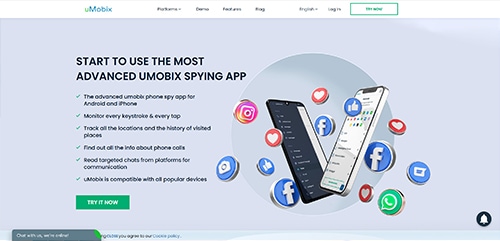
1. uMobix

uMobix is my top choice because it's what I used when I needed to spy on my son's iPhone. I didn't have to install software on the phone because I had his iCloud information. But, if you don't have their iCloud credentials or are working with an Android device, you will be able to install it in about 10 minutes.
The uMobix spy app provides access to more social media apps than any other spy app on the market, including Tinder, Facebook, Reddit, Instagram, WhatsApp, Skype, TikTok, Telegram, Snapchat, and Zoom, just to name a few.
The full feature list will be included in my upcoming review, but the short version is that it gives you full control over the target phone. Not only for surveillance but also for changing device settings like restricting what apps can open or disabling Wi-Fi.
It even has a spy app detection feature to alert you to other spy apps already installed on the cell phone. At first glance, this seems like a hilarious feature for a spy app to have. But, if you are spying on your child for their safety, it would be a huge concern if you found that someone else was already monitoring them.
Live technical support by phone is available, which can be a lifesaver if you need to install the app on the device in a limited amount of time.
No complaints aside from intercepted data only staying available for 30 days. But, this limit is higher on multi-month plans so I'm only taking away a half star for it.


- Remote camera activation
- Streams live video
- Remote microphone activation
- Real-time location tracking
- Access to all social media apps
- Simple installation
- Great customer support
- Data retention limited to 30 days
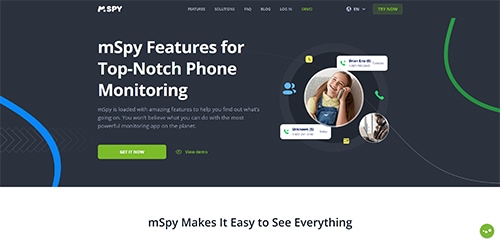
2. mSpy

mSpy offers similar capabilities to uMobix, such as access to social media apps, and also allows you to monitor text messages, calls, the GPS location, and it even has a keylogger feature that allows you to see everything the person types, even if they delete it immediately.
Unfortunately, it lacks more advanced features such as access to your target's camera and microphone, placing it in the awkward position of being above average when it comes to usability and features but not incredibly outstanding in either.
What does set it apart, and the reason it is ranking #2 here, is that it is a product with a long and dependable history of being a good way of spying on a phone.
In addition, compatibility is the broadest of any app I have used, with coverage across every major iPhone and Android release since 2014.

- Totally hidden
- Easy installation
- GPS tracking
- Great tech support
- Not as powerful as uMobix
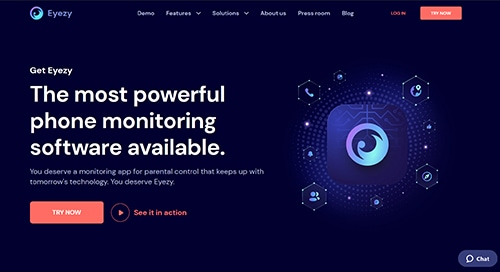
3. EyeZy

EyeZy is the newest mobile spy software that doesn't require installation on the target phone and it is one of the best spy apps for Android phone. Exploiting iCloud syncing gives you access to the person's current GPS location, contacts, e-mail, photos, and videos. Even more information is available for smartphones using Wi-Fi sync.
If you can get physical access to the phone and install the app on it, the software offers a wide range of advanced capabilities including:
- Keystroke Capture
- Website Browsing History
- Alerts for specific messages and conversations
- Call logs
Perhaps more impressive is that you can spy on WhatsApp, Facebook Messenger, Tinder, Snapchat, Skype, KiK, and Instagram to keep an eye on what the person does online.
- Easiest to use
- Totally hidden
- Fast installation
- GPS tracking
- All social media accounts
- Not quite as capable as mSpy
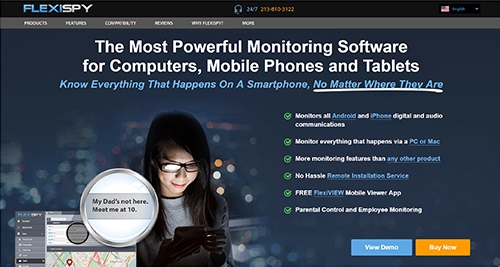
4. FlexiSpy

FlexiSpy (read our full FlexiSpy review) is not as user-friendly as other spy apps, but it uses the most comprehensive security technology currently available. It too remains in stealth mode and has a long list of spy capabilities, and these are some of the highlights:
- Call logs
- All text messages sent and received
- Monitor social media content, including Facebook
- Search history
- Keylogger
- Compatible with all versions of Android and iOS
To me, the most alluring abilities of FlexiSpy are related to taking control of the hardware on your phone. Once you have access to the app, it allows you to spy on the target phone phone without touching it and silently activate the front and rear cameras or turn on the microphone and listen as the phone spies on the target for you.
Read the last sentence again. It's worth having a slightly less modern interface to have safe and reliable ways of monitoring cell phones.
- Extremely powerful
- Live camera streaming
- Pre-loaded phones available
- Microphone access
- Call recording
- Older interface
- Expensive
Free Alternatives To Spy On An Android Phone Without Installing Software on the Target Phone
An Android phone gives users a sense of security, while someone can listen to every word said near the cell phone of someone you want to spy on without having to download and install anything on the target device relatively easily. In this instance, that's a good thing!
Google Timeline
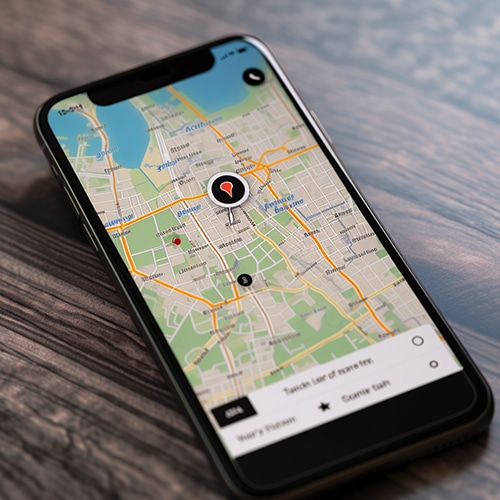
Although it still requires you to know their password, Google Maps timeline is one interesting option.
The way to spy on the phone is:
- Step 1: Open Google Maps
- Step 2: Log in with the target's Account
- Step 3: Click on “Menu”
- Step 4: Go to “Your Timeline”
After these steps, your screen should now show a timeline to monitor the physical movements of the target phone. Alternatively, you can click on Menu -> Your Places -> Visited to view location history.
Interestingly, you can remotely view the GPS location of the target at any time and the user will not be aware their phone is being watched.
Free Alternatives To Spy On iPhone Without Installing Software on the Target Device
Apple has never really hidden that it listens to its customers, or that iOS records all online activities. In fact, they seem to think it's a feature to upload all of your activity to their servers. In this case, they are right.
There are two free methods and both of these ways provide a secure way to monitor someone, track them, and spy on a phone without installing software on target devices.
Directly Accessing iCloud
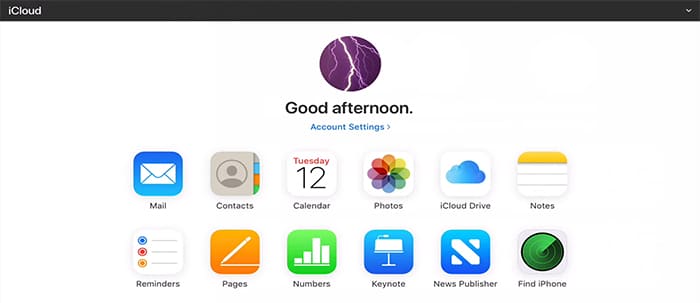
Many people don't know you can connect to iCloud accounts directly to monitor mobile devices. Though not as easy to perform or as simple as using an app, this method is another way you can view data from an iPhone.
This method can get the following:
- Current Location
- Contacts
- iCloud Drive
- Erase All Data
- Photos
Built-In Family Tools That Do Not Need A Spy App
These tools are free, official, and work through an account or device you control.
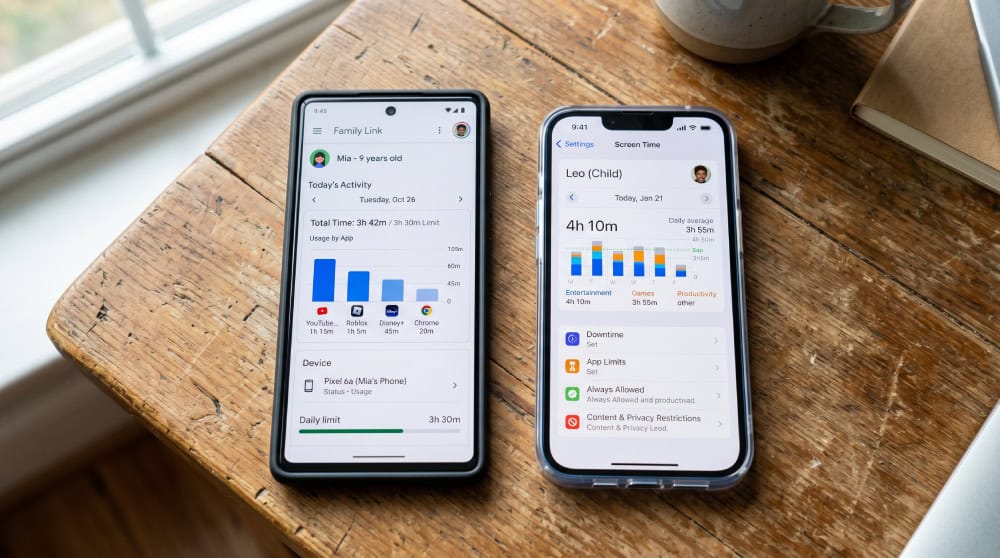
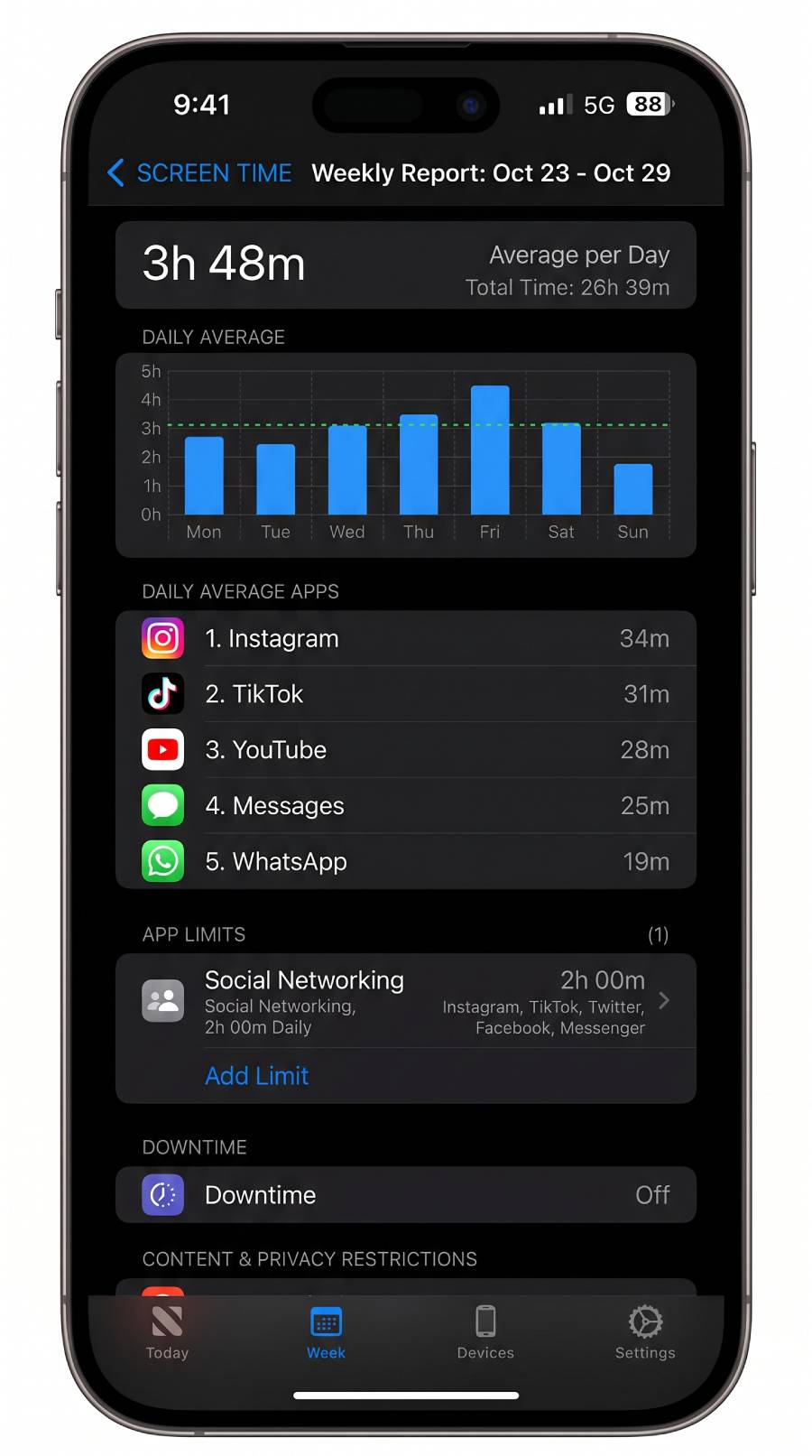
Apple Screen Time + Family Sharing (iPhone/iPad you set up)
Apple Screen Time is free and built into iOS and iPadOS, so there is nothing to install. You set it up by creating a Family Sharing group, adding the child's Apple Account, then turning on Content & Privacy Restrictions.
Once active, you can see app and website activity reports, schedule Downtime, set App Limits, apply communication limits, and block app installs or in-app purchases. Family Sharing covers up to six people total.
Apple Find My (location for your child's Apple device)
Find My is the location side of the Apple ecosystem, also free and built in. It locates iPhone, iPad, Mac, and Apple Watch, and within a Family Sharing group it helps you find a family member's device. Find My is consent-based by design: people are located through explicit location sharing or your Family Sharing group, and the network is anonymous and encrypted. For a parent, that means setting up location sharing openly with your child, not as a hidden tracker.
Google Family Link (Android, on your child's account)
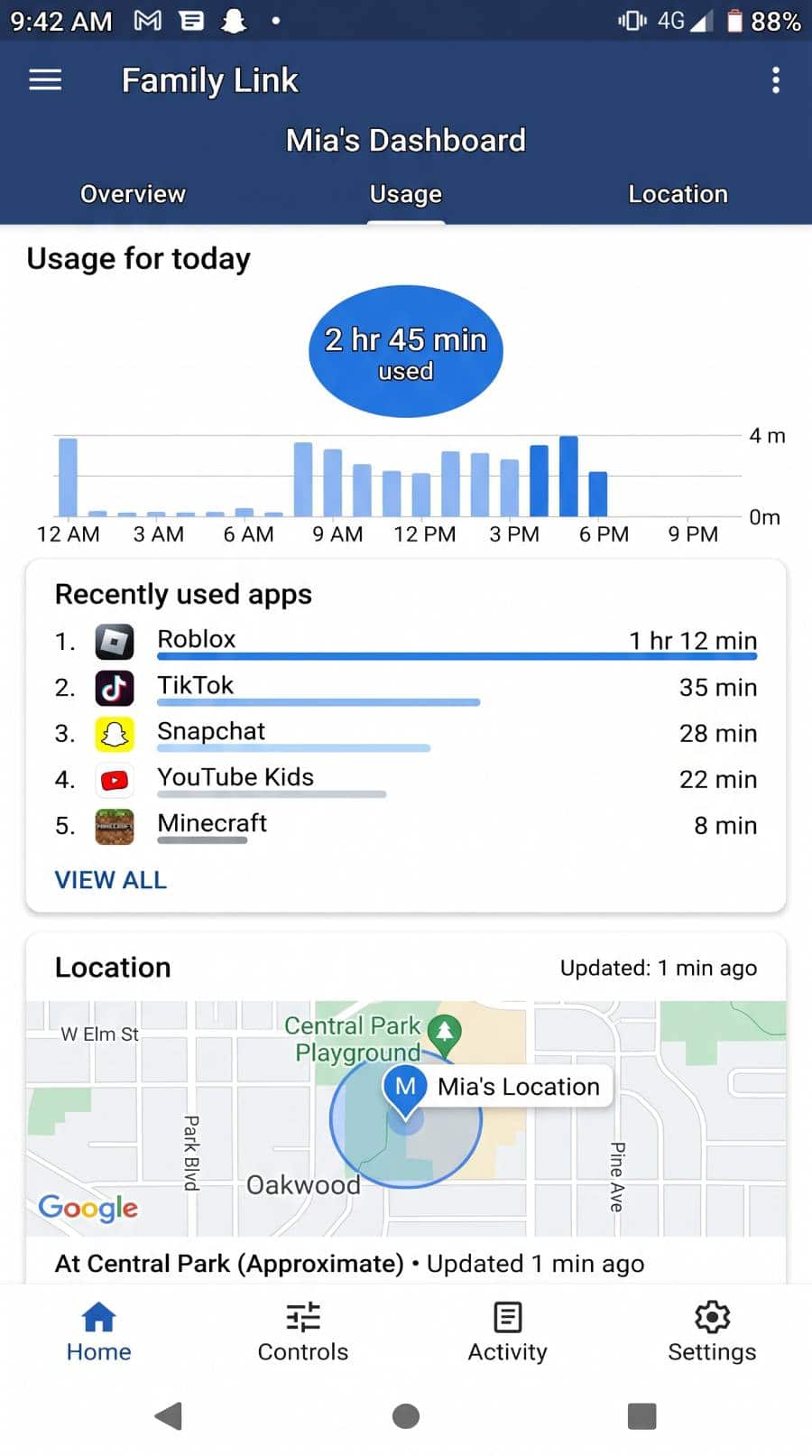
On Android, Google Family Link is the equivalent built-in tool, and it is free. A parent can create and supervise a Google Account for a child under 13, or the applicable age in your country. When a child turns 13, they can update to a supervised teen account, and Google emails both the parent and the child.
With Family Link on your child's device, you can see app activity reports, approve or block downloads and purchases, set daily screen-time limits and a device bedtime, filter websites in Chrome, and check the device's location. Setup is a one-time configuration on the device; after that you manage it from your own phone.
Google Find My Device & Maps Timeline (plus your carrier's family-location plan)
Find My Device handles location and recovery on Android. It is free, turning on automatically once a Google Account is added, and Google has begun calling it "Find Hub," so you may see either name. It lets you locate, ring, lock, or erase the device from any browser.
Google Maps location sharing is a separate, opt-in layer, off by default; the person chooses who to share with and for how long, and a temporary link can share location for up to 24 hours. Carrier family plans add another option managed from your account: AT&T Secure Family runs $7.99 per month after a 30-day free trial, T-Mobile FamilyMode is reported at around $10 per month, and Verizon's plans were rebranded recently, so confirm the current price with Verizon first.
Built-In Family Tools at a Glance
Here is how the legitimate, first-party options compare. Every tool below is made by the platform or carrier itself, not a spy app.
| Tool | Platform | What a parent can see | Cost | Setup (target-phone access needed?) |
|---|---|---|---|---|
| Google Family Link | Android | App use, screen time, approximate location, app approvals, web filtering | Free | One-time setup on the child's device/account |
| Apple Screen Time + Family Sharing | iPhone/iPad | Screen time, app limits, downtime, content limits, activity reports | Free | Set up via Family Sharing / on the device (up to six members) |
| Apple Find My | Apple devices | Device location, opt-in location sharing | Free | Enabled via the child's Apple ID / Family Sharing |
| Google Find My Device + Maps Timeline | Android | Device location; opt-in location history/sharing | Free | Signed into the child's Google account |
| Carrier family-location add-on (Verizon, T-Mobile, AT&T) | Android/iPhone | Location, basic usage controls | Paid add-on (AT&T $7.99/mo) | Managed from the parent's carrier account |
Can You Really Monitor a Phone Without Installing Software? The Honest Answer
It depends on what you mean by "monitor." There is a wide gap between what legitimate family tools show you and the covert surveillance spy-app ads promise.
What actually works without a covert install (account- and consent-based visibility)
A surprising amount works through the account your child's phone is already signed into. Their iPhone is tied to an Apple Account and their Android phone to a Google Account, so the family features built into those accounts show you screen time, app activity, and approximate location. These tools are free, made by Apple and Google, and managed from your own phone after a one-time setup. You are turning on supervision features that already live in the operating system, the realistic version of "without installing software."
What "no software" cannot do (full covert message/call interception)
Here is the part the ads will not tell you. No legitimate method lets you secretly read every text, hear every call, and see every photo on a phone you do not control without ever touching it. Software that captures that detail has to be installed on the device, usually with brief physical access. So if a service claims it can do all that from only the number, treat it as a red flag: it either does not work or is built to take your money.
What "No-Install Remote Spy" Claims Get Wrong (Myth-Busting & Scams)
Once you understand the built-in tools, the misleading ads are easy to spot. The "no-install remote spy" category rests on a promise the technology cannot keep.
Why phone-number-only "trackers" are almost always a scam
Real monitoring software, the kind that quietly captures messages, photos, and location, has to be installed on the device itself. It cannot work from a phone number alone. The FTC's case against the SpyFone stalkerware app makes this plain: installers needed brief access to the target's device, and some tools require a rooted or jailbroken phone.
When a website claims it can read any phone's texts and calls from only the number, the technology is not there. What is usually there is a payment form.
Red flags of fake "no-install spy app" services
A few patterns show up again and again, and the scams give themselves away.
- It promises full message, call, and photo access from nothing but a phone number.
- It asks for payment up front before showing a real product, often with countdown timers and fake testimonials.
- It avoids naming Apple or Google features, because those tools expose how unnecessary the paid basic service is.
Frequently Asked Questions
Can you really spy on a phone with no software installed at all or is that a scam?
You can get genuine visibility without a spy app by using built-in family tools tied to an account you own, such as Apple Screen Time, Find My, or Google Family Link. What you cannot do is secretly read every message and call from a phone number alone. Any service promising that is almost certainly a scam, because real monitoring software must be installed on the device.
Is it legal to monitor my child's phone?
As a parent, you generally have the right to supervise your own minor child on a device or account you own or pay for, which is what the built-in family tools are designed for. This differs from secretly monitoring another adult, which can be illegal. Rules vary by state and country, so treat this as general information, not legal advice, and lead with consent.
What can I see using only the Google or Apple account my child's device is signed into?
Through Family Sharing and Screen Time on Apple, or Family Link on Google, you can typically see app and website activity, screen-time totals, app approvals, content restrictions, and approximate device location, all from your own phone. You will not see full copies of every private message, which is by design.
Do I need my teen's password or physical access to set this up?
For the initial setup, you usually need brief access to your child's device to add it to your family group or turn on supervision, ideally done together. After that, you manage controls from your own phone. You do not need their ongoing password, and no legitimate tool sets up from a phone number alone.
Will my child know they're being monitored?
Not with spy apps, but with built-in parental control tools they will know, and that is the point. Family Link and Screen Time are visible on the child's device and meant to be set up openly. We recommend telling your child rather than hiding it; transparency builds trust while hidden surveillance usually backfires.
What's the difference between built-in family tools and "spy apps"?
Built-in family tools are made by Apple and Google, are free, work through an account you own, and are visible to your child by design. Spy apps are third-party programs installed on the device and are generally invisible. For a parent supervising a minor child, the built-in tools are best if you can have open communication and trust.
Legal Concerns
Laws around using a spy app on Android and iPhone, like mSpy, for phone monitoring vary widely and what can be perfectly legal in one state may be a serious felony in another, depending on who is doing the monitoring and how. As a general rule, it is legal to watch the activities of your children or a device that you own. However, it is not safe to assume that this will be the case where you live and it can also make a difference where the phone is located, so you must consult with a lawyer before proceeding.
Conclusion
The methods that don't involve installing software are somewhat limited because you need to know the Google Account or Apple ID credentials of the device. Fortunately, much better options exist.
If you can't get physical access to the target device to install an app on the target phone, purchasing a new phone and downloading a monitoring app before presenting it as a gift works well. If you want to watch what your kids are doing on their phone, giving them a brand new iPhone or Android will just seem like a really nice gesture. Your gift also allows you to have an unlimited amount of time to get the needed app set up and thoroughly check that it is undetectable.
While you can figure out round-about ways to spy on your child, it can actually be more difficult to accomplish than devising a way you can borrow it for long enough to install an app.

 Monitor a Phone Without Installing
 Track a Phone Without Installing
 Monitor a Phone Remotely
 Best Spy Apps