
How to Monitor Kids' Phone Usage Without Invading Their Privacy
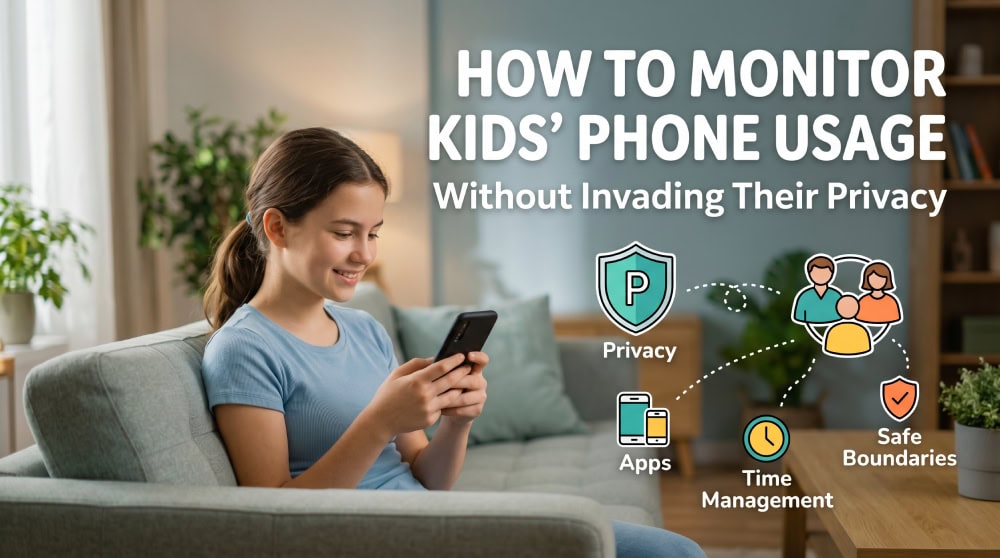
Most parents feel the same tension. You want to know your child is safe online, but you also want them to trust you, and reading every message can quietly erode that trust. The good news is that you can do both without a hidden spy app. Our team set up and tested the major parental-control tools, and the pattern was clear: the most effective monitoring is the least invasive kind that still does the job.
First-line recommendation for safety: uMobix. When your first priority is simply knowing your child is safe, uMobix gives you the fullest, fastest picture of any tool we tested, real-time location, calls and messages, app activity, and instant alerts the moment something looks wrong, all from a single dashboard. If you want one solution that covers the worst-case scenarios from day one, start here.

Then use it responsibly. Treat that visibility as a dial, not a switch. Lead with the safety signals you actually need, and grant your child as much privacy as they show they can handle. As they demonstrate good judgment, ease back from reading everything toward high-level check-ins, expanding access again only if a genuine red flag appears. Safety first, privacy earned.
Try uMobix- Why Privacy-First Monitoring Beats Surveillance
- Privacy-Respecting Ways to Monitor Your Child's Phone
- What to Monitor (and What to Leave Alone)
- Set Clear Boundaries With a Family Digital Agreement (Copy-and-Customize)
- By Age: Younger Kids vs. Teens
- Red Flags That Warrant Closer Attention (and When to Escalate)
- Is It Legal to Monitor Your Child's Phone?
- Frequently Asked Questions
- The Bottom Line
Why Privacy-First Monitoring Beats Surveillance
The instinct to watch everything is understandable, especially when 97% of US teens say they use the internet daily and 40% report being online almost constantly. But covert surveillance tends to backfire. When kids discover they are being secretly tracked, they do not become safer; they become better at hiding. This isn't about spying. It is about staying informed enough to step in when something is wrong, while leaving your child the ordinary privacy that helps them grow up.

What good, low-invasion monitoring looks like
Good monitoring is transparent and proportional. You watch high-level signals like daily screen time, which apps get the most use, and who they communicate with most, rather than reading every private message. It favors patterns over snapshots: one late-night message is noise, but a sustained shift in mood, sleep, or app behavior is signal.
The "monitoring ladder": use the least-invasive level that works
Picture monitoring as a ladder. The lowest rung is conversation. The next is built-in tools like Screen Time and Family Link that show usage and set limits. Above that sit alert-based apps such as Bark that flag concerns without showing you everything. At the top are full-visibility apps such as uMobix that capture location, calls, and messages, useful when safety is genuinely on the line. Climb only as high as the situation requires.

Privacy-Respecting Ways to Monitor Your Child's Phone
Here are the steps we recommend. Start at the top and add tools only when a real need appears.
1. Talk first: conversation, not investigation
Before you install anything, have an open conversation. Explain that you will use your phone's built-in family tools, what they show, and what they do not. "I want to help you build healthy habits" lands differently than a tool discovered in secret.
2. Set up Apple Screen Time (iPhone) together
On iPhone, Screen Time is the place to start. It is free and built into modern iPhones and iPads, with no separate charge, and it is managed through Family Sharing. To begin, open Settings, then tap Screen Time, and set up your child's device in your family group.
From there you can use Downtime to block apps at bedtime, set App Limits that cap daily time on apps or categories like Games and Social Networking, and turn on Ask to Buy so any purchase needs approval. For the full feature list, Apple Family Sharing is the official starting point.

3. Set up Google Family Link (Android) together
On Android, Google Family Link is the equivalent, and it is a free app from Google. Supervision is designed for children under 13, or the applicable age in your country, though older teens can be supervised with their participation. Family Link lets you set daily screen-time limits, create School Time and Downtime schedules, approve or block downloads through Google Play, apply content filters on Chrome and YouTube, and see your child's device location on a map.
Install the Family Link app, then link your account to your child's device. The full setup lives at Google Family Link, and Google's Find My Device handles location and remote lock for a misplaced phone.

4. Age-appropriate check-ins instead of constant tracking
Real-time location tracking has its place, but constant tracking signals distrust. We prefer scheduled check-ins to a live dot on a map all day. Glance at the weekly Screen Time or Family Link summary together, and talk about anything that stands out.
5. Use a third-party app only when needed (Bark, Qustodio)
If the built-in tools are not enough, an alert-based app is the next step. Bark Premium costs $14/month or $99/year and covers the whole family with unlimited devices, with a 7-day free trial; the lighter Bark Jr is $5/month. Bark monitors texts, email, and 30+ apps and surfaces flagged concerns like bullying, self-harm, or predators rather than showing you every message, which makes it less invasive than a full readout.
Qustodio is another strong option, with a Basic plan at $59.95/year for up to 5 devices and a Complete plan at $109.95/year for unlimited devices, billed annually. It covers Windows, macOS, Android, iOS, and Kindle, with screen-time limits, web filtering, and location; the Complete tier adds calls and messages monitoring.
Pros
- Alert-based apps like Bark flag real concerns without exposing every private message
- One subscription often covers the whole family across devices and platforms
- Useful when built-in tools cannot reach a specific app or behavior
Cons
- Ongoing subscription cost on top of free native tools
- More data collected means more responsibility to use it carefully
- Easy to over-monitor and slide from safety into surveillance
What to Monitor (and What to Leave Alone)
Choosing what to watch is where privacy-first parenting is won or lost.
High-value, low-invasion signals: screen time, app patterns, contacts
The most useful signals are also the least invasive. Total daily screen time tells you about balance, which apps dominate tells you where their attention goes, and who they talk to most flags new contacts. None of these require reading a single message, yet together they paint a clear picture of their digital world.
Be cautious: reading every message erodes trust
Reading every text is tempting, and it almost always costs more than it returns. It erodes trust, teaches kids to move conversations to apps you cannot see, and rarely surfaces anything the higher-level signals missed. Reserve it for genuine red flags, not routine oversight.
Set Clear Boundaries With a Family Digital Agreement (Copy-and-Customize)
A short written agreement turns vague rules into shared expectations. Adjust the language to fit your family, and both sign it. Here is a template to copy and customize:
- Phones charge outside the bedroom overnight, starting at an agreed time.
- We use Screen Time or Family Link, and you know what they show.
- Apps and games are approved together before they are installed.
- We talk about anything that feels uncomfortable online, without blame.
- Parents check in weekly, not constantly, and respect private conversations.

By Age: Younger Kids vs. Teens
The right level of monitoring shifts as kids grow. What protects a nine-year-old can feel insulting to a sixteen-year-old.
Under 13: structure first
For children under 13, lean on structure. Family Link's supervision is designed for this age group, and COPPA, the children's privacy rule enforced by the FTC, restricts how online services collect personal information from children under 13. Firm app approvals, content filters, and clear time limits are appropriate and expected here.
Teens: trust plus targeted monitoring
Teens need more autonomy, and roughly 90% of US teens report ever using YouTube, with TikTok and Instagram close behind, so blanket bans rarely hold. Shift from control to coaching: keep screen-time visibility and location-sharing for safety, but step back from content monitoring unless a specific concern arises.
Red Flags That Warrant Closer Attention (and When to Escalate)
Most days, your light-touch signals will look fine. Certain red flags justify climbing higher on the ladder: a sudden withdrawal from family or friends, secrecy that spikes around the phone, new contacts your child will not explain, contact from an unknown adult, or talk that hints at self-harm or being bullied. When you see these, lead with conversation, and escalate to deeper access only if a real safety threat is present.
Is It Legal to Monitor Your Child's Phone?
In the United States, as a parent you generally have the legal right to monitor your child's phone without them knowing, provided you own and pay for the device. The clearer issue is the privacy rules governing the services your child uses. COPPA, enforced by the FTC, protects the personal information of children under 13 online and requires covered apps to get parental consent before collecting it.
Laws differ once a child is a legal adult, so the safe default at every age is transparency over secrecy. For broader context, Common Sense Media research tracks teen screen-time trends over time.
Frequently Asked Questions
What's the best way to monitor my child without invading their privacy?
Start with conversation, then use the free built-in tools, Apple Screen Time or Google Family Link, watching high-level signals like screen time and app usage rather than private messages.
Should I read my child's text messages?
As a routine habit, we advise against it, because it erodes trust. Reserve full message access for genuine red flags like bullying or contact from an unknown adult.
Can I monitor my child's phone without them knowing, and should I?
You can, using covert apps, but in almost every case you should not. Secret surveillance damages trust and makes kids better at hiding rather than safer.
Apple Screen Time vs. Google Family Link, which should I use?
It depends on the device. Screen Time is built into iPhones and iPads, while Family Link is Google's free app for supervising Android. Both offer screen-time limits, app controls, and location.
Is it legal to monitor a teenager's phone?
Generally yes, while your teen is a minor and you own the device. Once your child is a legal adult, recording their private communications without consent can be illegal, so transparency is the safest default.
The Bottom Line
You do not have to choose between safety and trust. The most effective approach we tested is also the least invasive: talk first, lean on free built-in tools like Screen Time and Family Link, watch high-level patterns instead of private content, and add an alert-based app only when a real need appears. Do that, and you protect your child in the digital world without teaching them that privacy is something to hide from you.

 Monitor A Phone Remotely
 How To Monitor Snapchat
 Monitoring A Child's Phone Discreetly
 Apps To Monitor Your Child's Text Messages
 How Parents Can Monitor Snapchat
 Monitor Your Child's Text Messages
 Get Your Child's Texts On Your Phone
 See Your Kids' Text Messages