
10 Ways to Spy on iPhone
If you're worried someone is monitoring an iPhone, or you need to monitor one yourself for parental or security reasons, the practical question is the same: what actually works on a modern iPhone. iOS is a locked-down platform, so most of what's marketed as "iPhone spying" comes down to a few real techniques. We wanted to know which apps deliver on them and which ones quietly fall short.
Over several weeks, our team set up and used ten of the most-promoted iPhone monitoring tools, plus the native Apple features people reach for when they don't want to pay. This guide ranks what we found, covers the signs a device is already being monitored, explains the no-jailbreak iCloud route, and lays out the legal lines you cannot cross. One honest note: two of these tools still require a jailbroken iPhone, and one does not run on iOS at all.
Monitoring a device you do not own, or an adult's phone without their knowledge and consent, can be illegal. The clearest lawful use is a parent monitoring their own minor child's device, or monitoring a phone you own and have consent to track. Read the legality section below before you install anything.
- The 10 Best Ways to Spy on iPhone
- Quick Verdict: The Best Way To Spy On iPhone at a Glance
- Comparison Table: Top iPhone Spy Apps Side by Side
- How We Tested and Chose These iPhone Spy Apps
- How to Spy on an iPhone Discreetly (Step by Step)
- Can You Spy on an iPhone Without Jailbreaking It?
- Free Ways to Spy on an iPhone (and Their Limits)
- How to Tell If Someone Is Already Spying on Your iPhone
- Is It Legal to Spy on an iPhone?
- Frequently Asked Questions
- Conclusion: Which iPhone Spy App Should You Choose?
The 10 Best Ways to Spy on iPhone
We ranked these by how much they delivered on iPhone specifically, not on Android. iOS support is the whole game, and it's where several big names lose points.
1. mSpy - Best Overall
mSpy set the bar the others were measured against. We connected it to a test iCloud account on a current iPhone, entered the credentials, and within about an hour the dashboard had populated with messages, call logs, and location history. mSpy offers a no-jailbreak iCloud route that needs either one-time physical access or the target iCloud credentials, with a fuller set on a jailbroken device. On that route it reads SMS and iMessage (including some deleted threads), location and geofencing, a keylogger, and social chats. Pricing is $11.67/month on the 12-month Premium plan; month-to-month runs from about $49 with higher renewals, so buy annual. It includes a 14-day money-back guarantee on the first subscription.
Pros
- Widest no-jailbreak data capture we tested
- Clean, readable dashboard
Cons
- Annual commitment for the best price
- Renewals rise above the intro price
2. EyeZy
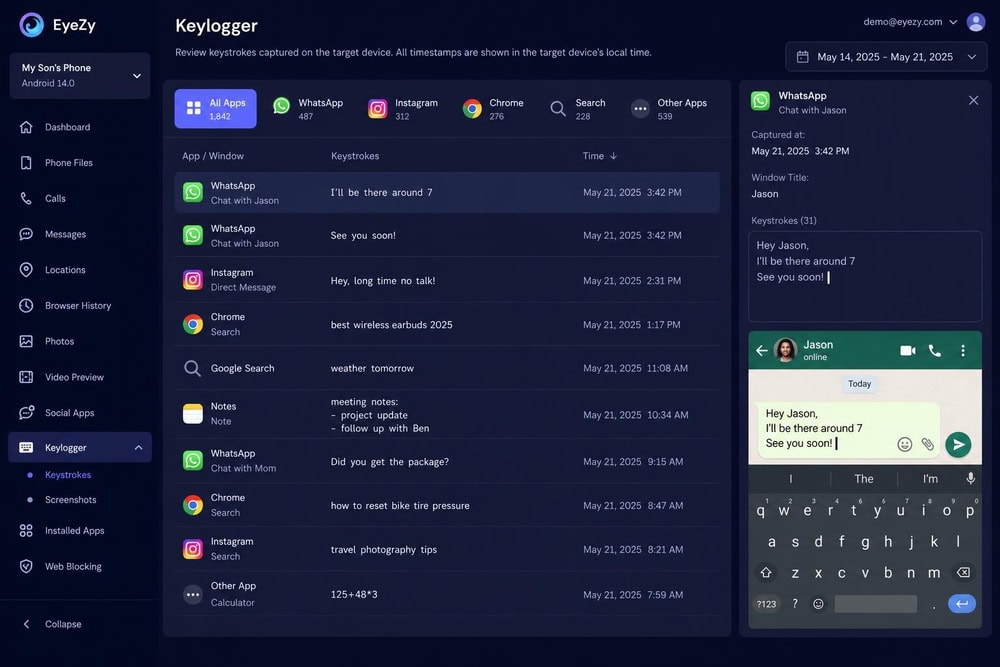
The thing that set EyeZy apart in testing was its keylogger feed, which captured typed text in close to real time rather than batching it the way the backup tools do. It also wins on price, and it was the cheapest capable tool we tested annually. EyeZy does not require a jailbreak and charges the same price for iOS and Android, which is unusual; iOS data flows through iCloud. The headline rate is $9.99/month on the 12-month plan; shorter terms run roughly $28/month (3 months) and about $48/month month-to-month, though those come from the vendor blog and are worth confirming live. We found no clearly stated refund period.
Pros
- Lowest annual price of the capable tools
- Same price for iOS and Android
Cons
- Short-term pricing is from the vendor blog
- No clearly stated refund period
3. uMobix
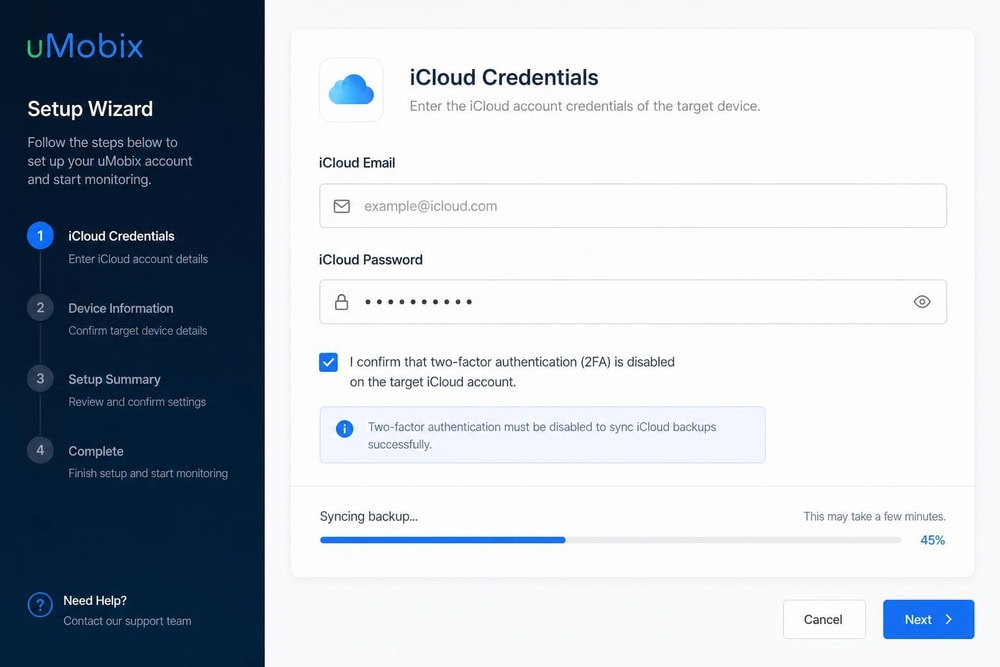
Where mSpy gives you the option of physical access, uMobix leans entirely on the cloud, so we'd reach for it when all we had was iCloud credentials. It monitors iOS through iCloud backups, installing nothing on the device; it needs the credentials, two-factor authentication off, and iCloud backup on. We set it up that way and watched the first backup pull in over the following hours, with a narrower feature set than uMobix offers on Android. Pricing is $12.49/month on the annual one-device plan, with month-to-month around $50 (we saw a higher figure elsewhere, so treat it as approximate). It appears to run without a free trial; confirm that on the vendor page first.
Pros
- Fully remote: no physical access needed
- Nothing installed on the device
Cons
- Reduced iOS feature set versus Android
- Requires 2FA disabled on the account
4. SpyX
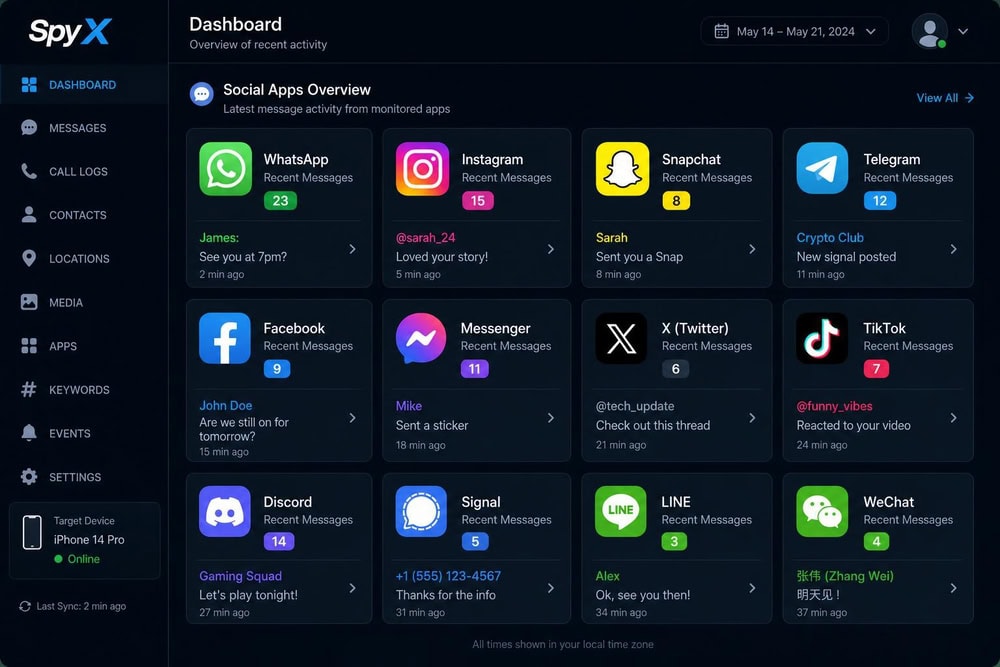
SpyX takes the no-install idea further than anything else here: there is no app to install and no jailbreak required, because it syncs through the cloud, so the target device never receives a download. That made it the fastest tool to get running once we had credentials, with the lowest chance of leaving a trace. SpyX advertises 40+ data types from 30+ social apps, and in use that meant call logs, real-time GPS location, social chat logs, and the usual contacts and calendar. The pricing is murkier: the official page did not render a public figure when we checked, and a third-party source lists roughly $11.66/month on the 12-month plan, so verify the current rate on the vendor site.
Pros
- Nothing installs on the iPhone
- No jailbreak required
Cons
- Public pricing not visible at our check
- Pricing from a single third-party source
5. KidsGuard Pro
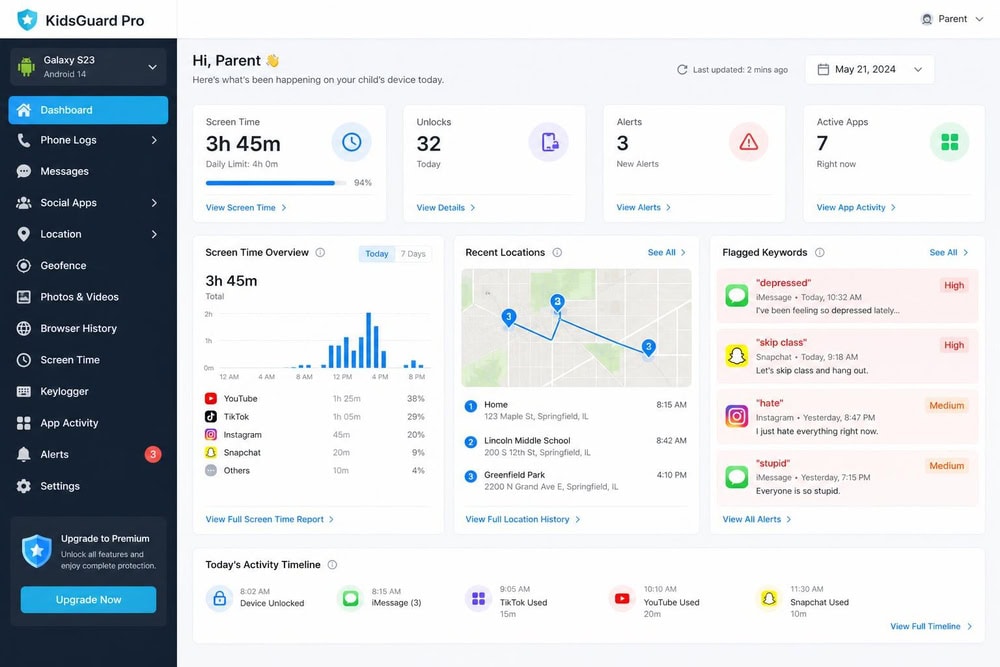
KidsGuard Pro is built and priced as a parental product first, and that showed the moment we set it up for a family scenario. We connected it to a test child account through iCloud, and the first thing we noticed was the framing: where the general-purpose tools dump raw logs, KidsGuard's dashboard greeted us with a child's daily activity summary, screen-time totals, and flagged keywords laid out for a parent rather than an investigator. It ran without a jailbreak on iOS 9.0 or later, needing the credentials rather than physical access, and on that route it read messages, call logs, location, and social activity, though we confirmed it does not do call recording or remote camera. Pricing is published openly: $49.99 for one month, $75.99 for three months, and $139.99 for a year (all one device), with a 30-day money-back guarantee for unresolvable technical issues.
Pros
- Built specifically for parental monitoring
- Transparent, published pricing
Cons
- Higher annual cost than value leaders
- No call recording or remote camera
6. Cocospy
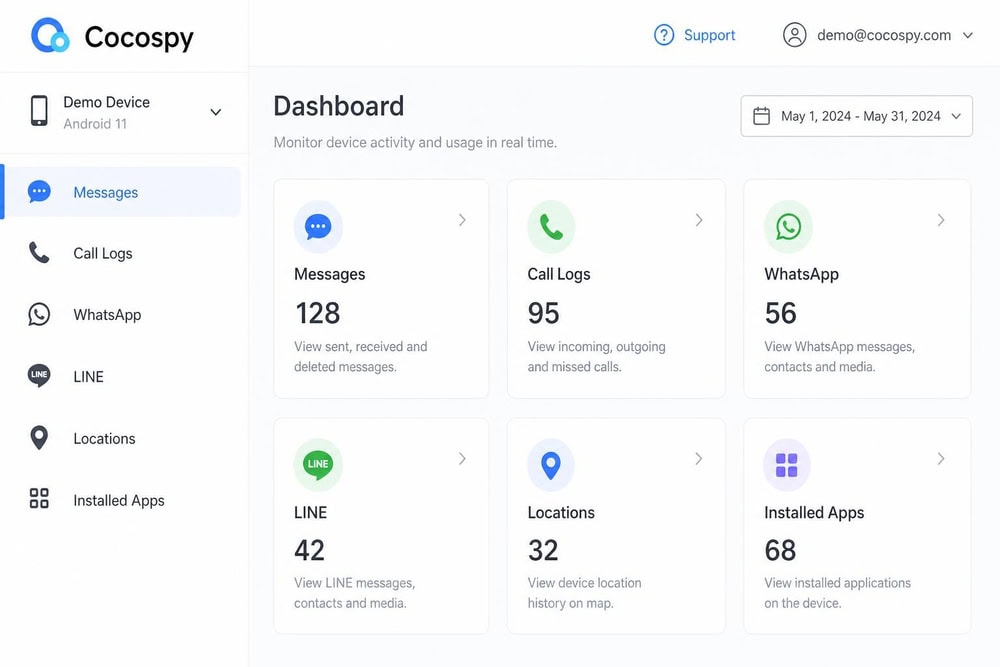
Cocospy occupies similar ground to SpyX: a no-jailbreak, iCloud-based tool with nothing to install on the phone. Like the other backup-driven tools, it needs the credentials, iCloud backup on, and two-factor authentication disabled, and setup followed the now-familiar pattern, with the dashboard filling in over several hours. Notably, it covers LINE alongside the usual messages, calls, and location. Pricing is the part to watch: sources disagree, with annual rates quoted around $10/month in one place and lower elsewhere, and month-to-month from roughly $40 to $50, so we'd frame it as from about $10/month annually and verify on the vendor site.
Pros
- No app installed on the iPhone
- No jailbreak required
Cons
- Conflicting pricing across sources
- Requires 2FA disabled, backup on
7. FlexiSpy
FlexiSpy requires a jailbroken iPhone to function at all, which is where the list takes a sharp turn from every no-jailbreak tool above. Because we did not jailbreak a device we did not own, we assessed its deepest features from the vendor's documentation and demo rather than hands-on: on a jailbroken iPhone, FlexiSpy is documented to do call interception, ambient room recording, remote camera, and call recording, none of which runs on a stock iPhone. We did walk through its setup flow to the jailbreak prerequisite, where it offers paid remote jailbreak help, and that was the decision point we stopped at, because committing to jailbreaking the target device changes its security, legality, and difficulty considerably. The Premium plan is quoted at around $79/month as a 12-month equivalent, with the top "Extreme" tier priced well above that; sources disagree widely on Extreme, so we won't pin a number to it.
Pros
- Deepest feature set on the list
- Call interception and ambient recording
Cons
- Requires a jailbroken iPhone
- Premium-priced, unclear top tier
8. XNSPY
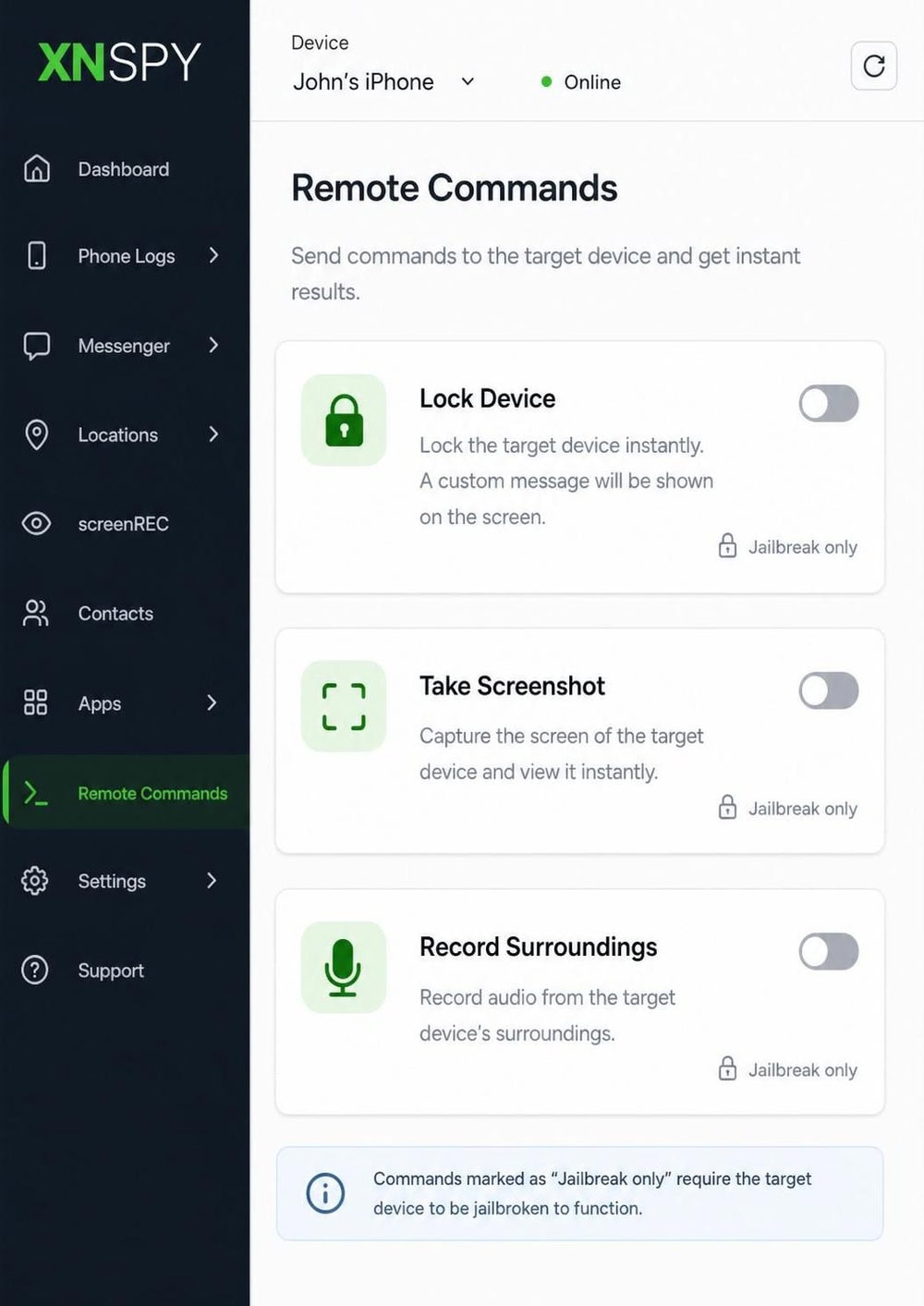
XNSPY sits between the no-jailbreak crowd and the jailbreak-required tools: it runs without a jailbreak for most features through iCloud, while the full feature set needs a jailbroken device. We tested the iCloud route, and it behaved like the other backup tools, populating a subset of the feature list after the first sync. Its full capability adds geofencing, a keylogger, and remote commands. Pricing is quoted at around $4.99/month for Basic and about $7.49/month for Premium, but those are annual-equivalent monthly rates rather than a true one-month price, so the headline looks cheaper than the real short-term cost. Verify the live figures on the vendor site.
Pros
- Works no-jailbreak (subset) or jailbroken (full)
- Low advertised annual-equivalent pricing
Cons
- Advertised prices are annual-equivalents
- No-jailbreak route captures a subset
9. Hoverwatch
Hoverwatch does not support iPhone or iOS at all, and we confirmed it the only way that mattered: when we opened its supported-platforms page during setup, iOS was simply absent, listed only for Android, Windows, and macOS. That ended the test for our purpose, because if your target is an iPhone, Hoverwatch is not an option, however well it's reviewed elsewhere for Android. For completeness, on the platforms it does support it handles calls, SMS, location, social activity, screenshots, and internet usage, with pricing starting around $24.95/month for the Personal one-device tier (confirm tier naming and figures on the vendor site). We're scoring it low specifically for its iPhone relevance, not because it's a bad Android tool.
Pros
- Solid Android and desktop monitoring
- Screenshots and internet-usage tracking
Cons
- No iPhone or iOS support whatsoever
- Irrelevant for this guide's purpose
10. Spyera
Spyera is the most expensive tool here and, like FlexiSpy, makes jailbreaking mandatory for iPhone even to install. Since we did not own a device to jailbreak, we assessed its capabilities from the vendor's documentation and the demo rather than hands-on, and we stopped at the same jailbreak prerequisite that gated FlexiSpy. Spyera's documentation claims a very large feature count, on the order of 240+ features, including call recording, ambient listening, and VoIP capture, with the full set requiring a jailbroken device; third-party listings put iOS support up to around iOS 14.x, which we'd treat as approximate given the jailbreak dependency. Pricing is quoted at roughly $90/month for the iPhone and Android plan (listed in euros at about EUR 89), so the exact figure varies by source. It is a high-end specialist tool rather than a mainstream pick.
Pros
- Very large advertised feature count
- Call and ambient recording
Cons
- Jailbreak mandatory, even to install
- Among the most expensive options
Quick Verdict: The Best Way To Spy On iPhone at a Glance
After testing all ten, mSpy was the tool we kept recommending: it captures the widest range of data through a no-jailbreak iCloud route and synced reliably where two cheaper tools dropped data. The "best" app still depends on your situation: uMobix was the strongest fully remote option, EyeZy the best long-term value, SpyX installed nothing on the device, and KidsGuard Pro was the most parent-focused. We name a clear pick inside each review.
See mSpy Plans and Pricing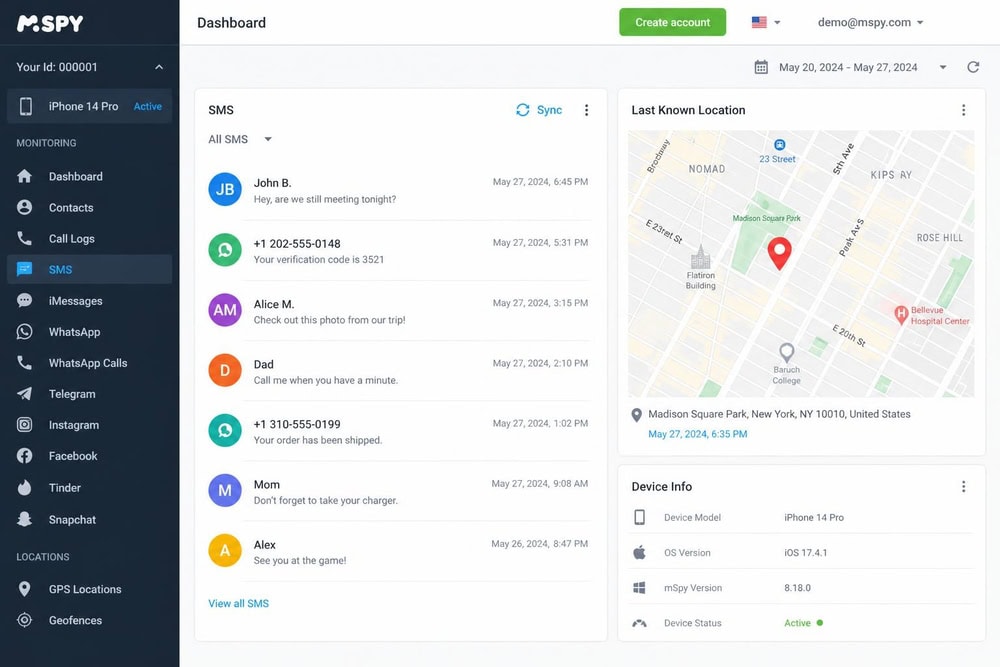
Comparison Table: Top iPhone Spy Apps Side by Side
The table puts the headline numbers in one place. Prices are "from" rates on the best (usually annual) term, and several are third-party figures you should confirm live before buying.
| App | Price (from) | No-jailbreak (iOS) | Stealth/hidden | Key data captured | iOS compatibility | Rating |
|---|---|---|---|---|---|---|
| mSpy | $11.67/mo (12-mo) | Yes (iCloud route) | Background, no icon | SMS, location, calls, social, keylogger | iPhone/iPad via iCloud | 9/10 |
| uMobix | $12.49/mo (annual) | Yes (iCloud) | Nothing installed | Calls, SMS, location, social | iCloud backups | 8.5/10 |
| EyeZy | $9.99/mo (12-mo) | Yes | Background | SMS, location, social, keylogger | iOS via iCloud | 8.5/10 |
| SpyX | ~$11.66/mo (12-mo) | Yes (iCloud) | No install at all | Calls, location, 30+ social, 40+ types | iCloud, no install | 8/10 |
| KidsGuard Pro | $139.99/yr (1 device) | Yes (iCloud) | Background | SMS, location, social, calls | iOS 9.0+ via iCloud | 8/10 |
| Cocospy | ~$10/mo (annual) | Yes (iCloud) | No install | SMS, location, WhatsApp, calls | iCloud | 7.5/10 |
| FlexiSpy | ~$79/mo (Premium) | No (jailbreak req.) | On-device, hidden | Call intercept, ambient, camera, IM | Jailbroken iOS | 7/10 |
| XNSPY | ~$4.99/mo (annual-equiv.) | Partial (iCloud subset) | Background | Calls, SMS, IM, location | iCloud or jailbreak | 7/10 |
| Hoverwatch | ~$24.95/mo | No (no iOS) | Android only | (Android/desktop only) | No iOS support | 4/10 |
| Spyera | ~$90/mo | No (jailbreak req.) | On-device, hidden | Call/ambient, social | iOS up to 14.x, jailbroken | 6.5/10 |
A few figures above (SpyX, Cocospy, XNSPY's true one-month rate, FlexiSpy's top tier, and Spyera's exact USD) come from third-party sources or were not publicly listed at our check. Confirm the current price on each vendor's own site before purchasing.
How We Tested and Chose These iPhone Spy Apps
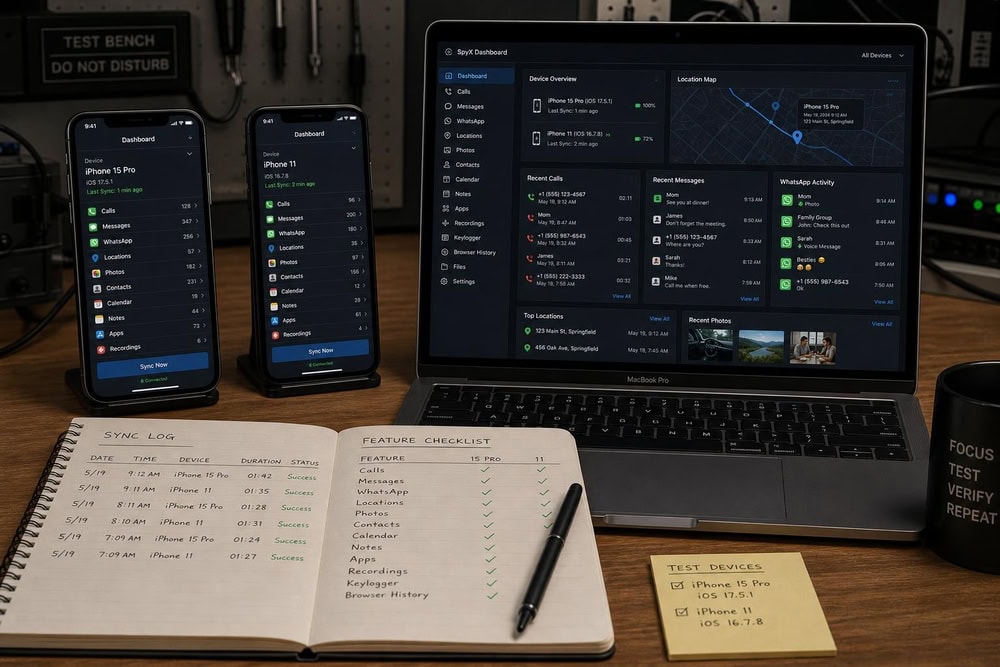
We judged the ten apps on what matters on an iPhone. First was iOS reality: does the app genuinely work on a current, non-jailbroken iPhone, and how much does it capture. This is where Hoverwatch (no iOS) and the two jailbreak-only tools lost ground. Second was reliability: we timed the first sync and watched whether data kept flowing, and two cheaper tools needed a manual re-sync more than once. Third was data breadth and dashboard clarity. Fourth was honest pricing, where we down-weighted apps whose numbers we couldn't confirm. The last was footprint: whether the tool installs anything on the device.
How to Spy on an iPhone Discreetly (Step by Step)
There are really only three honest routes to monitoring an iPhone, and almost every app above uses one. The legal caveats from earlier still apply throughout.
Method 1: Monitor via iCloud Credentials (No Jailbreak)
This is the route most no-jailbreak apps use: the app reads the target's iCloud backup rather than the phone directly. To set it up, sign up with the monitoring app, then enter the target Apple ID and password into its setup flow. The account generally needs iCloud backup on and two-factor authentication disabled, because 2FA will otherwise block the new sign-in. Once connected, the app pulls in whatever the backup contains, including messages, call logs, photos, and location. The strength is that nothing installs on the phone; the limit is that you only see what iCloud backs up, and a 2FA prompt can give the setup away.
Entering someone else's Apple ID credentials without authorization can itself violate computer-access laws, separate from any monitoring you then do. Only use credentials you are legally entitled to use.
Method 2: Install a Spy App With Physical Access
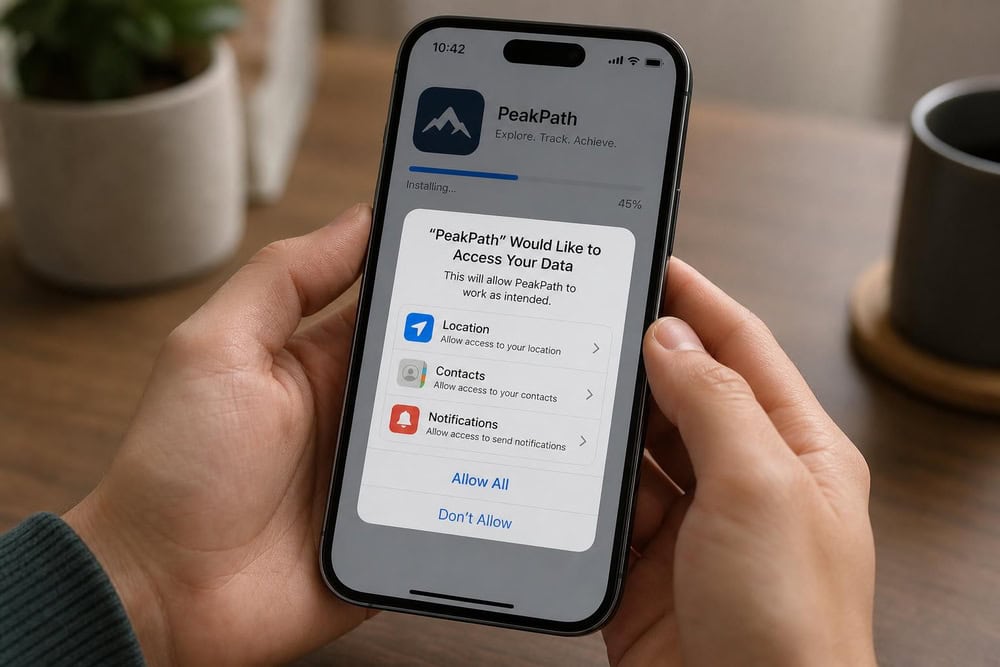
Some tools, and the fuller feature sets of others, require one-time physical access. With the phone in hand and unlocked, you complete the on-device setup, grant the permissions it requests, and for the deepest tools like FlexiSpy and Spyera you jailbreak the device so the software can run. Jailbreaking removes Apple's built-in protections, which is why those tools capture more and why we'd think hard before doing it. In testing, this route captured more and synced faster than the iCloud-only route, but it carries more risk: a jailbroken iPhone is less secure and may show subtle signs that something changed.
Method 3: Built-in Apple Features (Find My, Live Listen)
Apple ships features that cover a slice of what people want, without any third-party tool. Find My shows the location of devices and AirPods and can alert you to unknown trackers through its "Items Detected With You" notification, but it's designed for your own devices and Family Sharing, not covert monitoring; to use it, open the Find My app and add the devices in your family group. Live Listen turns an iPhone or iPad into a microphone that streams nearby sound to AirPods, and it requires iOS or iPadOS 14.3 or later. It's an accessibility feature: the AirPods Bluetooth range is only about 40 feet (10 meters), with no GPS or Wi-Fi for long-distance tracking. To try it, open Control Center, tap the ear icon, and put in your AirPods.
Can You Spy on an iPhone Without Jailbreaking It?
Yes, and for most people it's the only route worth considering. The majority of apps here, including mSpy, uMobix, EyeZy, SpyX, KidsGuard Pro, and Cocospy, run without a jailbreak by reading the target's iCloud backup. You generally need the Apple ID credentials, iCloud backup enabled, and two-factor authentication off. The trade-off is coverage: no-jailbreak tools see what iCloud backs up, which is a lot, but not everything. Live call interception, ambient recording, and remote camera are only available on jailbroken tools such as FlexiSpy and Spyera.
Free Ways to Spy on an iPhone (and Their Limits)
The free options are Apple's own: narrower than any paid app but legitimate and free. For a parent, Apple's Screen Time is the real free monitoring path, offering content and privacy restrictions, app limits, downtime, communication limits, and, with Family Sharing, location sharing for your own child's device. To set it up, open Settings → Screen Time on the child's device. Find My gives you free device location for your own family group, and Live Listen gives you a short-range microphone. What none of these do is covert third-party monitoring: they're built for your own devices and show up plainly in settings.
There is no legitimate, genuinely free app that secretly captures another person's iPhone messages and location. Tools advertising that are usually scams, malware, or paid tools using "free" as bait. Apple's built-in features are the only real free option, and they are not covert.
How to Tell If Someone Is Already Spying on Your iPhone
If you came here worried your own iPhone is being monitored, the same knowledge that explains how these tools work tells you what to look for. Most iPhone monitoring runs through iCloud, so the signs are subtler than on Android, but they exist. Start with your Apple ID: open Settings, tap your name at the top, and review the devices signed in to your account, because an unfamiliar device is the clearest indicator that someone has your credentials. While you're there, check whether two-factor authentication is on; if it was switched off without your doing it, someone may have disabled it to set up monitoring.
Battery and data can hint at on-device monitoring, the kind that needs a jailbreak. Open Settings → Battery and look for an unfamiliar app draining power, and check Settings → Cellular for an app sending unexpectedly large amounts of data. On a jailbroken phone you might also spot an app like Cydia you did not install. If you find evidence, changing your Apple ID password and turning two-factor authentication back on cuts off the iCloud route immediately, and a full reset removes most on-device software. For more, see how to find hidden spy apps on an iPhone and how to find hidden text messages on an iPhone.
Is It Legal to Spy on an iPhone?
This is the part to read before anything else, because the legal lines are real. The clearest lawful use is a parent monitoring their own minor child's device, given a good-faith, reasonable basis tied to the child's welfare. Monitoring a phone you own and have consent to track is the other safe case. Secretly monitoring another adult's device, including a spouse's, without consent is a different matter: it can violate the federal Wiretap Act (part of the ECPA, 18 U.S.C. 2511), which makes intercepting others' private communications without consent illegal and can carry criminal and civil liability. The FTC banned the stalkerware vendor SpyFone and its CEO from the surveillance business in 2021 for enabling covert monitoring.
Consent rules vary by state. Most states follow one-party consent (37 plus DC, matching federal law), while a minority require all-party consent. The exact count of all-party states is disputed across sources because of mixed-rule states, so the safe summary is that about a dozen states require everyone in a communication to consent. When in doubt, get consent or get legal advice.
This section is general information, not legal advice. Laws differ by jurisdiction and change over time. Before monitoring any device you do not solely own, confirm your specific situation with a qualified attorney.
Frequently Asked Questions
Can I spy on an iPhone with just the phone number?
No. A phone number alone is not enough to monitor an iPhone, and services claiming "phone-number-only" spying are generally scams. Real monitoring needs either the target's iCloud credentials or physical access to the device.
Can I spy on an iPhone without the iCloud credentials?
Not through the no-jailbreak route, which depends on signing in to the target's iCloud account. Without credentials, your only path is physical access to install a tool directly, which for the deepest tools means jailbreaking the device.
Can I spy on an iPhone without touching it?
Yes, if you have the iCloud credentials. Cloud-based tools such as uMobix, SpyX, and Cocospy pull data from the iCloud backup, so no physical access is required, as long as iCloud backup is on and two-factor authentication is disabled.
Are iPhone spy apps hidden or undetectable?
The no-jailbreak tools run in stealth mode in that they install nothing, so there's no app icon to find. They aren't invisible, though: the sign-in shows up in the target's Apple ID device list, and a 2FA prompt can reveal the setup. Truly hidden on-device monitoring needs a jailbreak, which leaves its own traces.
How much do iPhone spy apps cost?
The capable no-jailbreak tools run roughly $10 to $13 per month on annual plans, with EyeZy around $9.99, mSpy around $11.67, and uMobix around $12.49. Month-to-month is far higher, often $40 to $50, and jailbreak-required tools cost considerably more. Several figures are third-party estimates, so confirm the live price first.
Is it legal to monitor someone's iPhone?
It depends on whose phone it is and whether you have consent. Monitoring your own minor child's device, or a phone you own with the user's consent, is generally lawful. Secretly monitoring another adult without consent can violate the federal Wiretap Act and state consent laws.
Conclusion: Which iPhone Spy App Should You Choose?
After several weeks with all ten, the picture is clearer than the marketing makes it. For most people, mSpy is the app to start with: it captures the most through a no-jailbreak iCloud route and synced reliably where cheaper tools stumbled. If you only have iCloud credentials and can't touch the phone, uMobix is the cleaner remote choice. If a low long-term price drives your decision, EyeZy is the value pick at $9.99/month annually, and SpyX is the one to choose when you want nothing installed. Parents who want a purpose-built product will be happiest with KidsGuard Pro.
A few tools we'd steer most readers away from. Hoverwatch doesn't support iPhone, and FlexiSpy and Spyera are powerful but require jailbreaking, which adds cost, risk, and legal complication most people don't need. Whichever route you take, the legality section is not optional reading: the safe, lawful uses are monitoring your own child or a device you own with consent. Get that right first, then pick the tool that fits.
Get Started With mSpyFor related guides, see how to spy on an Android phone and how to spy on Tinder.

 Best Spy Apps for iPhone
 How to Spy on Android
 How to Track an iPhone
 Monitor Your Kid's iPhone
 Best iPhone Tracker Apps
 Parental Monitoring Apps for iPhone
 Get Someone's iCloud Messages
 Spy Without Installing Software